 Hui Lin
Landed. Phone dead. Two SIM counters. One queue. I've stood in that exact spot at Beijing Capital with six tired clients behind me—and I've watched people lose half a day to a voice-guided activation menu in pure Chinese. This is the no-nonsense airport SIM playbook I wish every arrival had.
Which Airport Counters Actually Sell Tourist SIMs
Here's the first thing nobody tells you: the big glowing telecom kiosks in arrivals are not all equal. At Beijing Capital (PEK) Terminal 3, the China Unicom desk sits near Exit 5 in the international arrivals hall—right after baggage claim, before customs. China Telecom has a smaller counter across the corridor. In Shanghai Pudong (PVG) Terminal 2, both brands operate desks in the international arrival corridor near Gate 27. I've personally timed the walk: from the aircraft door to the Unicom desk is roughly 25 minutes if your bags come out fast. If you land during the 6–9 a.m. bank, add 20 minutes for the passport queue alone.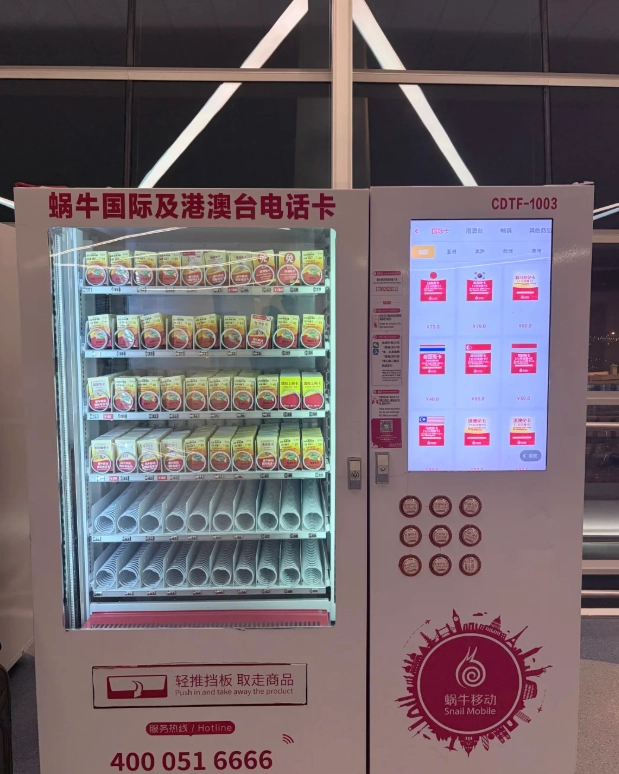
What they need from you is simple—but strict. Passport only. No photocopy, no digital scan. The staff will photograph your passport page and take a live facial scan at the counter. This is a government registration step, not a sales gimmick. The entire process takes 15–20 minutes when the queue is short. On a Friday afternoon, I've seen it stretch past 45 minutes.
Pricing is standard across airport counters for the tourist plans: a 15-day plan with 30GB of data and local calls runs around 200–300 RMB depending on the brand and current promotion. A 30-day plan with 50GB sits closer to 400 RMB. You can pay with Alipay or WeChat Pay linked to a foreign card. Cash works too. Foreign credit cards directly? Usually no. That surprised a client from Germany who assumed airport counters would swipe Visa.
Pro Tip: Do not buy a SIM if your phone is carrier-locked to your home network. I've watched travelers buy a plan, insert the card, and get zero signal—only to discover their phone was locked to a U.S. carrier. Check your phone settings before you fly. Unlocked is non-negotiable.
How to Avoid the SIM Activation Trap
The real bottleneck is not the purchase. It's the activation. The moment the card is inserted, the network sends a Chinese-language SMS with a link. That link opens a registration portal that requires you to re-enter your passport number, upload a photo of your visa page, and wait for a manual review. I'm not exaggerating: I've seen this step take four hours on a busy Sunday. The network blocks data until the review clears.
Here is the workaround I now use with every tour group. Ask the counter staff to complete the activation for you before you leave the desk. They can do it on their terminal in under five minutes. Stand there and watch the data icon appear. If they hand you the card and say "wait for SMS," politely insist they finish the process at the counter. This one move saves an entire afternoon. At Pudong, the Unicom staff are used to this request and will do it without fuss. At smaller airport counters, the staff may not have the activation terminal—in that case, walk to the city-center flagship store instead of wrestling with the SMS portal alone.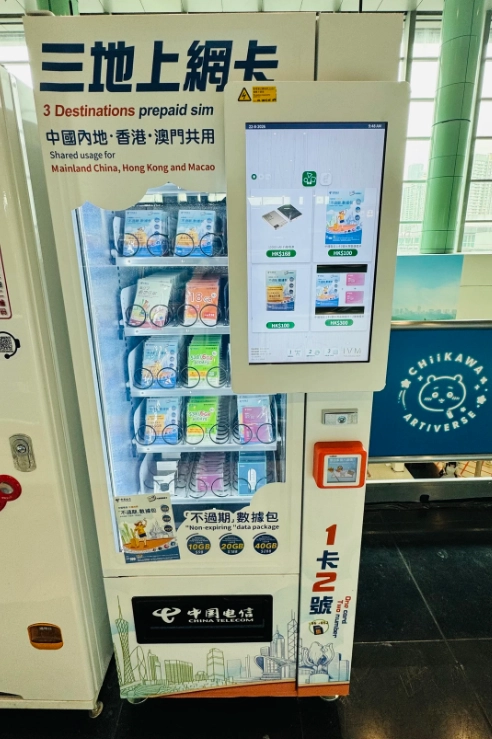
China Telecom vs Unicom: Real Airport Coverage and Speed
Both networks cover airport terminals well. The difference shows up on the ground. China Telecom generally holds a stronger signal in rural areas and on high-speed trains—I've tested both on the Beijing–Shanghai bullet train, and Telecom kept a stable connection through the tunnels outside Nanjing while Unicom dropped twice. Unicom tends to be faster in dense city centers, especially around Shanghai's Jing'an district. For a tourist sticking to major cities and airports, either works. For anyone planning a Great Wall side trip to lesser-known sections like Jiankou, Telecom's rural reach is the safer bet.
One hidden catch: the airport tourist SIMs are data-first plans. International roaming is not included, and outbound calls to foreign numbers cost extra. If you need to call a hotel in China, both networks handle local calls fine. If you need to call home, use WeChat or WhatsApp over data instead.
| Airport Counter | Brand | Walk from Arrivals | Typical Wait | Best For |
|---|---|---|---|---|
| PEK T3, near Exit 5 | China Unicom | 3 min after customs | 15–45 min | City-focused travelers |
| PEK T3, opposite corridor | China Telecom | 4 min after customs | 10–30 min | Rural and train travel |
| PVG T2, Gate 27 corridor | China Unicom | 2 min after customs | 20–50 min | Fast city data |
| PVG T2, Gate 27 corridor | China Telecom | 2 min after customs | 15–40 min | Stable coverage |
What to Set Up Before Leaving the Counter
You've got the card working. Now do these three things while you're still standing in the terminal with free airport Wi-Fi as backup.
- Test a data connection by opening a Chinese website like baidu.com. If it loads, your data is live. If not, the activation hasn't cleared.
- Save the telecom customer service number for your brand—10000 for China Telecom, 10010 for China Unicom. English support exists but can take a few minutes to connect.
- Install a VPN before you leave the airport Wi-Fi. Airport Wi-Fi is uncensored enough to download one. Once you're on mobile data, downloading a VPN becomes much harder.
I always tell my clients to treat the airport SIM counter as a two-step errand: buy and activate. If the counter can't activate, walk away and use an eSIM for your first 24 hours. It's not worth burning daylight.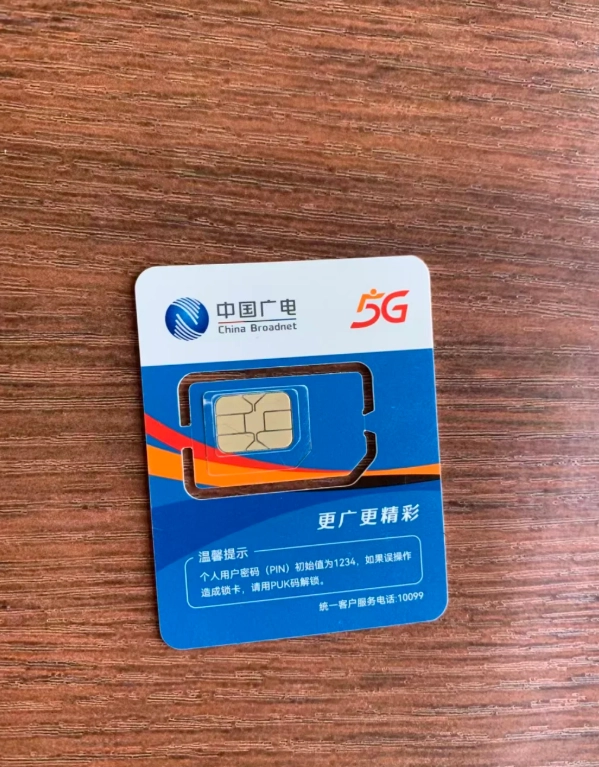
Plan B: eSIM and City-Center Alternatives
If the airport queue looks like a snake or the activation terminal is down, an eSIM is your escape hatch. International eSIM providers sell China data plans that activate before you fly—no passport scan, no queue. The trade-off is no local phone number, which matters if you need to receive SMS verification for Chinese apps. For a short trip, that's often fine.
City-center flagship stores are the other option. China Unicom's main Shanghai store near People's Square and China Telecom's Beijing flagship on Chang'an Avenue both handle tourist SIMs with the same passport requirement. The advantage: staff are more experienced with foreign passports and the activation is done on the spot. The disadvantage: you have to get there first, which means you need data or a taxi. I'd only choose this route if the airport counters are chaotic.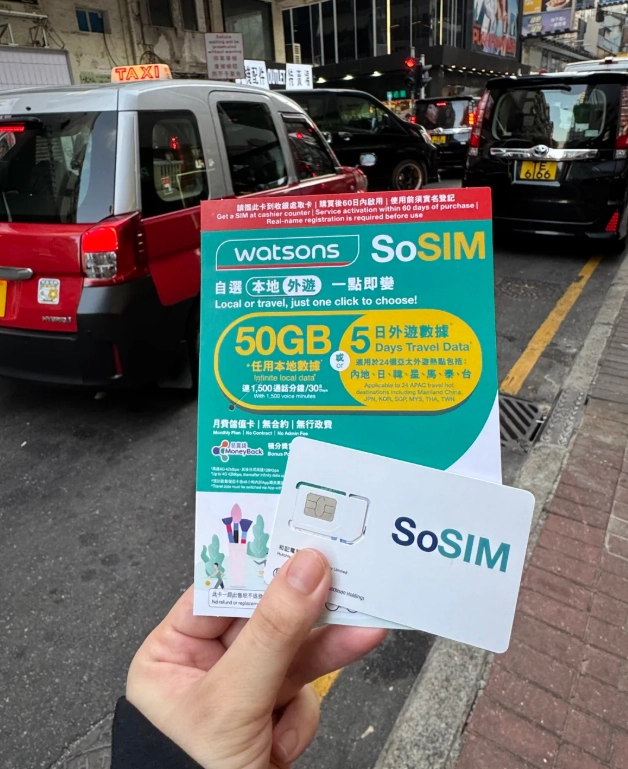
Insider Advice: If you land late at night, the airport SIM counters may be closed or running with one staff member. Check the counter hours on the airport's official website before you rely on it. At PEK, the Unicom desk generally operates from early morning until the last international arrival, but staffing drops after 10 p.m.
Airport SIM Questions I Get Every Week
Can I buy a China Telecom or Unicom tourist SIM at the airport if I only have a digital passport copy?
No. The registration system requires the physical passport for the facial scan and chip reading. A photo or photocopy will be rejected at the counter. This is a hard rule, not a staff preference.
Why does my airport SIM show signal but no internet after activation?
The most common cause is an incomplete registration review. The network holds data until the passport and visa review clears. Ask the counter to confirm activation is finished before you leave. If you've already left, call the English support line for your brand or return to a flagship store.
Is the airport SIM card more expensive than buying in the city?
Airport counters charge roughly the same as city stores for the standard tourist plans. The real cost is time—the airport queue and activation delay. City stores can be faster if you already have data to navigate there, but for most arrivals the airport is still the most convenient first stop.
Can I use the airport SIM card in my pocket Wi-Fi device?
The tourist SIMs are registered to your passport and work in phones. Moving the card to a pocket Wi-Fi router may trigger a registration mismatch and block data. If you need a hotspot, use your phone's personal hotspot function instead.
What happens if my phone is locked to a carrier back home?
The SIM will show no service. Airport counters cannot unlock your phone. Check your phone's carrier-lock status in settings before you fly. If it's locked, an eSIM won't work either—you'll need an unlocked device or a rental pocket Wi-Fi.
Verified and fact-checked by the editorial team. Counter locations, passport requirements, and activation procedures reflect on-the-ground experience and official telecom registration rules. Check current plans and counter hours with China Telecom or China Unicom directly before purchase.






No comments yet.