 Ling Wu
Quick Navigation
Let me paint you a picture. I'm standing at Beijing Capital Airport with a family from Texas. The dad opens Google Maps—blank. The mom tries Apple Maps—shows a dot in the middle of nowhere. Their daughter is already crying. This scene plays out weekly. The fix? Gaode Maps in English. It's not just a backup; it's the only map that actually works in China. Here's how to set it up and use it without pulling your hair out.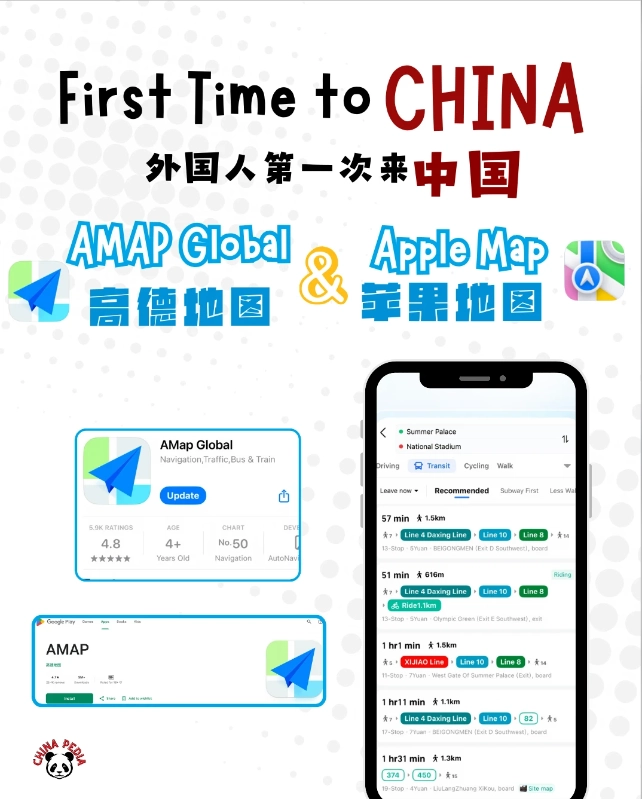
Why Gaode Maps Is Essential for Travel in China
The Google Maps Block
Google services are blocked in mainland China. Apple Maps uses Chinese mapping data but often fails for walking directions. Baidu Maps has no full English version. Gaode (also called Amap) offers a functional English interface and real-time transit data that covers every city I've visited—from Shanghai to Lhasa.
Gaode's Superior Local Data
Gaode is owned by Alibaba. It integrates with Didi (Chinese Uber), restaurant reviews, and even train schedules. When I search for a restaurant, tap the address, and it shows me the subway exit number—saving ten minutes of confusion. No other map does that for foreigners.
Getting Started: Download and Language Settings
Downloading Gaode Maps
Before you land, download Gaode Maps from the Apple App Store or Google Play Store (if you can access it). Search for “Gaode Maps” or “Amap.” The icon is blue with a red pin. Don't download Baidu Maps by mistake. Once installed, open it—you'll see Chinese. Don't panic.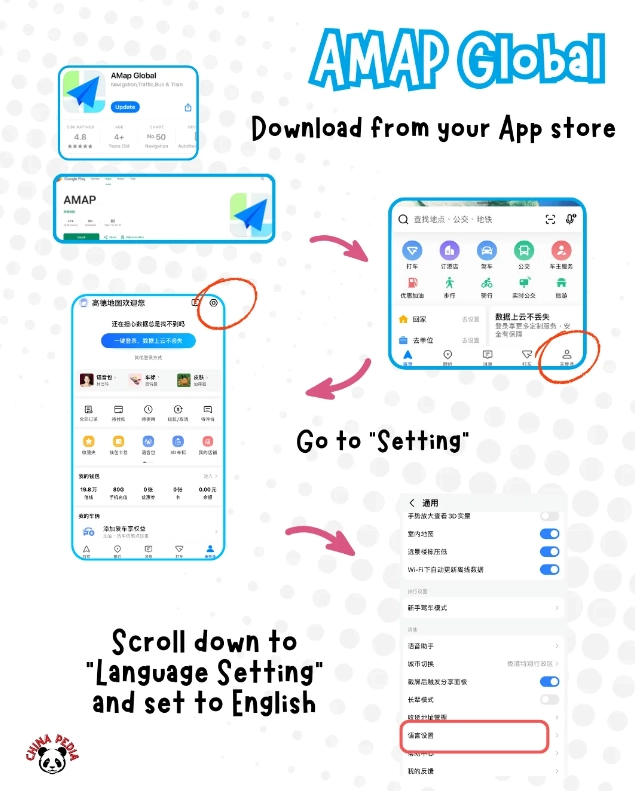
Switching to English Interface
- Tap the “我” (Me) icon at the bottom right.
- Tap the gear icon (Settings) in the top right.
- Scroll down to “语言” (Language) and tap it.
- Select “English”.
- The app will reload in English. Now you're set.
Pro tip: The English translation isn't perfect—some menu labels remain Chinese. But core functions like directions, search, and saved places are fully readable.
How to Use Gaode Maps English for Directions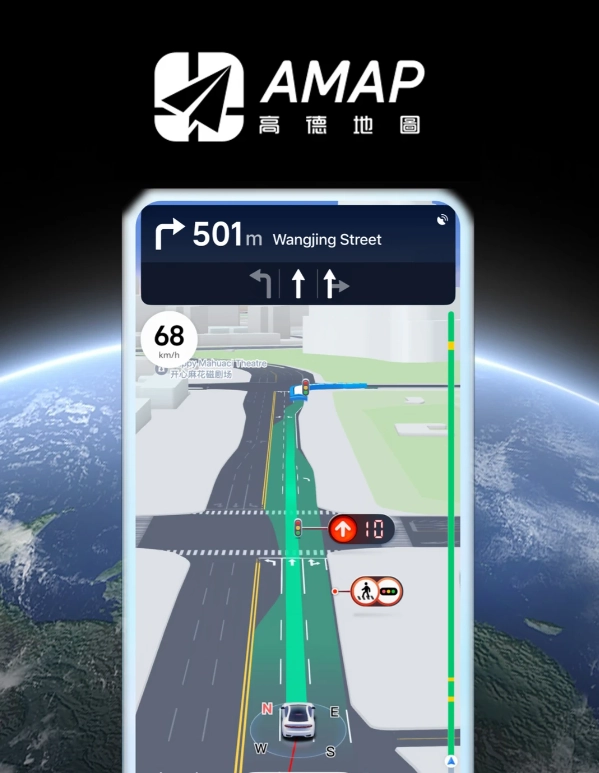
Searching for a Destination
Type the name in English. For example, “Shanghai Disneyland” works. But some places only have Chinese names. Always have the Chinese name ready. I save a list on my phone: “故宫 (Forbidden City),” “外滩 (The Bund).” Use the pinyin or characters. Gaode's search is fairly forgiving—even typos often match.
Using Public Transit Directions
Tap the “Bus” icon after searching a destination. Gaode shows subway lines, bus numbers, and even the estimated walking time between transfers. It also shows which exit to take—a lifesaver in stations like Beijing Subway Line 10 where exits are 200 meters apart. Pay attention to the “Last train” time—many metro lines stop around 10:30 pm.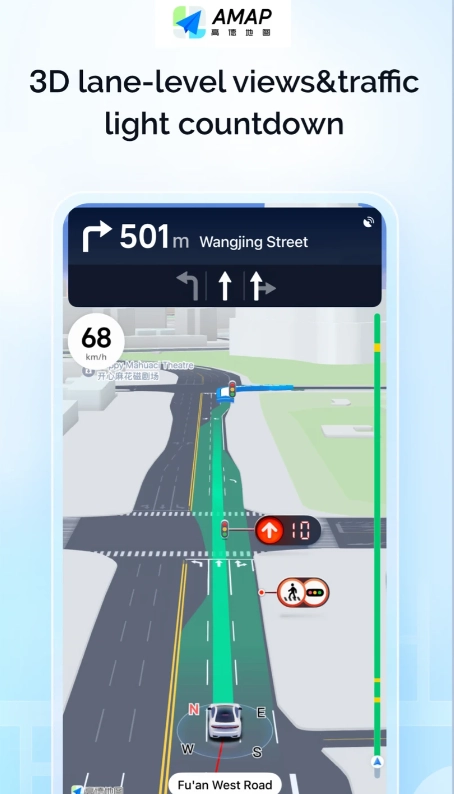
| Transit Feature | What Gaode Shows |
|---|---|
| Subway routes | Line numbers, transfer stations, duration, fare |
| Bus routes | Bus numbers, stops, real-time arrival (in Chinese) |
| Walking instructions | Exit numbers, landmarks, distance in meters |
| Ride-hailing integration | Direct button to call Didi with preset destination |
Navigating by Car or Taxi
If you're taking a taxi, show the driver the Chinese name and address from Gaode. Tap the “Share” button and choose “Copy address”. Then paste it into WeChat translator if needed. For self-driving, Gaode provides voice navigation in English (though the street names are read in Chinese pinyin). The lane guidance and speed camera alerts are accurate.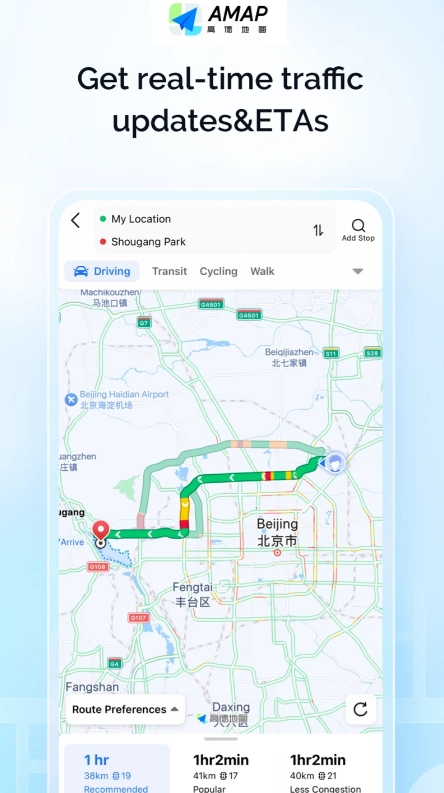
Pro Tips for Foreigners Using Gaode Maps
Save Your Hotel and Key Locations
Before leaving the airport, save your hotel, embassy, and the nearest hospital. Tap the location, then the “Save” star icon. This creates a personal list. I once had a tourist whose passport was stolen at a night market—he used his saved hotel location to get back by taxi even without data (offline maps work too).
Use the "Share Location" Feature
When meeting a friend or guide, tap the blue dot (your location), then “Send to WeChat” or “Copy link”. This shares your exact coordinates. Handy when you're in a massive mall like Nanjing Road shopping district and can't find each other.
Dealing with Language Barriers
Gaode's English doesn't cover everything. For example, if you want to filter restaurants that accept international credit cards, you're out of luck. Use the phone's OCR tool to translate Chinese text on screen. I recommend Microsoft Translator—it works offline and can translate menu photos. Also, set up a VPN before arriving in China. Gaode doesn't require VPN, but Google Translate does if you use it.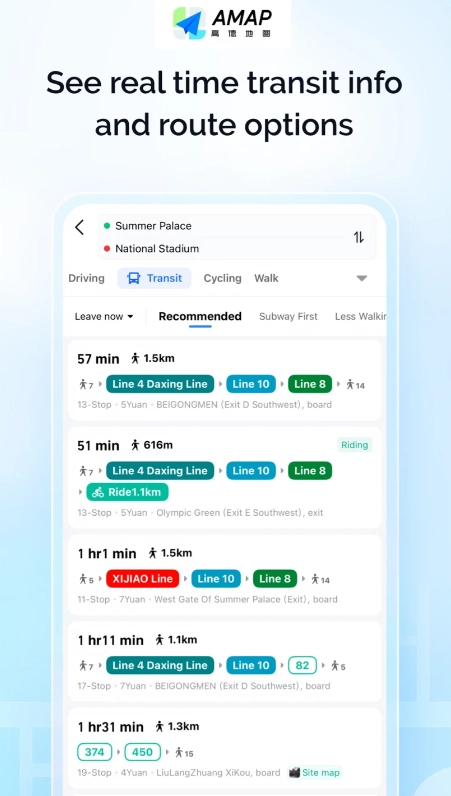
Common Mistakes and How to Avoid Them
Mistake 1: Typing only English names. Many small restaurants and shops have no English listing. Always carry the Chinese name or screenshot. I keep a folder in my phone called "locations" with screenshots of addresses from Trip.com or Klook.
Mistake 2: Trusting the estimated walking time too much. Gaode assumes you walk fast. In reality, crossing the street at a massive intersection like Beijing's East Third Ring can take 5 minutes. Add a buffer of 50% to walking estimates.
Mistake 3: Not checking the last train time. One couple I guided missed the last subway to their hotel and paid 200 yuan for a taxi. Gaode shows the last departure time only if you tap “Details” in the transit plan. Make it a habit.
Mistake 4: Using public Wi-Fi for navigation. Chinese public Wi-Fi often requires SMS verification. Get a local SIM card at the airport (China Telecom or China Unicom) or an eSIM from Airalo. Gaode works fine on mobile data.
FAQ
Verified and fact-checked by the editorial team. This content has been fact-checked to ensure informational precision.







No comments yet.