 Bo Wu
Quick Navigation
Stuck with a map that shows Chinese characters?—I've been there. Last week, a client called me in a panic because Google Maps led him to a dead-end alley in Shanghai. He was late for a dinner reservation. That's when I introduced him to Gaode Map's English version—Amap Global. It saved his night.
If you're planning to navigate China independently, you've probably heard that Google Maps doesn't work well here. Local apps are the way to go, and Gaode Map (Amap) is the undisputed king. But the Chinese interface can be daunting. The good news? There's an English version called Amap Global, and it's a game-changer. In this guide, I'll walk you through exactly how to use it—no Chinese required.
Here's the bottom line upfront: Download Amap Global before you land, and you'll avoid 90% of navigation headaches. It's free, works offline with downloaded maps, and gives you real-time transit updates. Now, let's dive into the details.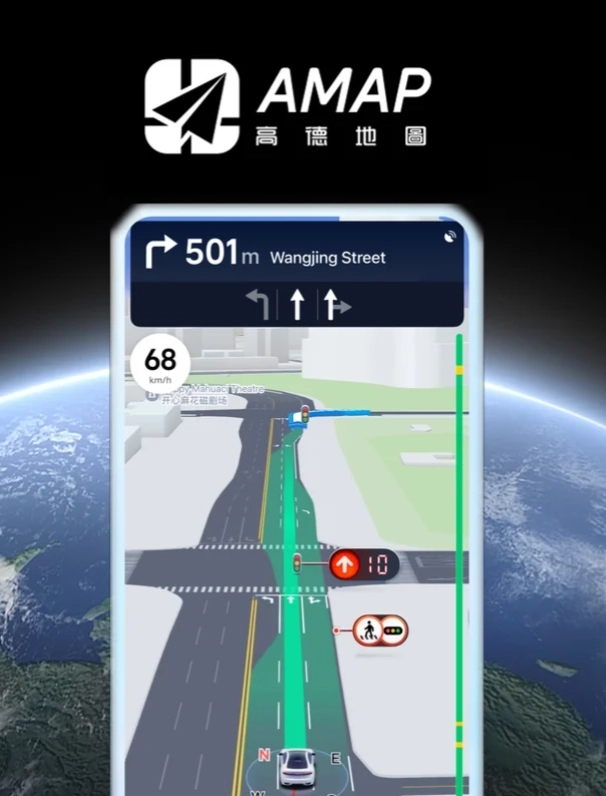
What Is Gaode Map and Why You Need It
Gaode Map, known in English as Amap, is China's most popular navigation app—think Google Maps but with hyper-local data. It's developed by AutoNavi, a subsidiary of Alibaba. The Chinese version has over 700 million users, and it's the go-to for driving, public transit, and walking directions.
Why should you care? Because Google Maps is often outdated or inaccurate in China. Streets change, new subway lines open, and Google's data lags. Amap, on the other hand, updates in near real-time. It knows which subway exit has an elevator, where the nearest public restroom is, and even实时 traffic conditions.
But the Chinese version is entirely in Chinese—a barrier for most foreign travelers. That's where Amap Global comes in. It's the English-language version designed for international users. It offers the same core navigation features but with an English interface.
Pro Tip: Amap Global is a separate app from the Chinese Gaode Map. Don't confuse them—download the right one before your trip.
How to Get the English Version (Amap Global)
You won't find Amap Global on the Chinese App Store if your account is set to China. Here's the workaround: change your App Store region to your home country, then search for "Amap Global." On Android, you can download it from Google Play or APKPure. The app is about 80 MB, so it's lightweight.
Once installed, open the app and grant location permissions. You'll be asked to choose your language—select English. That's it. No registration required for basic use, but creating an account lets you save favorite places and sync across devices.
I always tell my clients to download the map for your destination city before you leave home. Amap Global supports offline maps, which is a lifesaver if you don't have a local SIM card yet or encounter spotty Wi-Fi.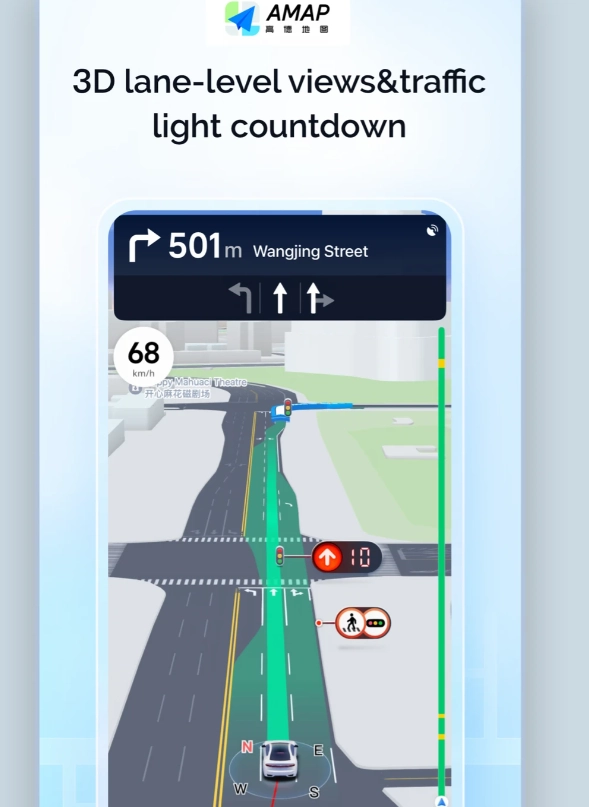
System Requirements and Compatibility
Amap Global works on iOS 10.0+ and Android 5.0+. It's optimized for both phones and tablets. The interface is clean and intuitive—much simpler than the Chinese version. You'll see a search bar at the top, a map in the center, and a bottom menu with options for directions, nearby places, and your profile.
Step-by-Step: Using Amap Global Like a Pro
Let's get practical. Here's how to use the app for common scenarios. I'll use real examples from my tours.
1. Searching for a Destination
Tap the search bar and type your destination. You can enter an English name like "Forbidden City" or "Shanghai Railway Station." Amap Global will show results in English, often with a Chinese translation below. Always verify the address in Chinese—you can tap the result to see the Chinese characters, which you can show to a taxi driver.
For example, search "The Bund" and you'll see "Waitan" (the pinyin). Tap it, and you'll get the Chinese address: 上海市黄浦区中山东一路. That's gold when you need to communicate.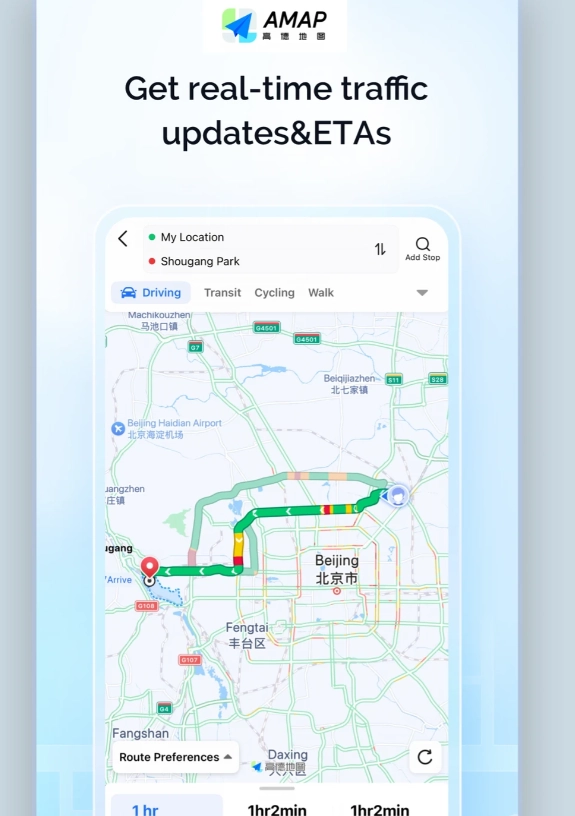
2. Getting Directions
Tap the "Directions" button and choose your mode: driving, transit, walking, or cycling. For public transit, Amap Global shows you the best route, including which subway line to take, where to transfer, and even which exit to use. It's more detailed than Google Maps—it tells you the exit number and landmark.
For walking, it gives you a step-by-step route with distance and estimated time. I love that it shows you the nearest subway entrance with an elevator if you have luggage.
3. Real-Time Navigation
Once you start navigation, the app gives you voice prompts in English. The map rotates as you move, and you'll see your position in real-time. Offline navigation works if you've downloaded the map—no data needed.
One caveat: voice guidance can be a bit robotic, but it's accurate. If you miss a turn, it recalculates quickly.
4. Finding Nearby Amenities
Tap the "Nearby" tab to find restaurants, ATMs, restrooms, and more. This is where Amap shines—it has data on public toilets, which is a lifesaver in a city like Beijing. You can filter by distance and rating.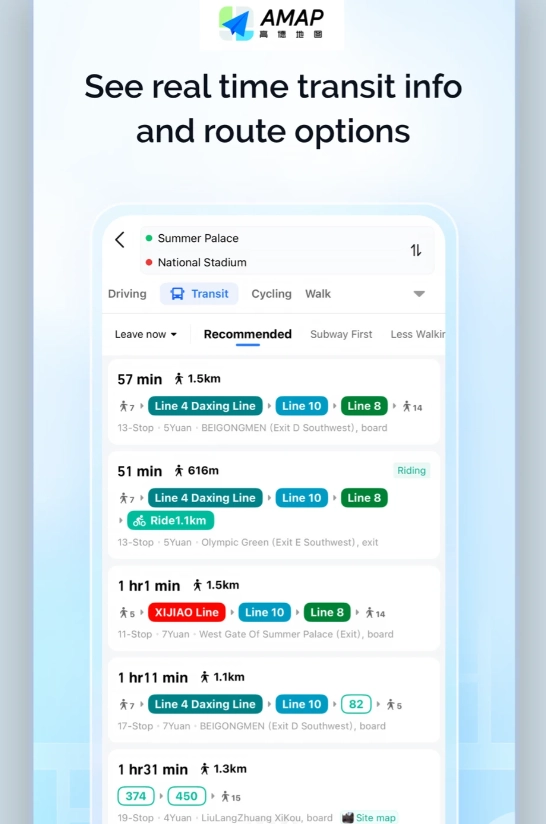
I often use this to find a clean restroom in a hutong. Just search "toilet" and you'll see options within walking distance.
| Feature | Amap Global | Google Maps | Apple Maps |
|---|---|---|---|
| English Interface | Yes | Yes | Yes |
| China Map Accuracy | High | Low | Medium |
| Public Transit Details | Excellent | Basic | Good |
| Offline Maps | Yes | Yes | Yes |
| Real-Time Traffic | Yes | No | Limited |
As you can see, Amap Global is the clear winner for China navigation. But it's not perfect—the English translation of some place names can be quirky. For instance, "People's Square" might show as "Renmin Square." Just double-check the Chinese characters.
Pro Tips from a Local Guide
Here are some insider tips I've gathered from years of guiding foreigners.
- Download maps for multiple cities before your trip. Amap Global lets you download entire city maps, which take up about 50-100 MB each. Do this over Wi-Fi at your hotel.
- Use the Chinese address feature: When you search for a place, tap the "Share" button to copy the Chinese address. You can paste it into Didi (China's Uber) or show it to a taxi driver.
- Check subway exit numbers: Amap Global tells you which exit to take, but the signage in stations can be confusing. Look for the exit letter on the walls—they're usually marked with large letters.
- Beware of construction: Roads change frequently. If Amap says a road is closed, believe it—Google Maps might not have updated.
- Voice search works: Tap the microphone icon and speak your destination. It's handy when you're on the go.
Insider Advice: The app sometimes shows “No results” for very new places. If that happens, try searching in Chinese using pinyin—it often works.
One more thing: Amap Global is not available in the Chinese App Store. If you're already in China, you might need to use a VPN to download it from your home country's store. Alternatively, download it before you leave.
FAQ: Real Questions from Travelers
Can I use Amap Global without an internet connection?
Yes, if you download offline maps for your city. Voice navigation and routing work offline. Real-time traffic and search require data.
Does Amap Global show reviews in English?
Reviews are mostly in Chinese and not translated. Use it for navigation, not for finding restaurant recommendations. For that, use Dianping (Chinese Yelp) with a translation tool.
How accurate is the walking time estimate?
It's fairly accurate but assumes a brisk pace. Add 20% extra time if you're sightseeing or carrying luggage.
Can I use Amap Global to hail a taxi?
No, it doesn't have a built-in ride-hailing feature. Use Didi (English version available) for that. But Amap Global can show you the nearest taxi stand.
Verified and fact-checked by the editorial team.








No comments yet.