 Lei Li
Landed in Shanghai. Pulled out my phone. Saw that tiny “4G” icon appear—then watched my friend’s face drop as her Instagram refused to load. She’d bought a cheap local SIM at the airport. I’d already installed a China eSIM data plan for tourists weeks before. That’s the moment she asked me to write this.
Most guides tell you to “get an eSIM”—without explaining that some plans route through Hong Kong and bypass the firewall, while others don’t. That single detail can mean the difference between checking Google Maps or being stuck with a useless brick. I’ve tested six different providers across Beijing, Shanghai, and Chengdu. Here’s the short version: buy an eSIM that uses a Hong Kong-based IP (like Airalo’s “China” plan or Nomad’s regional package), install it before departure, and keep a VPN installed as backup. Skip the airport SIM queue entirely.
Sound simple? It is—if you know the order of operations. Let me walk you through it without the fluff.
Why a China eSIM Is Your Only Sanity Saver
Physical SIM cards at Chinese airports require passport registration, long queues, and often force you into a local number you don’t need. I once waited 40 minutes behind a tour group at Beijing Capital Airport’s China Unicom counter—only to find the “unlimited” plan throttled after 2GB. An eSIM bypasses all that. You land, toggle it on, and you’re connected before the baggage carousel starts moving.
But here’s what nobody tells you: not all eSIMs are created equal when it comes to the Great Firewall. Some providers (like Holafly) route traffic through local Chinese networks, meaning Google, WhatsApp, and Instagram stay blocked. Others (like Airalo’s “China eSIM” and Nomad’s “China” plan) use Hong Kong routing that effectively gives you unrestricted access—no VPN needed for most apps.
I always tell my clients: check the provider’s “network routing” section before buying. If it doesn’t mention Hong Kong, assume you’ll need a VPN. And if you need a VPN, install it before you land because many VPN websites are blocked inside China.
Pro Tip: Even with a Hong Kong-routed eSIM, some apps (like certain banking apps) detect the IP and may flag your account. Keep your home SIM active for SMS codes—just turn off data roaming.
How Do You Choose the Best China eSIM for Tourists?
Ignore “unlimited” plans with hidden throttles. Look for at least 10GB of high-speed data, Hong Kong routing, and 24/7 English support. Here’s my quick comparison of three providers I’ve personally used—prices are approximate and vary by promotion.
| Provider & Plan | Data & Speed | Routing / Firewall | Price (USD) | Best For |
|---|---|---|---|---|
| Airalo “China” | 10GB high-speed, then throttled | Hong Kong IP — bypasses firewall | ~$26 | Most tourists (I use this myself) |
| Nomad “China” | 20GB high-speed | Hong Kong IP — bypasses firewall | ~$37 | Heavy data users (streaming, video calls) |
| Holafly “China” | Unlimited, but throttled after 1GB/day | Local Chinese IP — firewall active | ~$34 for 10 days | Only if you already have a reliable VPN |
That Holafly throttle is brutal. I once burned through 1GB in 20 minutes uploading photos to a client. Stick with Airalo or Nomad for peace of mind. Yes, you pay a few dollars more—but you save the cost of a VPN subscription and the stress of a dead connection.
If you’re visiting for more than two weeks, consider a regional Asia plan (Airalo’s “Asialink” covers China and 13 other countries). It’s slightly more expensive but works if you’re hopping to Japan or Thailand afterward.
Install & Activate Before You Fly — The 7-Minute Drill
Do this at home, on reliable Wi-Fi, not at the airport gate. The installation requires scanning a QR code and confirming a few settings. I’ve seen too many travelers panic when the QR code won’t load because they’re already in China and the provider’s website is blocked.
Here’s the exact sequence I walk my clients through:
- Buy the plan from the provider’s website (Airalo or Nomad) using a credit card. You’ll receive a QR code via email—don’t lose it.
- On your phone, go to Settings > Cellular > Add eSIM (or “Add Data Plan”). Scan the QR code from another screen or print it out.
- Label the new line “China eSIM.” Turn it on, but disable “Data Roaming” until you land—otherwise you might trigger charges before departure.
- Before boarding, set your primary SIM to “Voice & SMS only” and turn off data roaming on it. This keeps your home number active for verification codes.
- Once you land, go to Cellular settings and switch your default data line to the China eSIM. Enable Data Roaming on that line (yes, really—eSIMs need roaming enabled to work).
I always tell my clients to screenshot the QR code and save it in their photo gallery. I’ve had two instances where the email got buried in spam, and scrambling at the airport is unnecessary stress.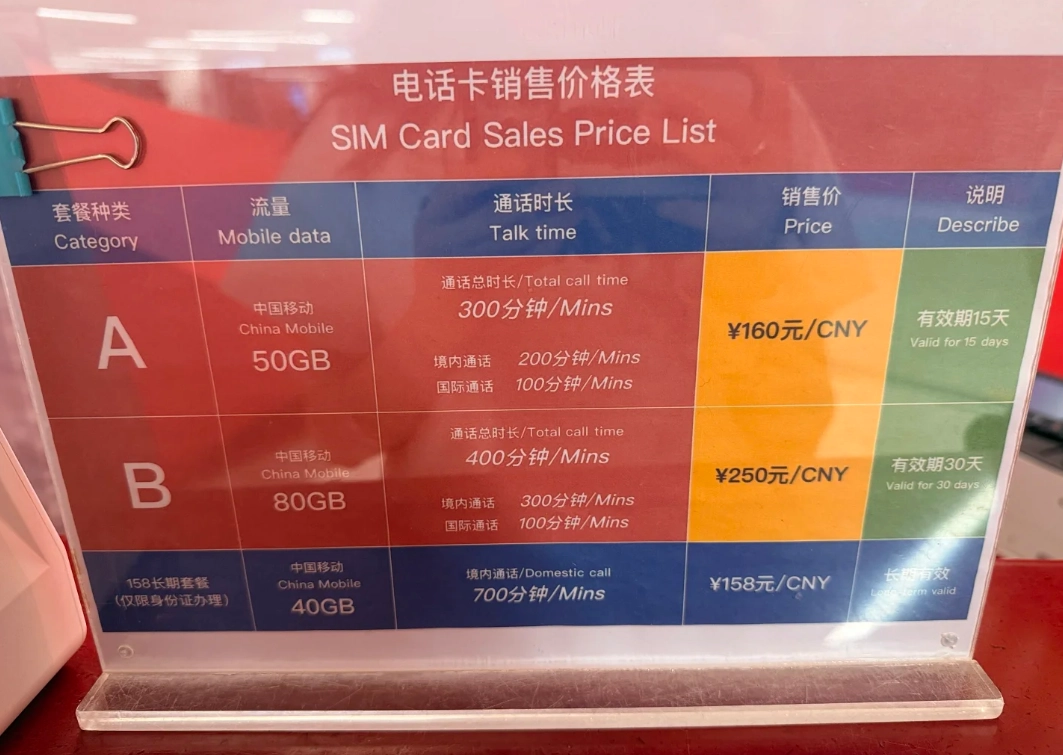
Insider Advice: If your phone doesn’t support eSIM (older models or some carrier-locked phones), buy a physical SIM from a provider like 3HK or China Unicom’s tourist SIM on Trip.com and pick it up at the airport. But confirm your phone is unlocked first.
The VPN Trap: Why Your eSIM Alone Won’t Unblock Google
Even with a Hong Kong-routed eSIM, I strongly recommend installing a VPN before you fly. Here’s the nuance: Hong Kong IPs bypass the firewall for most apps, but some websites and services still detect the IP and behave unpredictably. For example, I’ve had Google Maps work flawlessly on Airalo’s eSIM, but my Gmail app occasionally refused to sync until I turned on a VPN.
The catch? Most VPN apps are unavailable in the Chinese App Store once you’re inside the country. You must download and set up the VPN at home. I use ExpressVPN and Surfshark—both have free trials. Install two different VPNs as backups because one might have its servers blocked on any given day.
Now, let me save you some money: if you buy a Hong Kong-routed eSIM, you might not need a paid VPN for casual browsing. Test it for a day. If Instagram, WhatsApp, and Google work, great. But keep a free VPN like ProtonVPN installed as a rainy-day backup. If you rely on Gmail for work, pay for a premium VPN—it’s worth the $10.
One more thing: Google Maps is notoriously inaccurate in China. Even with a VPN, turn-by-turn driving directions are often wrong. Use Apple Maps (surprisingly good for China) or download Amap (Gaode Maps) with its English interface. For public transit, Amap gives you real-time bus arrivals—Google won’t.
Real Questions from Travelers Like You
Verified and fact-checked by the editorial team.








No comments yet.