 Hui Lin
Quick navigation — what you actually need
Standing in the immigration hall at 2 a.m. after a 12-hour flight—the last thing you want is a paper form asking you to list every item in your suitcase. I've seen countless travelers fumble with pens and try to read Chinese characters under fluorescent lights. That's exactly why the China customs declaration app exists.
The app—or more accurately, a WeChat mini-program—lets you fill out your arrival card on your phone before you land. No paper, no lost pens, no squinting at tiny boxes. And here's the best part: you can do it while you're still on the plane or even in the boarding lounge. I always tell my clients to bookmark the QR code before they fly, so they don't have to scramble for Wi-Fi after landing.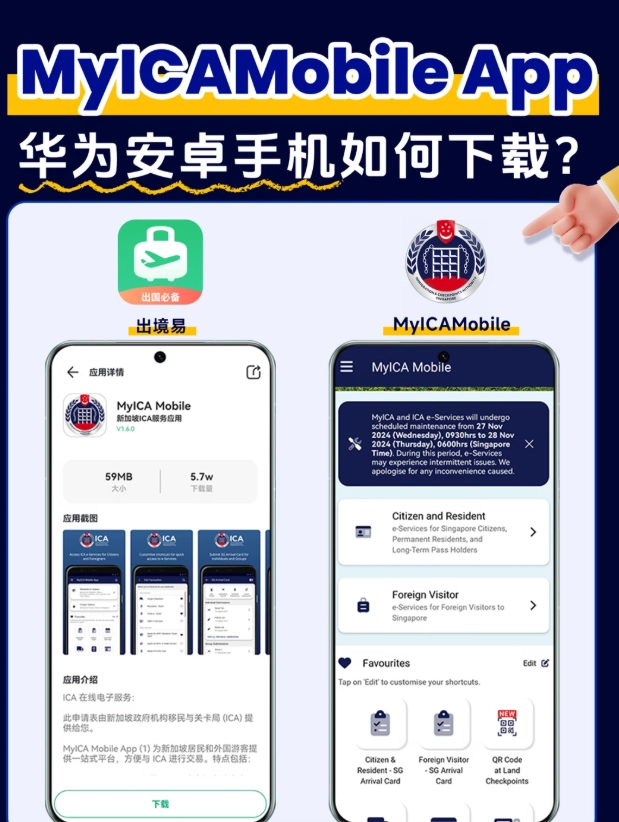
Bottom line? The digital declaration is not mandatory for all nationalities yet, but it will save you a solid 10–15 minutes in line—time you'd rather spend finding a SIM card or a taxi. Some airports now have dedicated lanes for digital declarations, and the queues there are noticeably shorter. Let me walk you through exactly how to use it, what to watch out for, and the one mistake that can force you back to the paper form.
What Is the China Customs Declaration App?
First, a reality check: there is no standalone “app” in the App Store called “China Customs Declaration.” The system is actually a WeChat mini-program run by China Customs. You log in via WeChat, fill in your personal details, flight info, and items you're bringing in, and get a QR code. Show that QR code at the customs checkpoint—that's it.
Here's the catch: the mini-program interface is mostly in Chinese, though it does have partial English translations. It asks about your health status, whether you're carrying more than $5,000 in cash, and if you have any restricted items like certain meats or plants. I've had clients get stuck on the health section because they didn't realize “感冒” means “cold” and accidentally declared themselves sick. Double-check each box.
Now, the big question: do you really need it? As of my last airport run, it's not enforced for every traveler, but some airlines hand out paper forms anyway. The electronic version is accepted at major airports like Beijing Capital, Shanghai Pudong, and Guangzhou Baiyun. However, if you're arriving at a smaller regional airport, the digital QR code might confuse the officer—they see paper all day. My advice: prepare the digital version, but grab a paper form as backup if you're landing somewhere off the beaten path.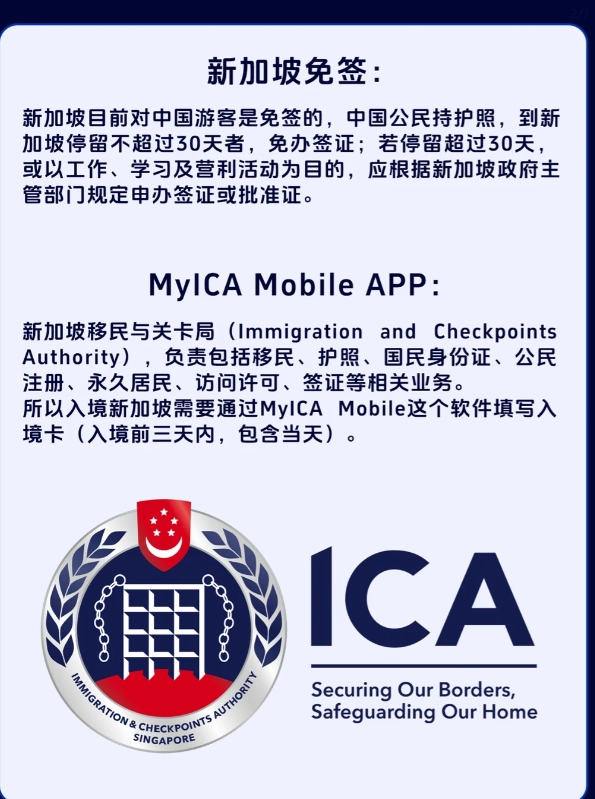
Pro Tip: The WeChat mini-program sometimes logs you out if you haven't used it in a while. Before your flight, open it once and keep the QR code screenshot in your photos. Battery dies? No problem. No data? Still works.
How to Fill Out the Digital Arrival Card (Step by Step)
I've done this with dozens of tour groups, and the process takes about 4 minutes if you have your passport and flight number ready. Here's the exact flow—no fluff.
- Step 1: Find the mini-program. Open WeChat, tap “Discover” → “Mini Programs,” and search for “海关旅客指尖服务” (Customs Passenger Finger Service). If you can't read Chinese, use the search bar to scan the QR code I've attached below—most airports have it on a poster near the boarding gate.
- Step 2: Login with WeChat. It will ask for your phone number—your home country number works fine as long as you have roaming. If not, use the airport Wi-Fi before you board.
- Step 3: Fill in personal info. Name exactly as on passport, nationality, passport number, and flight number. The flight number field sometimes doesn't accept letters like “CA” for Air China—just type the digits. Yes, it's annoying.
- Step 4: Health declaration. Answer honestly: fever, cough, etc. If you check “yes” to any symptom, you'll get a red QR code and a manual check. That's not a disaster—just extra time.
- Step 5: Customs items. This is where people mess up. You need to declare if you're carrying more than 5,000 RMB in cash, or items like live plants, meat products, or certain medications. Most tourists have nothing to declare—just tick “no” for everything unless you're carrying something unusual.
- Step 6: Get your QR code. Screenshot it immediately. The QR code is valid for 24 hours—so don't fill it out three days before your flight.
The whole process is in Chinese, but the fields are intuitive once you see them. Here's a quick cheat sheet for the terms you'll see: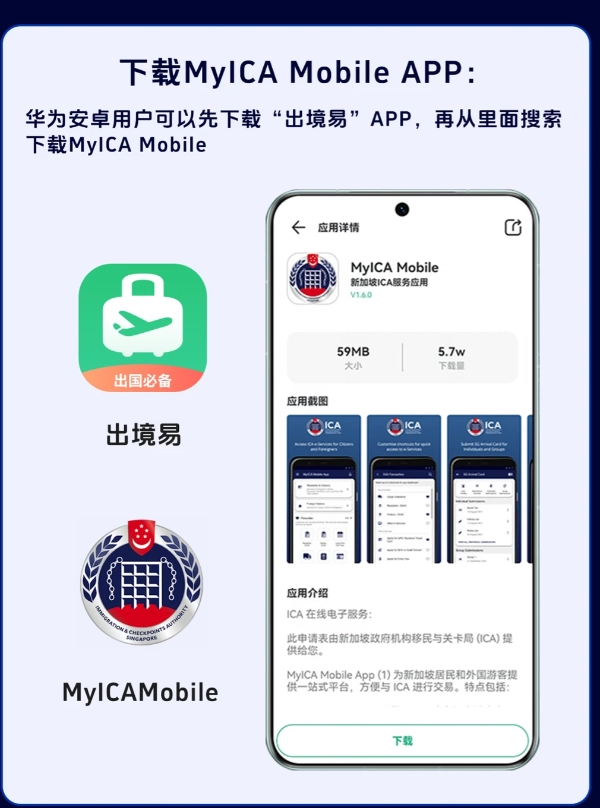
| Chinese Term | English Meaning |
|---|---|
| 姓名 | Name |
| 护照号码 | Passport Number |
| 航班号 | Flight Number |
| 健康状况 | Health Status |
| 物品申报 | Goods Declaration |
One more thing: the app will ask for a “seat number.” If you don't have it yet—say you're filling it out before check-in—just put “00” or “unknown.” No one has ever questioned that.
Paper Form vs App: Which One Should You Use?
I'll be blunt: the paper form is still the most universal option. But the app wins on speed and convenience. Let me break down the real differences based on my experience at the arrival gates.
| Feature | Digital App | Paper Form |
|---|---|---|
| Time to complete | ~4 minutes (with English cheat sheet) | ~5–8 minutes (handwriting, no translation) |
| Language support | Chinese + partial English | Chinese + English (on most international flights) |
| Queue at customs | Often a dedicated lane | Standard lane |
| Backup needed? | Yes, screenshot the QR | No, but keep a pen |
| Best for | Tech-savvy travelers, repeat visitors | First-timers, older travelers, anyone unsure |
Here's the tricky part: not every customs officer knows how to scan the QR code. I've seen travelers get waved to the paper form line because the officer wasn't trained on the digital system. So, if you're arriving at a major hub like Shanghai Pudong, the digital route is smooth. At smaller airports, do yourself a favor and fill out the paper form while you wait for your luggage.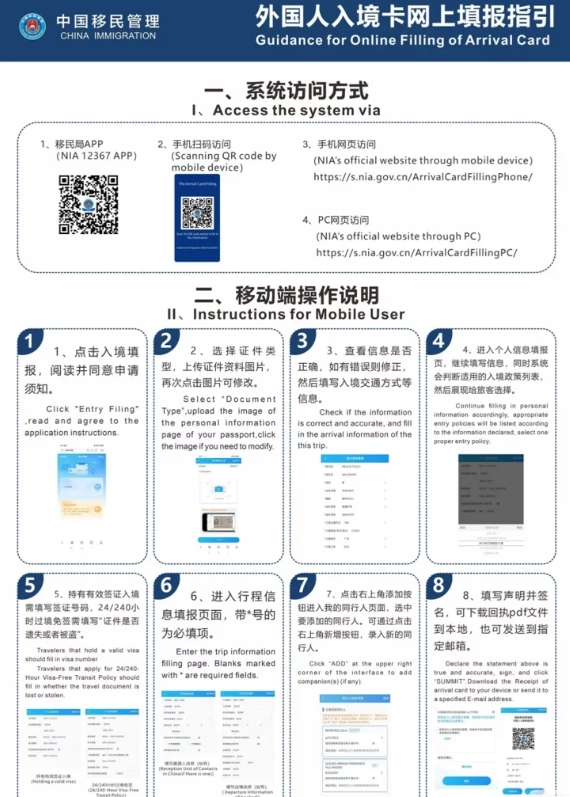
Insider Advice: Airlines often distribute paper forms during the flight. Take one even if you plan to use the app. It costs nothing and saves you if the QR code fails.
Common Mistakes Foreigners Make with the Customs App
1. Not screenshotting the QR code
The app generates a QR code that's only valid for 24 hours, and it won't work without an internet connection. I've watched travelers panic at the checkpoint because they closed the mini-program and couldn't reload it—airport Wi-Fi is spotty, and roaming data can be slow. Screenshot that code the second you see it.
2. Lying on the health declaration
“I don't want to get quarantined, so I'll just say I'm fine.” That's a bad idea. If you have a fever and you declare it, you'll get a quick check by a health officer—usually 5 minutes. If you lie and they detect a fever later, you'll face a much longer interrogation. Be honest. It's not worth the risk.
3. Forgetting to declare cash or medications
You must declare if you carry more than 5,000 USD in cash or certain prescription meds (especially anything with codeine or stimulants). The app asks about this, but people skim past it. If you're unsure, declare it. The officer will just ask a few questions. Better safe than sorry.
4. Not having a paper copy of your passport
This isn't strictly app-related, but it's a classic mistake. The customs app links to your passport number, but if your phone dies or you can't access the app, a paper copy saves you. I always carry two photocopies of my passport when guiding groups—one for me, one for the client.
FAQ: Real Questions from Travelers
Verified and fact-checked by the editorial team.






No comments yet.