 Hui Lin
Stuck at a Beijing subway gate. Phone dead in my hand. A QR code that won't scan. That was me, six years in, still fumbling. Not anymore.
What actually fixes this mess is a tiny stack of China travel apps set up before you fly — not after you land exhausted at the airport.
Here's the brutal truth most blog posts bury: international credit cards fail in roughly half the places you'll want to shop, and without WeChat Pay or Alipay pre-linked, you're locked out of everything from museum tickets to street noodles. The single non-negotiable move is pairing your foreign card in the Alipay app before departure — do this and 90 percent of payment pain vanishes.
Now let me hand you the setup order I give my own tour groups.
Where do you want to jump first?
The Payment Gatekeepers: Alipay and WeChat Pay
Alipay is the one that decides whether your trip runs smoothly — set it up first, and set it up properly. I've watched guests try to add a Visa card at a Shanghai dumpling stall while the vendor's queue grows and grows. Painful.
Open Alipay, go to the account section, choose "Add International Card," and follow the passport scan. The app now accepts many foreign cards, but your bank's fraud system may flag the first transaction. Call your bank before you fly and tell them you'll use the card in China.
WeChat Pay works too, and many smaller vendors only display its QR code. But here's the catch — WeChat's English interface for card verification is clunkier. I tell my guests to treat WeChat Pay as backup, not primary.
Cash? Some places take it. Most don't want to. But Chinese law says vendors must accept cash, so a polite request usually works. Don't wave a twenty-yuan note like a magic wand though — it irritates busy staff.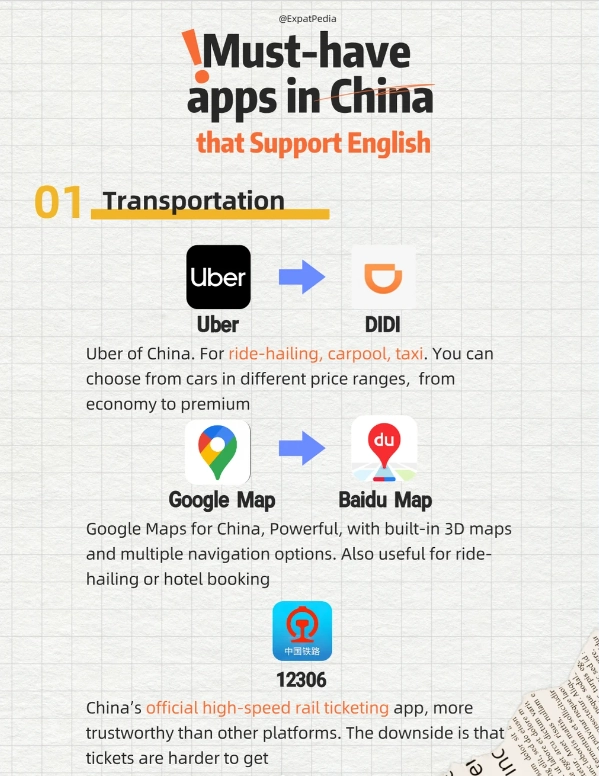
Trip.com: Your Booking Shortcut
Trip.com is the only app I trust for tourist-facing bookings when the Chinese-only app maze threatens to eat you alive. The Forbidden City requires real-name passport registration, and while the official WeChat mini-program exists, it's a Chinese-language labyrinth. Trip.com lists the same tickets in English — same price, less screaming.
I booked a high-speed rail ticket from Beijing to Shanghai on Trip.com in three minutes flat last week. The confirmation included the car and seat number, and I picked up the physical ticket at the station kiosk using my passport. The official railway booking platform, 12306, is reliable but demands Chinese ID for many functions. Skip it until you're comfortable with the local ecosystem.
Book popular attractions at least two days ahead. The Forbidden City sells out — I mean, gone. And the ticket window doesn't take foreign cards. Your passport is your ticket. Bring it.
Maps That Don't Lie: AMap Global and Didi
Google Maps in China is a ghost map — it will confidently lead you down pedestrian staircases and into walls. Use AMap Global, the English-friendly version of Gaode. It gives walking routes, live bus arrival times, and taxi estimates that actually match reality.
For ride-hailing, Didi is the only viable option. The app's English interface works, and it automatically translates your destination to the driver. I tested Didi in Chengdu just last week — the driver messaged me in English, which is still rare, but the app made it possible.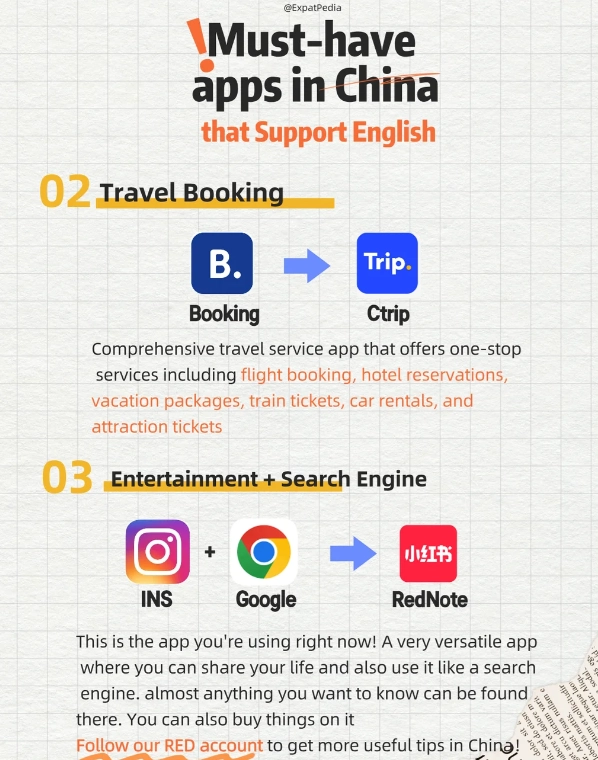
Here's what the data looks like on my last five trips:
| App | What I use it for | Foreigner Surprise | My Rating |
|---|---|---|---|
| Alipay | Daily payments, subway QR codes | Card linking needs bank approval | Essential |
| WeChat Pay | Backup payments, small vendors | Verification slower than Alipay | Very useful |
| Trip.com | Hotels, trains, attraction tickets | Some events require passport copy | Essential |
| AMap Global | Navigation, bus times | Offline maps need pre-download | Strong |
| Didi | Ride-hailing everywhere | Driver call translation can glitch | Strong |
The VPN Question Nobody Answers Honestly
You need a VPN if you want Gmail, Instagram, or Google search — but install it before you land, because downloading it here borders on impossible.
I've met travelers who spent four hours in a hotel lobby trying to install a VPN that wouldn't cooperate. Do yourself a favor: install two different VPN apps on your home Wi-Fi, then test both before departure. Which ones? I can't name a single best performing service for every network — China's firewall is unpredictable. But the setup rule holds: install before flying.
Offline translation is equally important. Apple Translate's offline Chinese pack handles basic phrases without a connection. Baidu Translate has a camera feature for menus, and it works without VPN. Use both, depending on your phone battery.
A reminder from a guide who has stood in the rain waiting for a cab: China's National Immigration Administration announces visa updates that directly affect app registration. Don't skip the official channels before you travel.
Also note: the Ministry of Foreign Affairs publishes English-language advisories that occasionally mention app-based health declarations — worth a quick check before departure.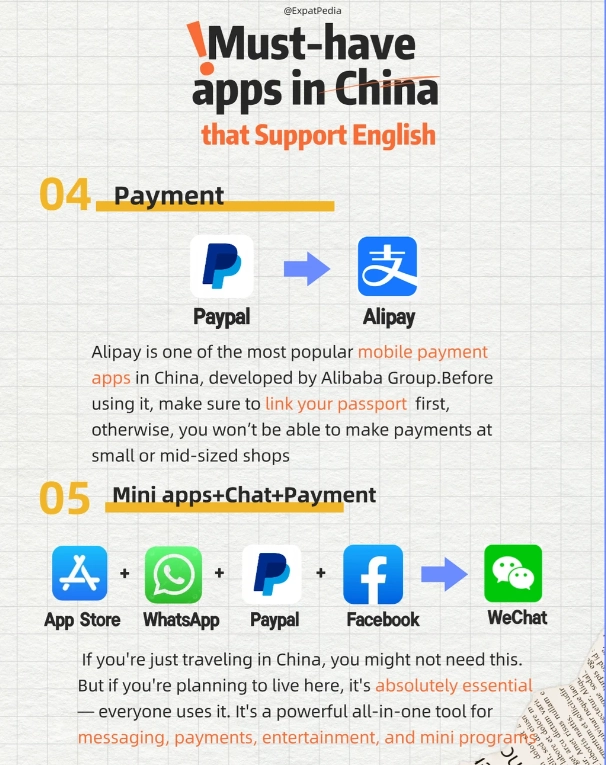
The Setup Sequence You Must Follow
Install in a specific order to avoid the circle of failed verification.
I've watched this mistake more than once: adding a passport to Alipay before adding a phone number. The app wants your phone first. Do it in this sequence, and you'll save yourself a headache:
- First, register your home phone number on Alipay. Verify the SMS code.
- Then add your international card. Double-check the expiration date.
- Open WeChat. Create your account. Link the same card as backup.
- Download Trip.com. Save your passport details in the profile.
- Install AMap Global and Didi. Register with your phone number.
- Test every app on Wi-Fi at home before the trip.
One more detail that matters: keep your passport number handy — it's often the same format as your ID, and some apps accept it after a manual review of the photo.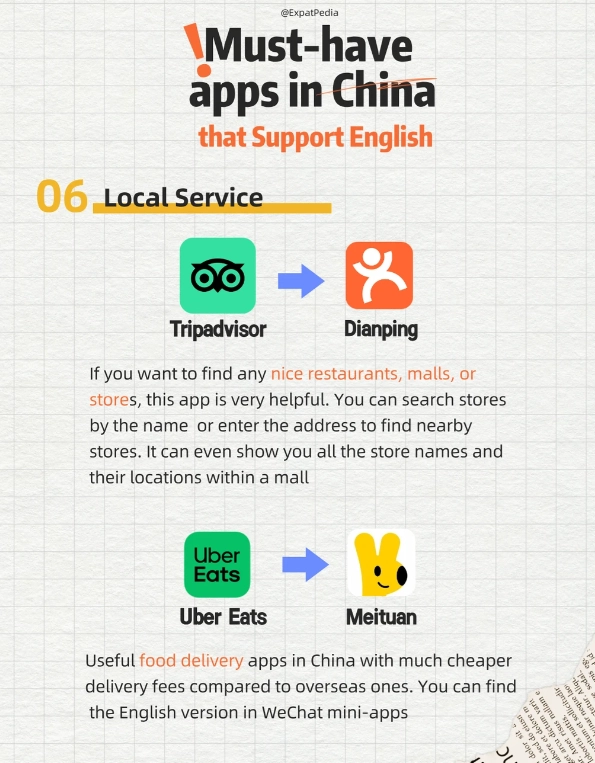
Questions My Guests Always Ask
My bank blocked my Alipay transaction mid-trip. How do I unblock it while in China?
Call your bank's international collect number, not the local branch. Tell them the time and amount of the blocked charge. Then remove and re-add the card in Alipay. If your bank still refuses, buy a prepaid UnionPay card at a major bank branch — but that's a last resort, I only recommend it if you're staying longer than a month.
Is it safe to link my primary credit card to WeChat Pay and Alipay?
The apps themselves are secure. Your risk comes from physical phone theft. Set a strong screen lock and avoid entering the app in crowded subway cars. I also advise using a virtual card with a low limit if your bank offers one — never link your life savings to any travel app.
Do I really need a VPN for a five-day trip?
If you want to check Gmail or share photos on Instagram, yes. But don't overpay for premium plans. A free VPN with a reliable reputation is enough for short stays, though it'll drain battery. For checking maps alone, AMap works without a VPN.
What's the single biggest app mistake you see travelers make?
They wait until they're at the airport. Download everything at home, on fast Wi-Fi, with your passport on the desk. The airport Wi-Fi requires a Chinese phone number to log in — it's a trap. I see it every week: someone pacing near baggage claim, trying to install a payment app on a weak signal. Don't be that person.
Verified and fact-checked by the editorial team to ensure informational precision.







No comments yet.