 Lei Li
Quick Navigation
I still remember the panic. A first-time traveler from New York, just landed in Beijing, couldn't buy a bottle of water because the convenience store only took WeChat Pay. That’s when I realized: getting Alipay set up before you board is not optional — it’s survival.
Alipay setup for tourists isn’t rocket science, but most guides skip the real hurdles. You think you can just download and link your Visa? Nope. The app is in Chinese, your foreign card might get rejected, and you need a working VPN just to register. I’ve seen too many visitors stuck at the airport trying to top up.
Here’s the truth: you can have Alipay fully functional in under 15 minutes if you follow my exact order — download the app before departure, use your passport for verification, and link a Revolut or Wise card instead of your regular bank card. No need for a Chinese phone number if you set up international roaming. Now let’s walk through each step, because making a mistake here means hours of frustration.
Why Alipay Is a Must for Tourists in China
Cash is dying in China. Even street food stalls display a QR code. If you plan to visit attractions like the Forbidden City (which requires online booking), take a Didi taxi, or eat at local restaurants, Alipay is your lifeline. Most merchants don’t accept international credit cards directly. Your shiny Visa? Useless at 90% of places. Alipay bridges that gap.
What You Need Before You Start
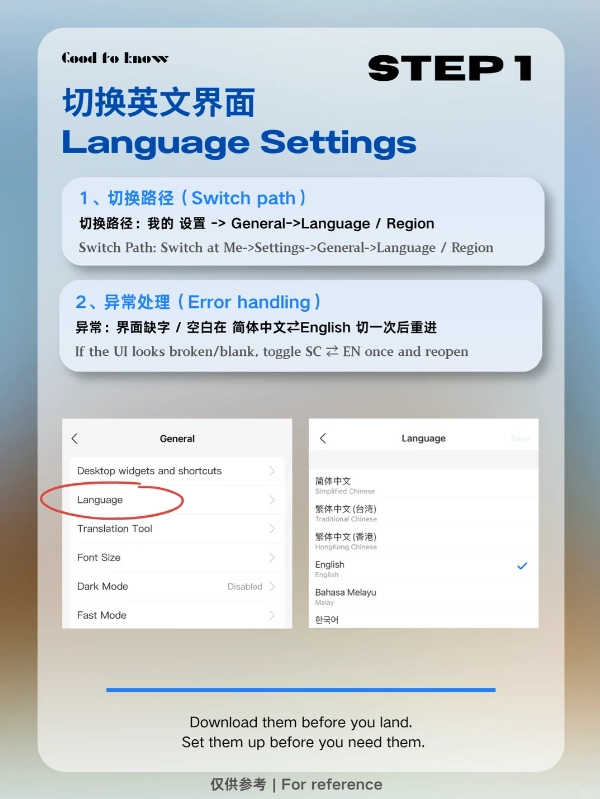
Don’t wait until you land. The Chinese firewall blocks Google, Facebook, and Alipay’s server calls can be flaky without a VPN. Install a reliable VPN before you leave home. Also, download Alipay from the App Store (Apple) or Google Play (Android) — but note that the Chinese app stores have a different version. Stick to the international version.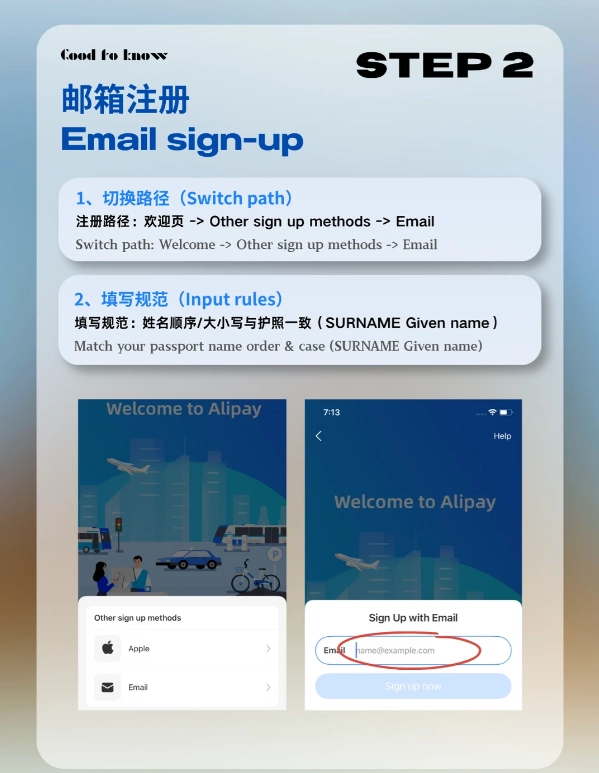
Here’s your checklist:
- Passport — You’ll need to take a photo of the data page and a selfie for verification.
- International credit or debit card — Visa, Mastercard, American Express, Discover all work. But see my card recommendation below.
- Working phone number — Your home number works if you have roaming. Chinese number is optional but makes life easier.
- VPN — Must be turned on during registration and every time you use the app in China.
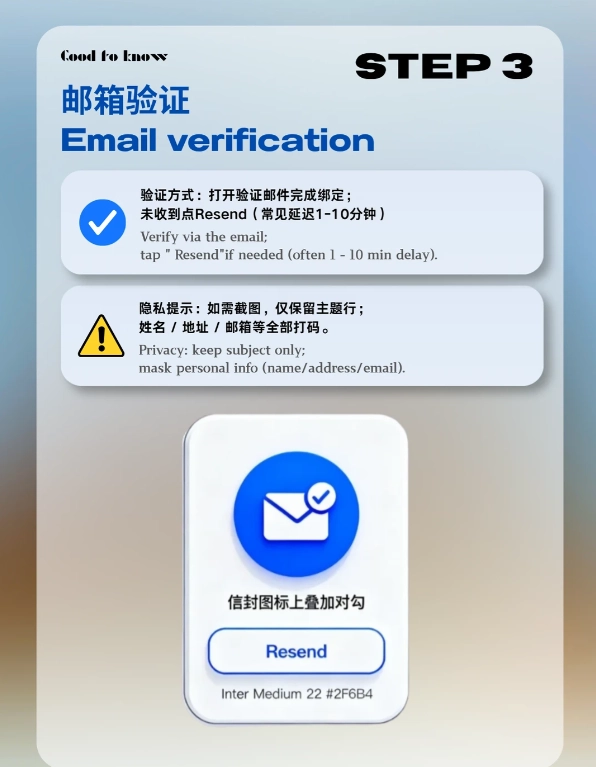
- Email address — For account recovery.
Step-by-Step Alipay Setup for Tourists
Step 1: Download the Right App
Search for “Alipay” in your app store. The icon is blue with a white “支” character. The international version has an English option. Avoid downloading from third-party sites.
Step 2: Register with Your Passport
Open the app, tap “Register”, select “Foreign Passport” as ID type. Take a clear photo of your passport’s data page. Then take a selfie — make sure good lighting. The system will verify automatically within minutes. If it fails, you might need to submit manually; I’ll cover that in troubleshooting.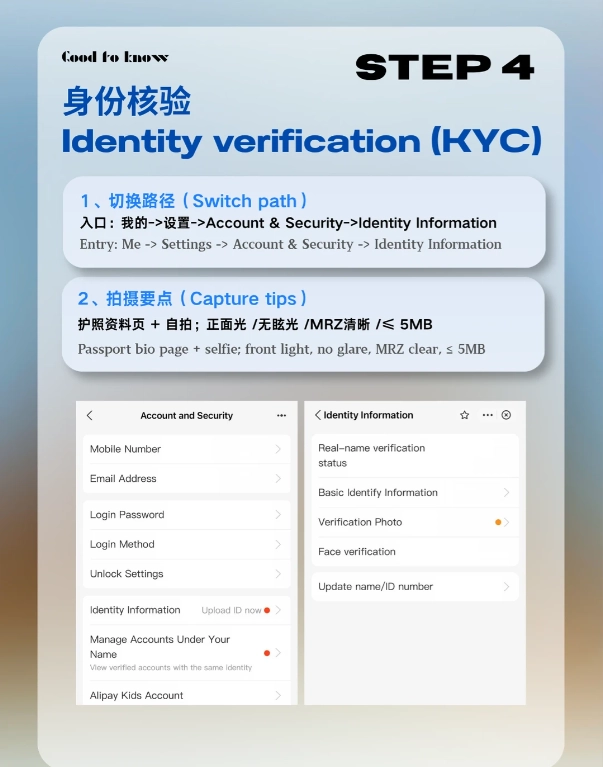
Step 3: Set Up Payment Method
Go to “Me” > “Bank Cards” > “Add Card”. Enter your international card details. Alipay will make a small temporary charge (usually 1 USD) to verify, then refund it. This step is where most tourists get stuck — if your bank blocks the transaction, call them beforehand to authorize international usage.
Step 4: Link a Backup Card
Add a second card if possible. Sometimes one network (e.g., Mastercard) works better than another in certain situations. I always keep my Wise card as primary and a Visa as backup.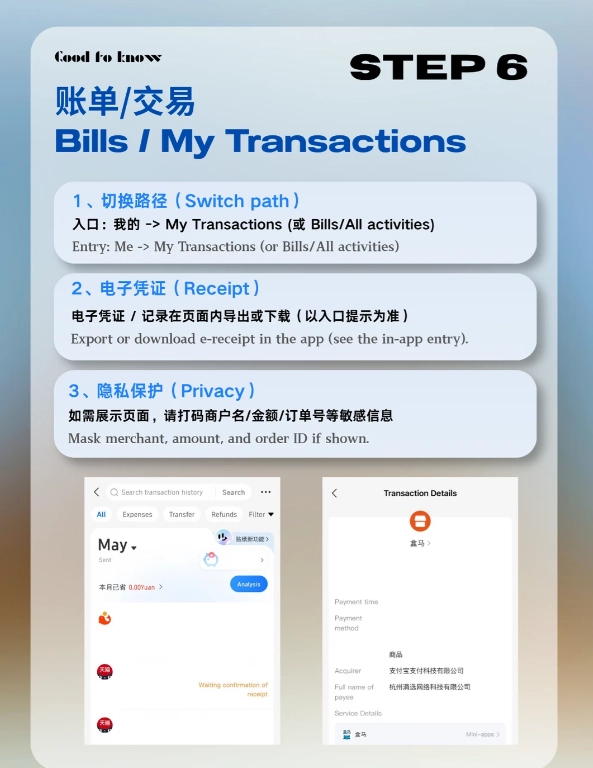
| Card Type | Typical Acceptance | Fees (approx) | Best For |
|---|---|---|---|
| Visa | High | 1-3% foreign transaction fee | Backup |
| Mastercard | High | 1-3% foreign transaction fee | Backup |
| Revolut | High | 0% (up to limit) | Primary |
| Wise | High | ~0.5% | Primary |
Linking Your International Card (Without Losing Your Mind)
Okay, this is the part that drives everyone crazy. You enter your card details, hit “Next”, and nothing happens. Or you get an error in Chinese. Here’s the fix: make sure your name on the card exactly matches what you entered during registration. Even a middle initial mismatch can cause rejection.
Another sneaky issue: Alipay requires your card’s billing address. Enter the address exactly as it appears on your bank statement. If your bank uses a different format, try adding the street address in the “City” field — yes, it’s stupid, but it works.
Still failing? Try adding the card through the “Alipay+” feature under “Wallet”. This bypasses some restrictions. I’ve had clients succeed after three attempts using this method.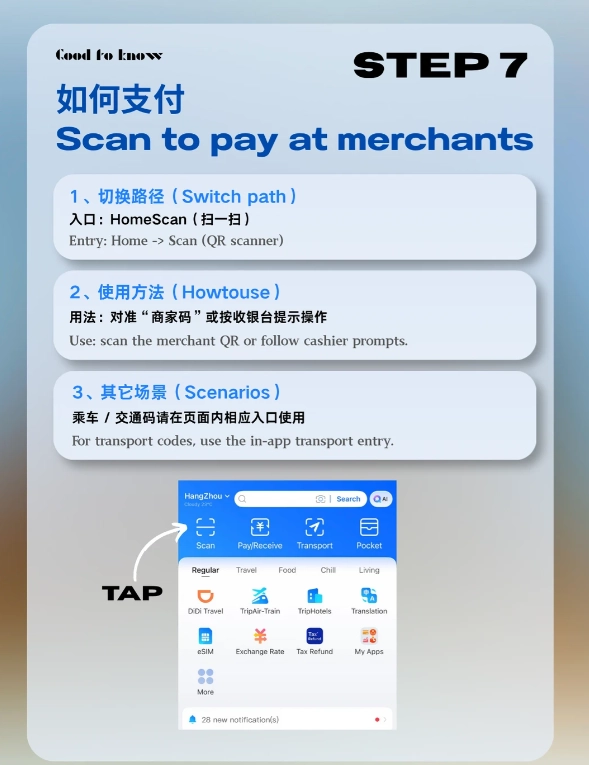
Common Alipay Mistakes Tourists Make (And How to Avoid Them)
I’ve seen these errors hundreds of times. Don’t be that person.
- Not turning on VPN before opening Alipay — The app checks for a Chinese IP. If you open it without VPN, it may lock the account temporarily. Always connect VPN first.
- Using a card without notifying your bank — Call your bank before departure. Tell them you’ll be in China and authorize international transactions. Otherwise, Alipay’s test charge gets blocked.
- Forgetting to set a payment password — Alipay will prompt you. Set a 6-digit PIN. Don’t use your phone lock code.
- Trying to use Alipay before passport verification completes — Wait for the “Verified” status. Using the app before that can disable the verification process.
- Ignoring the “Security Center” alerts — If Alipay flags a login from a new device, you must confirm via SMS or email. Check your messages.
Troubleshooting: When Your Setup Fails
Let’s face it — things go wrong. Here are the most common disasters and how to fix them fast.
Error: “Identity verification failed” — Your passport photo might be blurry or the selfie doesn’t match. Retake in good light, ensure no glare on the passport. If it still fails, email Alipay’s support ([email protected]). They usually respond within 24 hours. In a pinch, ask your hotel’s front desk to call Alipay helpline at 95188. They have English support.
Error: “This card cannot be added” — Some prepaid cards or cards from certain banks are rejected. American Express can be finicky. Try a different card. If you have a friend in China, you can ask them to transfer money to your Alipay account via “Transfer” — then you don’t need a card at all.
Error: “Transaction declined” — Usually a bank block. Call your bank. If you’re in a hurry, use cash for that one purchase.








No comments yet.