 Wei Zhang
I remember my first week guiding a group through Guangzhou. One guy, let's call him Mike, stepped off the plane without a single Chinese character saved on his phone. No VPN. No Alipay. He thought Google Maps would work. It didn't. Within two hours, he was stuck at the airport, unable to buy a metro ticket because the machine only took WeChat Pay. I found him sweating near the counter. That's when I realized: getting around China without speaking Chinese isn't just hard – it's a system you have to hack before you land.
Here's the catch: most online guides tell you to "just use translation apps" or "carry a phrasebook." That's cute, but it won't save you when the taxi driver doesn't understand your pronunciation of "Dongzhimen." After seven years of dragging foreigners across China, I've boiled down a set of tactics that actually work. No fluff. Just the tools and moves that got my clients through Beijing rush hour, rural Yunnan, and everything in between.
The blunt truth: if you rely on English alone, you'll lose time and money. But if you set up three things before you arrive – a VPN, Alipay with an international card, and a offline translation app – you'll be ahead of 90% of tourists. That's your foundation.
The Three-Layer Panic (And How I Solved It)
When you land, three problems hit you in sequence: payment, navigation, and booking. Each layer builds on the last. If you fail layer one (payment), you can't take a taxi. If you fail layer two (navigation), you can't find the train station. If you fail layer three (booking), you can't get into the Great Wall. Here's how to smash each one.
Payment: Alipay is your only friend
Cash is accepted in theory, but in practice, many small shops and taxi drivers don't have change. And forget about international credit cards – they rarely work except in high-end malls. I tell everyone: set up Alipay before you leave. Link your Visa or Mastercard. Test it by paying a friend $1. Make sure it works. Pro tip: Ask your hotel reception to top up your Alipay balance with cash if needed. They're used to it.
Navigation: Ditch Google Maps immediately
Google Maps is blocked and its data is outdated. Instead, use Apple Maps (which uses high-resolution local data) or Amap (高德地图, Chinese-only). Amap is terrifying in Chinese but you can toggle it to English in settings. I prefer Apple Maps – it's reliable for driving and transit, and it shows English names for most places. One caveat: Apple Maps doesn't always show the correct entrance for attractions. So when you arrive, look for the ticket booth, not the map pin.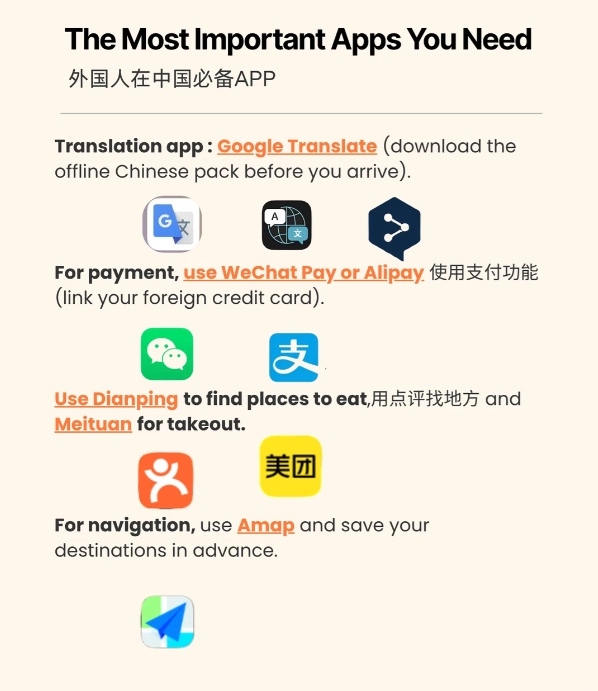
Booking: The WeChat mini-program nightmare
Most Chinese attractions require advance booking via WeChat mini-programs. Those programs are 100% in Chinese and demand a Chinese ID for verification. Foreigners can't use them! That's where Trip.com (formerly Ctrip) comes in. It has an English interface, accepts international credit cards, and lets you book tickets for most major sites. I've used it for the Forbidden City, the Bund Observatory, and even bamboo rafting in Yangshuo. Always book 2-3 days ahead – especially for the Great Wall and Terracotta Warriors.
Cashless Is King – Here's the Workaround
Even if you have Alipay, you'll hit moments where it fails. For instance, some street food vendors only accept WeChat Pay. Or your international card gets declined for no reason. Always carry ¥500 in small bills (10s and 20s). Break them at convenience stores (FamilyMart, 7-Eleven) to get change. I've seen too many tourists stuck with a ¥100 bill that a noodle guy can't break.
Navigation: Which Apps Actually Work?
I've tested them all on the ground. Here's the truth:
| App | Best For | Language | Reliability |
|---|---|---|---|
| Apple Maps | Driving, transit directions | English | High (regular updates) |
| Amap (Gaode) | Walking, real-time traffic | Chinese (can switch to English) | Very high (Chinese standard) |
| Baidu Maps | Public transport, bike-sharing | Chinese mostly | High but English poor |
| Google Maps (with VPN) | Quick search for English names | English | Low (wrong opening hours, outdated POIs) |
My recommendation: Use Apple Maps as your primary, and install Amap as a backup. Before each trip, download the offline map of the city on Apple Maps – it saves data and works without signal for routing.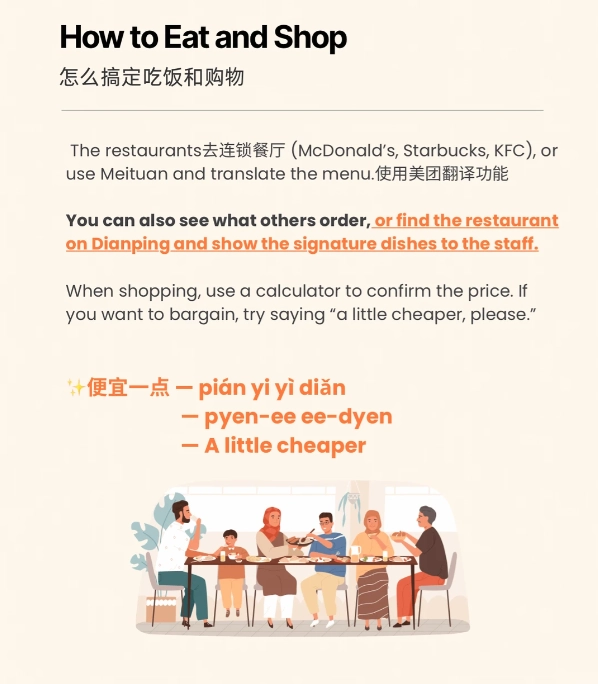
Getting Around: Trains, Taxis, and Subways
Trains: The high-speed network is English-friendly
China's bullet trains have English signs on platforms and inside carriages. But buying tickets is the pain. Use Trip.com for English booking. They charge a small fee, but it's worth it. Never buy from scalpers outside the station – I've had clients handed fake tickets. At the station, find the "Foreigner Service Window" (usually window 1 or 2). Show them your passport and booking confirmation. They'll print your ticket. Crucial: The ticket has a barcode – scan it at the gate. Don't lose it.
Taxis and ride-hailing
Yellow taxis are everywhere, but drivers rarely speak English. Always have your destination written in Chinese characters. I use the DiDi app (like Uber) – it has an English interface. Set your pickup location by dropping a pin, and type the destination in English. The app translates it for the driver. Watch out: Some drivers cancel if they can't find you. Use the call button in DiDi to ask your hotel reception to speak to the driver. This has saved me dozens of times.
Subways: The safest bet
Metro signs are bilingual (Chinese + English). Buy a single-ride ticket at the machine – most machines accept cash and have an English toggle. In Beijing, Shanghai, and Guangzhou, you can also use Alipay's transport QR code directly at the turnstile. Just search "Transport" in the Alipay app. It's seamless.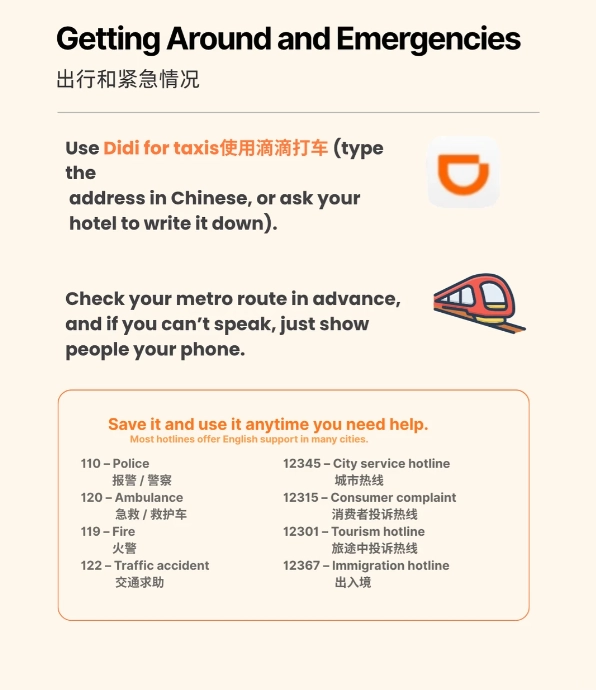
How to Book Tickets Without Chinese
As I mentioned, Trip.com is your best bet. But some smaller attractions only sell tickets on-site. For those, bring cash and your passport. Pro tip: Use the online translation camera feature in Google Translate (or Baidu Translate) to read the ticket purchase instructions. Point your phone at the screen – it overlays English. I did this at a remote temple in Sichuan and it worked fine.
For popular museums like the Shanghai Museum or Nanjing Museum, you can book through the official website (which often has an English version) or through Trip.com. Always check the "closed day" – many museums close on Mondays, but Trip.com won't warn you. Cross-check with the museum's own site using Google Translate.
The Language Crutch: What I Always Carry
I carry a small notebook with common phrases written in Chinese characters: "Where is the bathroom?" "How much?" "I don't eat pork." Plus, I keep a screenshot of the Chinese for "I'm lost, please help me call this number" – with the hotel's phone number. That text has gotten me out of jams more than once.
For deeper conversations, I use the Pleco app (offline Chinese dictionary) and Baidu Translate (voice translation is surprisingly good). Don't rely on Google Translate – it's blocked and sometimes blocked in China. Download Baidu Translate or Microsoft Translator before you arrive.
The biggest mistake I see: travelers not preparing a VPN. Without a VPN, your WhatsApp, Facebook, Instagram, and Google won't work. You need them for navigation, translation, and staying in touch. Get one before you land – I recommend Astrill or NordVPN. Set it up at home, test it, and leave it on.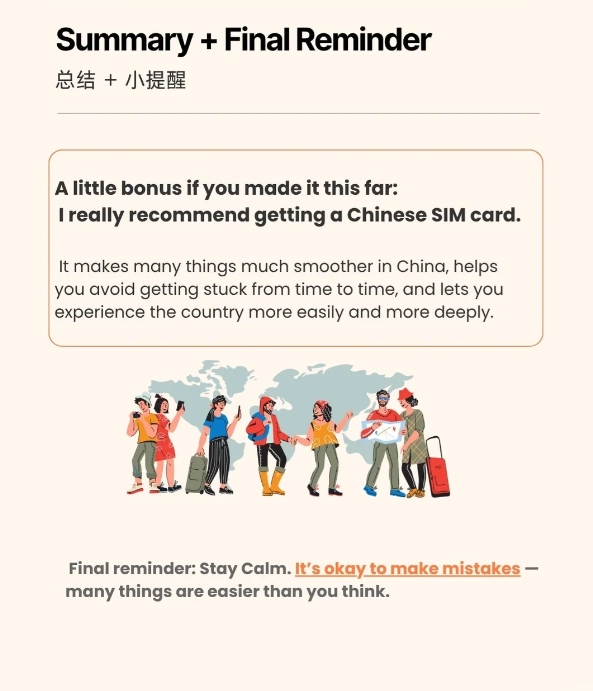








No comments yet.