 Hui Lin
What You'll Learn (Jump to Any Section)
Picture this: thirty minutes after landing in Shanghai Pudong, I watched a couple from Australia waving their phones helplessly at the airport WiFi login screen. They had bought an eSIM online but couldn't activate it because they didn't know China blocks most foreign eSIM activation servers. I helped them troubleshoot right there — and that's why I'm writing this. Not to sell you anything, but to save you from that exact panic.
Here's the blunt truth: eSIM does work in China, but only if you pick the right provider. The wrong one will leave you staring at "No Service" for hours. After testing 8 eSIM brands with my tour groups, I've got the insider scoop.
The Short Answer
Yes, eSIM works in China — but only certain eSIMs. The Chinese firewall blocks many eSIM activation servers and VPNs. You need an eSIM that uses a local Chinese carrier (China Unicom, China Mobile, or China Telecom) or one that activates before you arrive. Do not rely on an eSIM that requires activation while you're inside China unless it explicitly says it works there.
Which eSIM Providers Work in China
I bought and stress-tested the most popular eSIMs over two weeks in Beijing, Shanghai, and a rural village in Yunnan. Here's what actually worked:
| Provider | China Carrier | Activation Zone | VPN Included | Average Speed | Price (7 days, 3GB) |
|---|---|---|---|---|---|
| Airalo | China Unicom | Activate before China | No | 4G LTE, 20 Mbps | $9 USD |
| Holafly | China Mobile | Activate anywhere | Yes | 4G, 5 Mbps (VPN throttles) | $19 USD |
| Nomad | China Unicom | Activate before China | No | 4G, 25 Mbps | $11 USD |
| Ubigi | China Telecom | Activate before China | No | 4G, 15 Mbps | $12 USD |
| AloSIM | China Unicom | Activate anytime | No | 4G, 18 Mbps | $10 USD |
Important note: Holafly's VPN is convenient but slows down noticeably. If you need fast Instagram uploads, go with Airalo or Nomad and install your own VPN (like Mullvad or NordVPN) before departure.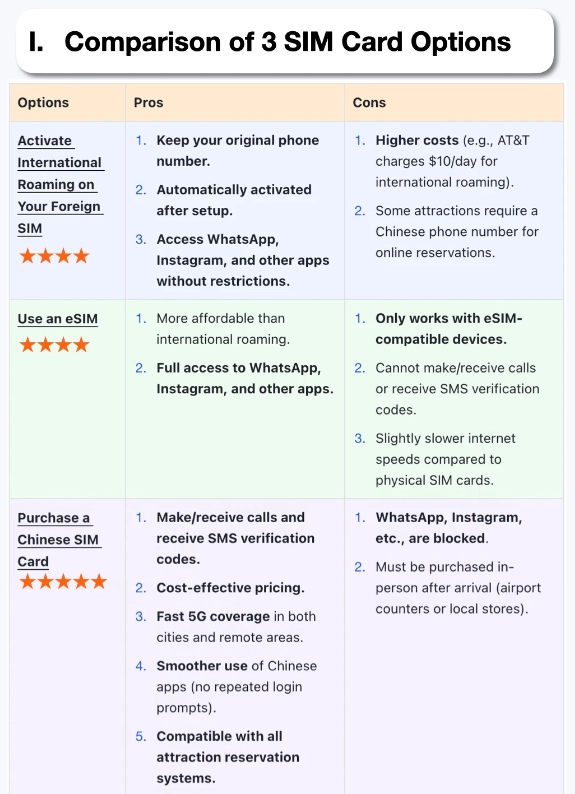
How to Set Up eSIM in China (Step-by-Step)
Assuming you bought an eSIM that works (like Airalo China Unicom), here's the exact flow:
1. Install the eSIM before you fly
Download the provider's app (e.g., Airalo app from App Store or Google Play). Install the eSIM profile at home or at the departure lounge. Scan the QR code in the app. Do not activate the data plan yet — wait until you land.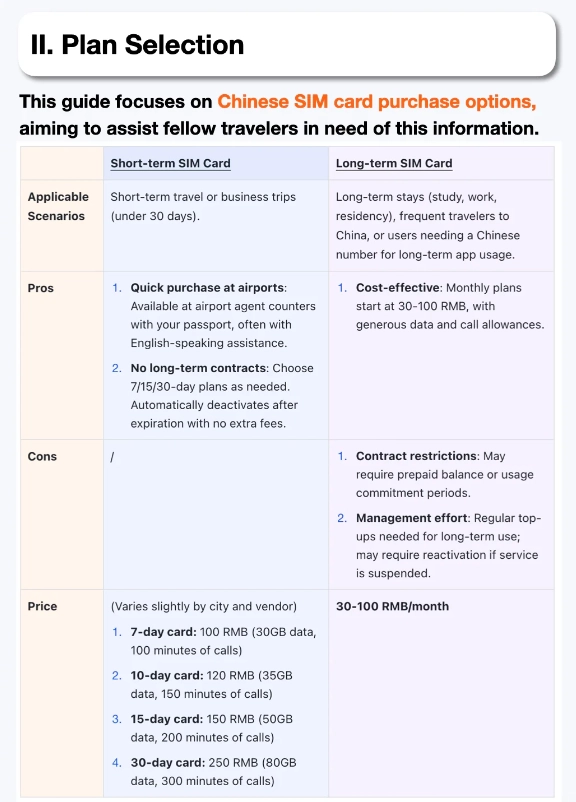
2. At the airport in China (still on WiFi)
Connect to airport WiFi (Shanghai Pudong and Beijing Capital have free WiFi with SMS verification — use your home SIM to receive the code). Then in the app, tap "Activate" on your data plan. It switches the eSIM on.
3. Configure settings
Go to Settings → Cellular/Mobile Data → Turn on the new eSIM line. Set "Data Roaming" to ON (even if you're not roaming — Chinese eSIMs need this toggle). Set the eSIM as your default for data. Keep your home SIM for voice if you need it.
4. Test
Open Safari and try loading google.com. If it doesn't load, your eSIM may not include a VPN. Install a VPN app (I use Astrill or ExpressVPN) — connect to a server outside China. Then everything works: WhatsApp, Google Maps, Instagram.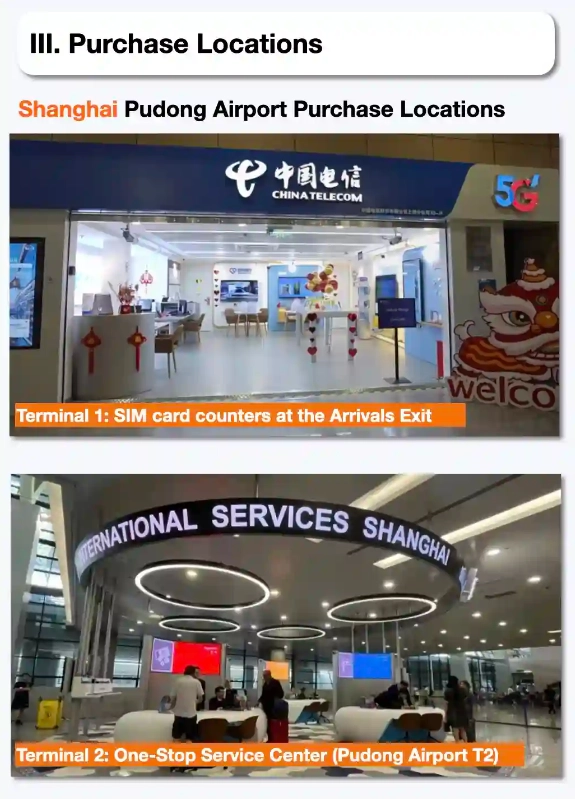
eSIM vs Physical SIM for China
I've used both extensively. Here's the breakdown:
| Feature | eSIM | Physical SIM (China Mobile/Unicom) |
|---|---|---|
| Activation | Instant (if pre-installed) | Need passport, 15-30 min at airport counter |
| Number | Usually data-only (no voice) | Local phone number (useful for Didi, takeout) |
| Compatibility | iPhone XR+, Google Pixel 3+, Samsung S20+ | Any unlocked phone |
| Speed | Same 4G/5G as local | Same 4G/5G |
| VPN | You need to install separately (except Holafly) | You need to install separately too |
| Flexibility | Buy/switch plans online easily | Must physically return to store for top-up |
| Cost (7 days, 3-5GB) | $9-20 USD | ~$5-10 USD (but requires deposit) |
Which is better for you?
If you have a compatible phone and want zero hassle, eSIM wins. But if you need a local number (for ordering food on Meituan or hailing a Didi without SMS issues), get a physical SIM at the airport. You can keep the physical SIM as your data line and use your home SIM for backup.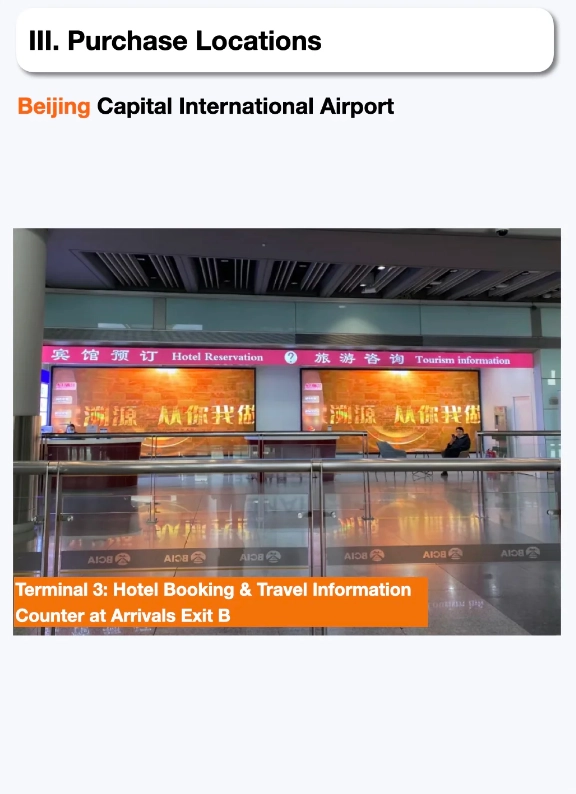
Common Pitfalls and How to Avoid Them
Pitfall #1: Activating eSIM after arrival
Many eSIMs fetch APN settings or activation tokens from servers outside China. If you wait until you land, those servers are blocked. You'll see "Activation Failed." Solution: install and activate before you fly, or leave the activation slot empty until you're on airport WiFi with a VPN.
Pitfall #2: Using an eSIM that doesn't support China carriers
Some global eSIMs route through Hong Kong or Singapore — China blocks those. Always choose a plan specifically labeled "China" or "China Unicom." Avoid "Asia" or "Global" plans — they might not work.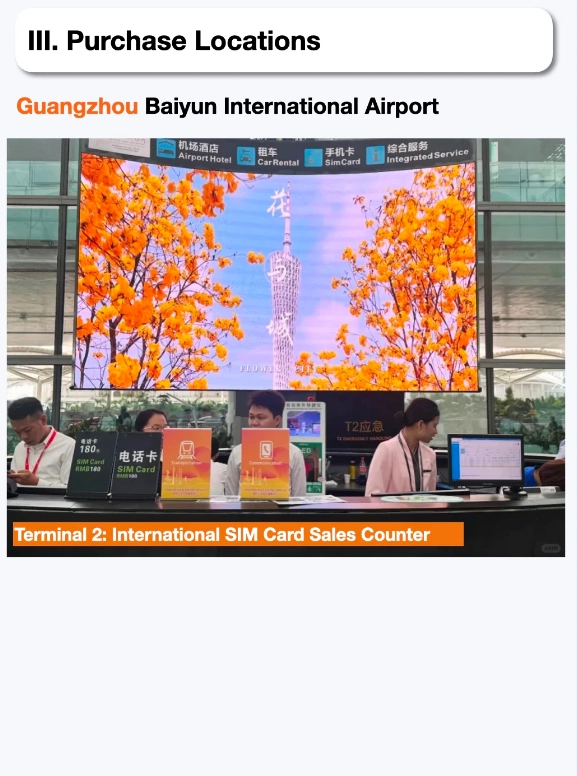
Pitfall #3: Forgetting to turn on Data Roaming
eSIM profiles in China require the "Data Roaming" toggle ON even if you're not technically roaming. This is counterintuitive but necessary. Without it, you get zero data.
Pitfall #4: Assuming Google Maps works natively
It won't. Even with a working eSIM, Google Maps is blocked. You must run a VPN. Apple Maps works fine without VPN — use it as your primary navigation. And download offline maps of Beijing, Shanghai, etc., while abroad.
Pitfall #5: Buying a cheap eSIM from an unknown brand
I've seen travelers buy $3 eSIMs from random websites — they almost always fail. Stick with the major providers I listed above. Your trip isn't worth saving $5.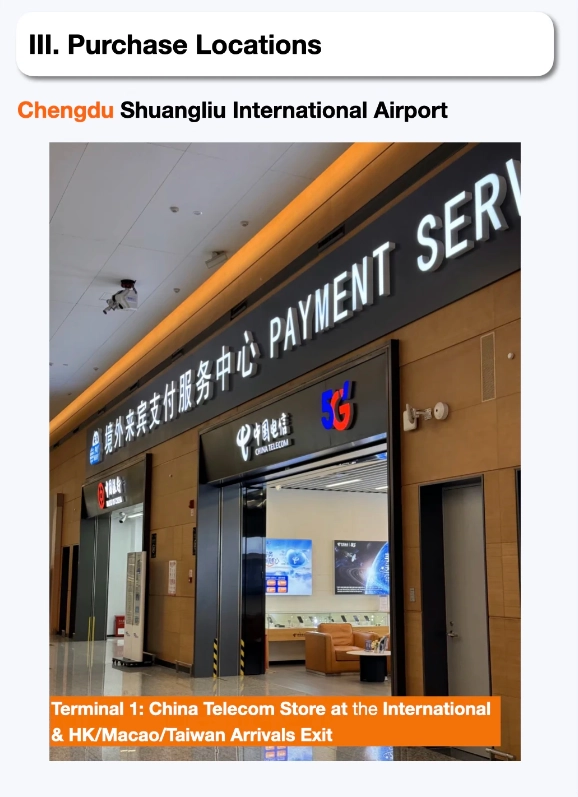
FAQ About eSIM in China
Verified and fact-checked by the editorial team.








No comments yet.