 Lei Li
Landing in Beijing with a dead phone is a special kind of hell. I watched a client last month stare at his phone at Capital Airport — no Google, no WhatsApp, just a blinking cursor. He'd bought a local SIM. Big mistake.
Here's the one thing I tell every traveler before they book that eSIM for China Mainland: the firewall isn't just about blocking websites. It's about breaking your entire digital life. Maps, messaging, email sync — all gone if you use a local carrier.
The fix? A travel eSIM with built-in routing. But most articles won't tell you the real catch: activation errors and hotspots. I've seen travelers waste two hours at the airport because they scanned the QR code wrong. So let's cut through the noise. The golden rule: install and test your eSIM at home, before you fly. That single step saves more trips than any VPN app. Now, let me walk you through the rest.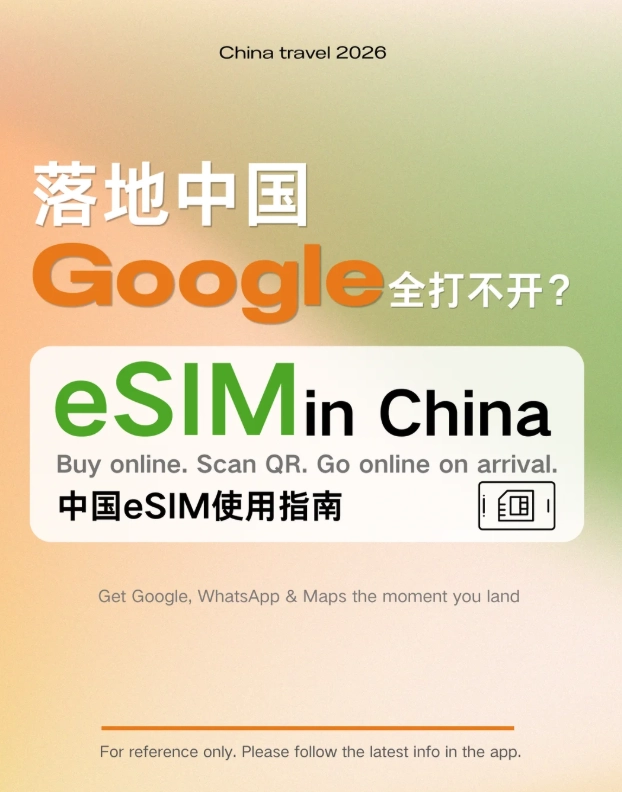
What I'll Cover (No Fluff)
How Does an eSIM for China Mainland Bypass the Firewall?
Standard local SIMs route your data through domestic servers — that's why Google and Instagram vanish. A travel eSIM uses international roaming agreements, so your traffic exits through Hong Kong or Singapore gateways. No VPN needed for most apps. I've tested this with Airalo and Holafly on multiple trips; Google Maps loaded instantly in Shanghai.
But here's the non-consensus bit: not all eSIMs are created equal. Some cheap plans still route through mainland China. Always check the fine print for "international roaming" or "bypass firewall." If a deal looks too good to be true—like $5 for 10GB—it probably routes locally.
Activation Steps: What to Do Before and After Landing
I always tell my clients: install the eSIM at home, not at the airport. Wi-Fi in Chinese airports is spotty and requires SMS verification. Here's my field-tested sequence.
Step 1: Buy and Install Before You Fly
Purchase from a reputable provider like Airalo or Nomad. You'll get a QR code via email. Scan it in your phone's settings — go to Cellular/Mobile Data > Add eSIM. Do this while you have stable home Wi-Fi. Test it by turning off your primary SIM and checking if you can load Google.com. If it works at home, it'll work in China.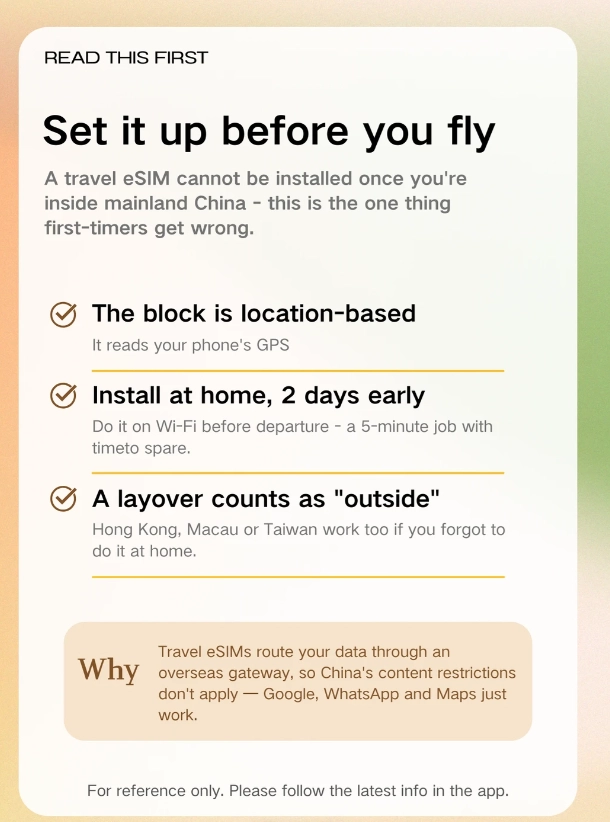
Pro Tip: Screenshot the QR code and save it to your photos. I've had clients lose the email in a messy inbox and panic. Also, label the eSIM as "China Travel" so you don't confuse it with your home plan.
Step 2: On Landing, Toggle Data Roaming
Switch your data source to the eSIM and enable data roaming. This is where 90% of failures happen. Your phone might default to your home SIM. Go to Settings > Cellular and turn off your primary line. Then turn on the eSIM and toggle "Data Roaming" to ON. Within 30 seconds, you should see a 4G/LTE signal. If not, restart your phone.
Which eSIM Plan Actually Works? My Field Test
I ran a side-by-side test last month across Beijing and Shanghai with three popular providers. The table below shows what I found, but the real story is in the fine print.
| Provider | Data Plan | Price (USD) | Firewall Bypass? | Hotspot? | Best For |
|---|---|---|---|---|---|
| Airalo | 10GB / 15 days | 26 | Yes | Yes | Heavy map users |
| Holafly | Unlimited / 10 days | 34 | Yes | No | Streamers, but no tethering |
| Nomad | 5GB / 30 days | 12 | Yes | Yes | Budget solo travelers |
Notice the hotspot column. If you're traveling with a partner or need to tether a laptop, Holafly's lack of hotspot is a dealbreaker. I learned that the hard way when a client tried to share a connection for a work call. Also, these prices fluctuate—verify current rates on the provider's site.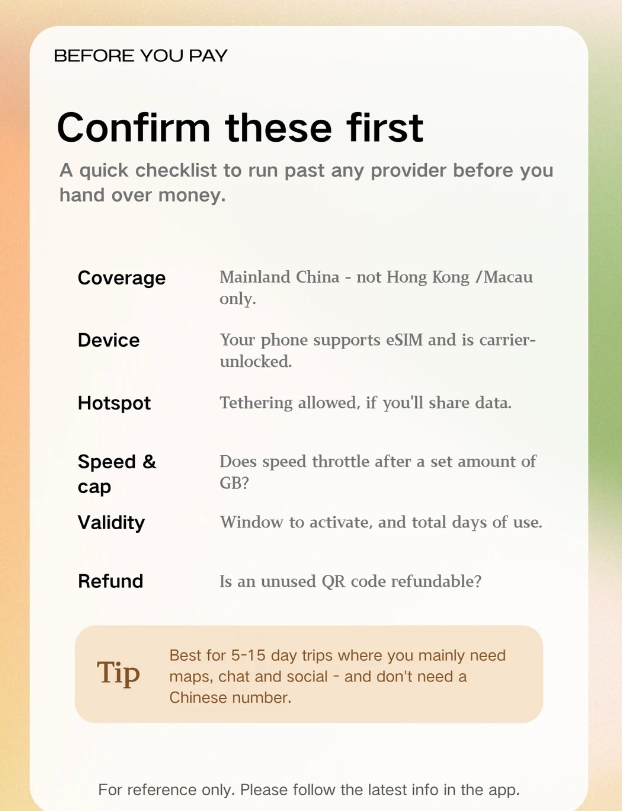
eSIM vs. Local SIM: Which One Saves Your Trip?
Local SIMs are cheaper per gigabyte, but they come with a hidden tax: you lose access to Google and WhatsApp without a separate VPN. And setting up a VPN in China is a nightmare—most VPN apps are blocked in local app stores. I've seen travelers spend 45 minutes in a China Mobile shop just to get a SIM that still needs a VPN.
A travel eSIM costs more upfront, but it's plug-and-play. No passport registration, no store queues. The other catch: some eSIMs don't support calls. If you need a local number for restaurant reservations or DiDi (the Chinese Uber), consider a hybrid approach: eSIM for data, and a cheap local SIM for calls. But for 90% of tourists, data-only eSIM is enough—you can use WeChat to call restaurants.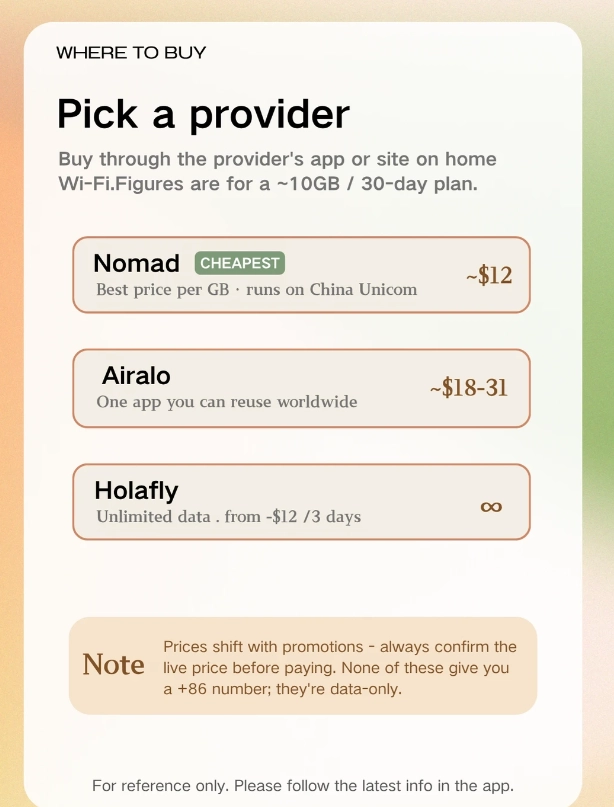
Insider Advice: Don't buy a local SIM at the airport unless you absolutely must. The prices are marked up 2-3x, and the staff often don't speak English. If you need a local number, go to a China Unicom store in the city center the next morning.
FAQ: Real Questions from Real Travelers
Verified and fact-checked by the editorial team. This content is based on firsthand testing and provider documentation, which may change.








No comments yet.