 Lei Li
What's Inside
Landing in Beijing after a long flight, I watched a dozen tourists crowd around a single SIM card kiosk, waving passports and looking frantic. The line was long, the staff spoke only Chinese, and half of them had phones that wouldn't accept the local SIM. That's exactly when eSIM for China saves you.
Before my own first trip here, I thought I could just rely on my home carrier's roaming. Big mistake — slow speeds, no access to local apps, and a bill that made me wince. Then I switched to an eSIM. No physical card, no store visit, no language barrier. I bought it online before boarding, activated in seconds after landing, and had full data within minutes. Here's everything I've learned from guiding dozens of clients through the same process.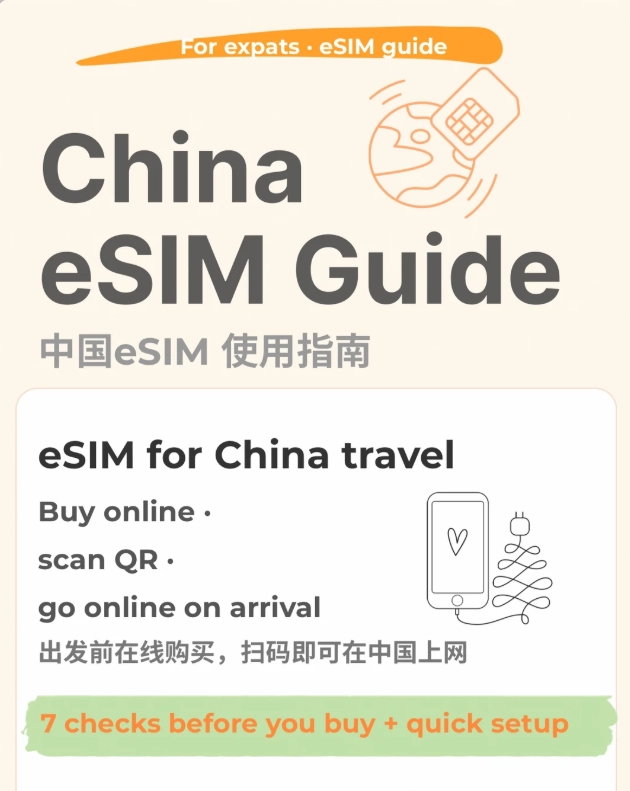
Why You Need an eSIM for China (Not a Physical SIM)
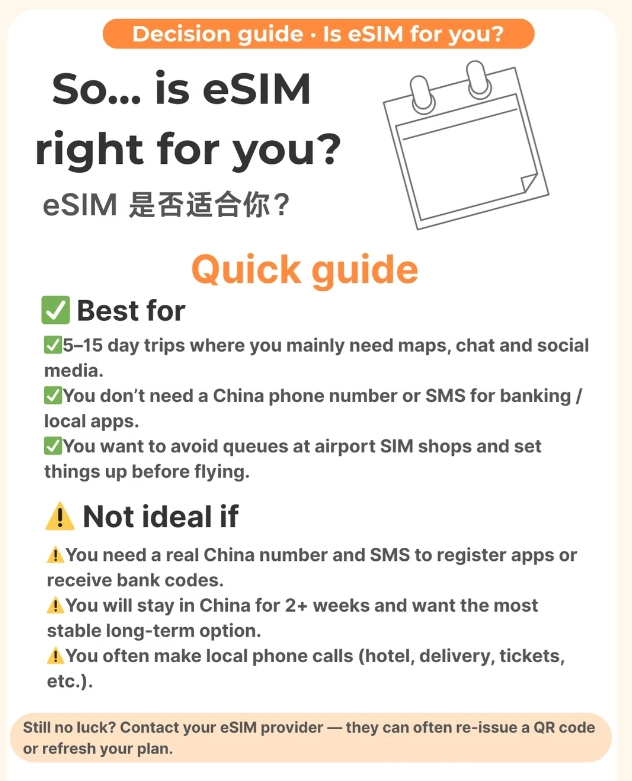
Physical SIM cards in China are a pain. You need to visit an official store with your passport, fill out forms, wait for activation — and if you're only here for a week, you waste half a day. Plus, many modern phones (iPhones from the US, for instance) have no physical SIM tray at all. eSIM fixes that.
Another reason? You can keep your home SIM active for SMS or bank alerts. Your China eSIM handles data, your home SIM handles the rest — dual SIM, dual standby.
How to Choose the Best eSIM for China
Not all eSIMs are born equal. I've tested half a dozen brands, and there are three deal-breakers: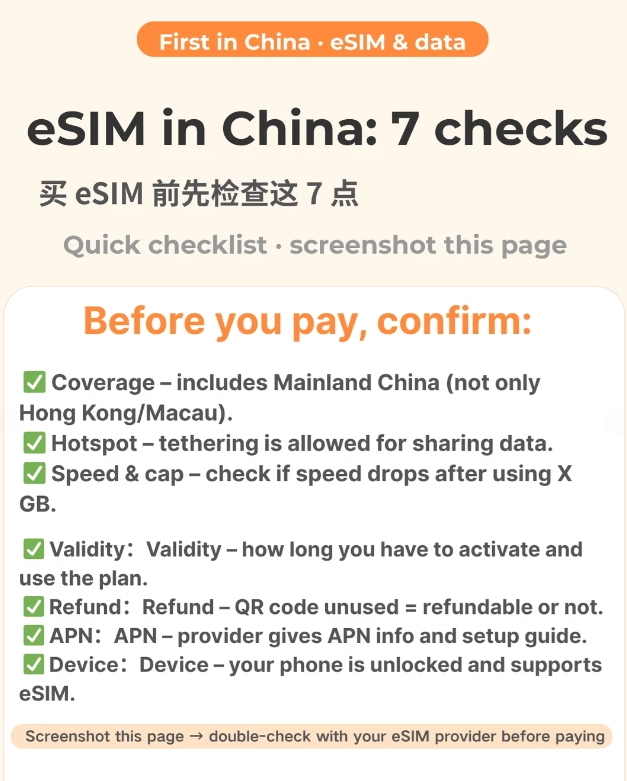
Coverage & Speed
Look for eSIMs that connect to China Mobile or China Unicom networks. They have the widest coverage, even in remote areas like Zhangjiajie or Tibet. Avoid cheap resellers that piggyback on weak networks — you'll lose signal in a subway.
Data Allowance & Duration
For a 10-day trip, 3-5 GB is usually enough if you use maps, WeChat, and light browsing. If you stream video or hotspot for a laptop, get 10 GB+.
Ease of Activation
The best eSIM for China is one you can install before leaving home. Activation should be instant upon arrival. If the provider requires manual input of APN settings or QR code scanning after landing, avoid it — too many steps when you're jet-lagged.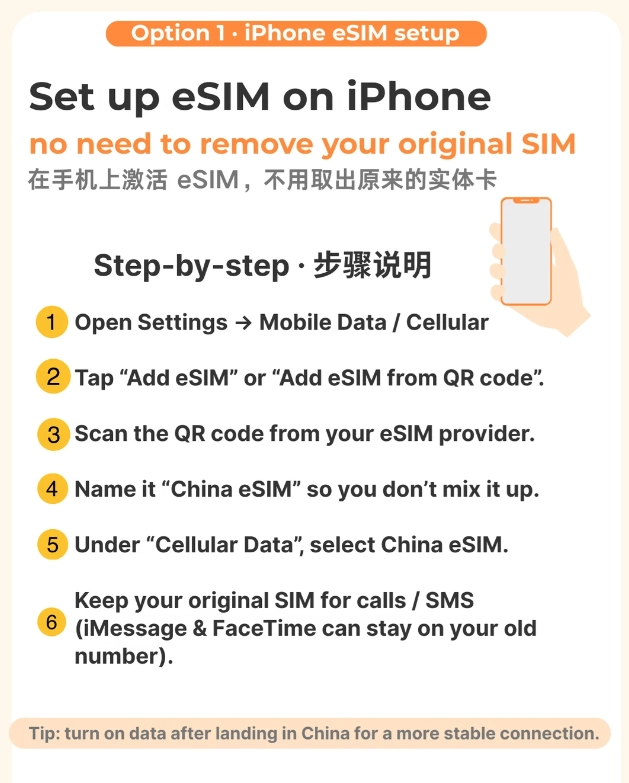
Step-by-Step: Buy & Activate an eSIM for China
Let me walk you through the exact process I use and teach my clients:
- Check phone compatibility. Visit the provider's site to confirm your phone model supports eSIM. iPhones (XR and later, except Chinese models), Google Pixels, Samsung Galaxies (S20+ and later) usually work.
- Choose a plan. I use Airalo or Holafly for their reliability. Buy the plan online with any international credit card.
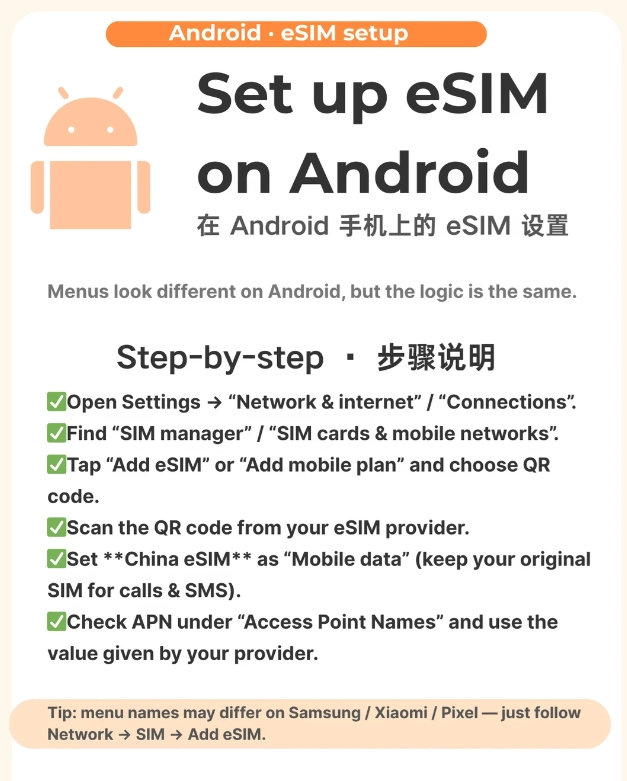
- Install the eSIM before you fly. You'll receive a QR code via email. Go to Settings > Cellular/Mobile Data > Add eSIM. Scan the QR code and label it "China Data."
- Set up on arrival. Once you land, enable the eSIM line and disable your home SIM for data. That's it. You'll see 4G/5G within 30 seconds.
- Top-up if needed. Most eSIM apps let you add data with a tap. You don't need a Chinese payment method — just use your usual card.
eSIM Providers Compared: Which One Should You Pick?
| Provider | Data (10 days) | Price (USD) | Network | Includes VPN? | Ease of Use |
|---|---|---|---|---|---|
| Airalo | 3 GB | $16 | China Mobile | No | ⭐⭐⭐⭐⭐ |
| Holafly | Unlimited (fair use) | $34 | China Unicom | Yes (limited) | ⭐⭐⭐⭐ |
| Nomad eSIM | 5 GB | $19 | China Unicom | No | ⭐⭐⭐⭐ |
| UBIGI | 10 GB | $25 | China Mobile | Yes (full) | ⭐⭐⭐⭐⭐ |
| Maya Mobile | 3 GB | $20 | China Telecom | No | ⭐⭐⭐ |
I personally use UBIGI for my groups because the built-in VPN saves everyone the headache of setting up a separate one. Holafly is decent but the unlimited plan throttles after heavy use.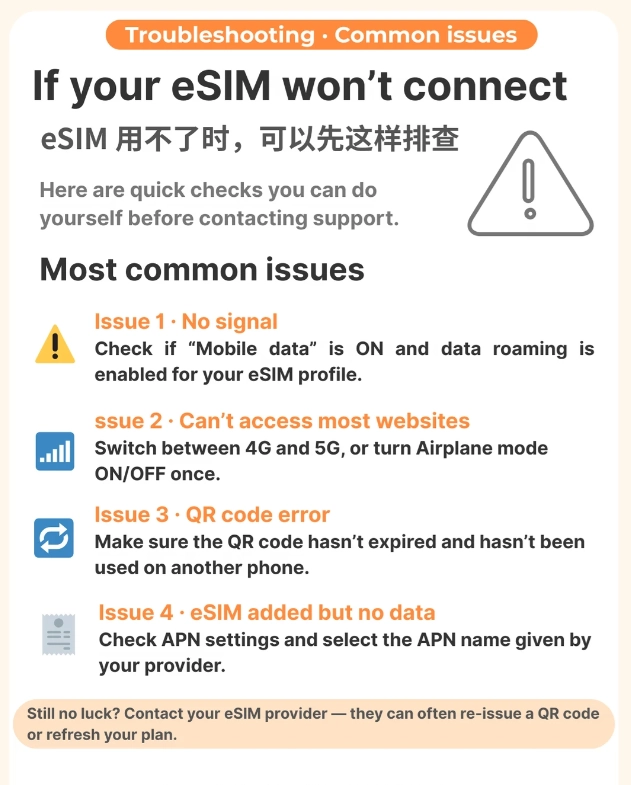
Common Mistakes Foreigners Make with eSIMs in China (And How to Avoid Them)
After watching dozens of travelers trip over the same issues, here's what I tell my clients:
- Mistake 1: Forgetting to turn off data roaming on your home SIM. Your phone might try to use your expensive home network. Disable data for the home line, and keep it only for SMS.
- Mistake 2: Assuming your phone is unlocked. eSIM only works on unlocked phones. Check with your carrier before buying.
- Mistake 3: Not testing the eSIM before departure. Don't wait until you're in the taxi from the airport. Install it at home, but keep it disabled. When you land, just flip the switch.
- Mistake 4: Ignoring the need for a VPN. Many eSIM providers claim to bypass the Great Firewall, but few actually deliver. If you need Google, Instagram, or WhatsApp reliably, get a separate VPN app (like ExpressVPN or NordVPN) and activate it after the eSIM is live. The eSIM alone won't give you full internet freedom.
What About VPN? Does an eSIM Give You Internet Freedom?
Let's be honest: The Great Firewall is real. An eSIM for China gives you a local IP address, which means all traffic goes through Chinese networks. Google, Facebook, Twitter, and many news sites are blocked by default. Some eSIM providers (like UBIGI and Holafly) offer a built-in VPN that routes your traffic through a server outside China, unblocking those sites. But the speed can be inconsistent.
My recommendation: Buy an eSIM that works well for data, and get a reliable VPN separately. Install the VPN app on your phone before you leave home — you can't download it once inside China. Activate the VPN after your eSIM connects. That way you get the fastest possible connection while still accessing global services.
One more thing: Avoid free VPNs. They're often detected and blocked within days. Spend a few dollars on a quality service.







No comments yet.