 Hui Lin
What You'll Find Here
I remember a tour where a couple got hopelessly lost because Google Maps showed them a wrong bus stop. Their translator app? Frozen on a loading screen. That moment stuck with me. After guiding over a thousand visitors through China, I've tested every translation app you can imagine. The reality? Most travelers download the wrong one and suffer through awkward silences and missed turns.
Here's the blunt truth: the best translation app for Mandarin isn't a single app—it's a combo. One for offline dictionary, one for voice translation, and a third for reading menus. But if you're only picking one, I'll tell you which saves your skin daily.
Why Most Travelers Pick the Wrong App
Landing in Beijing, you open the App Store and download the first flashy translator. Big mistake. Most apps assume you have perfect Wi-Fi and that Chinese people speak standard Mandarin like a textbook. They don't. Dialects, mumbling, and background noise kill accuracy. Plus, many apps require a VPN just to load. I've seen travelers pay for premium subscriptions only to discover the app doesn't work in a subway.
You need an app that works offline, handles voice input even in noisy markets, and reads Chinese characters from a photo. That's the baseline. Let's cut through the noise.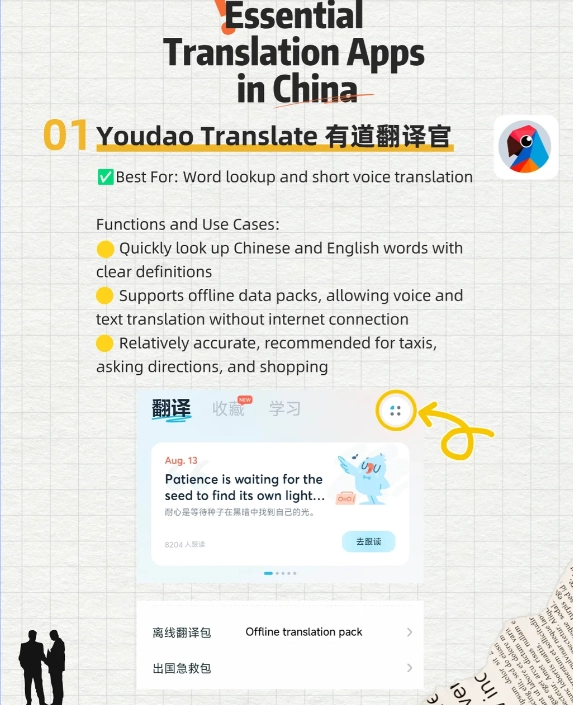
Top 3 Translation Apps Compared
| App | Best For | Offline Quality | Voice Recognition | Price |
|---|---|---|---|---|
| Pleco | Dictionary & character lookup | Excellent (download packs) | Basic (paid add-on) | Free + in-app purchases |
| Google Translate | Conversational voice translation | Good (download languages) | Very good (real-time) | Free |
| iTranslate | Simple phrase translation | Fair (limited offline) | Good | Free + subscription |
| DeepL | Written translation accuracy | Not available | No voice | Free + paid |
Pleco: The Offline Champion
I always tell my clients: install Pleco before you even board the plane. It's a Chinese dictionary on steroids. You can write a character with your finger, scan a photo, and it shows stroke order, example sentences, and even recordings (both male and female voices). The offline packs are massive—download the "Professional" one and you're set for weeks.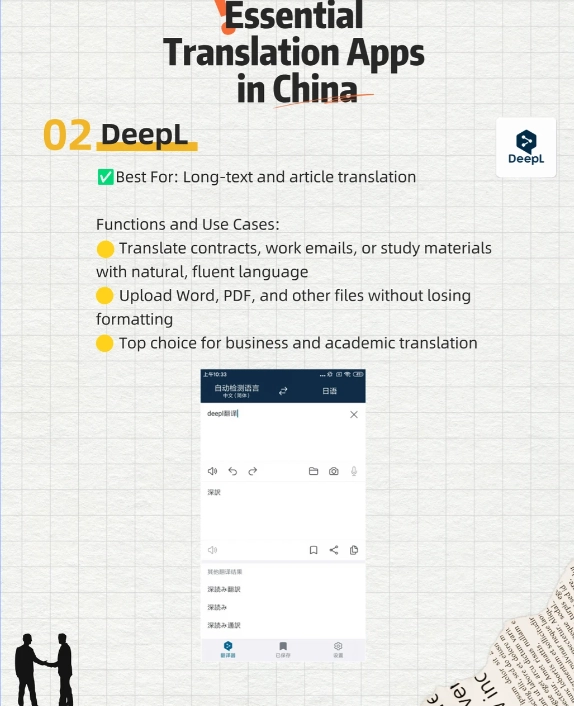
The catch? Pleco's voice recognition is a paid add-on and not super accurate. For talking, I pair it with another app. But for reading signs, menus, and understanding subtle word meanings, Pleco is unbeatable. Pro tip: use the "clipboard reader" function to copy text from other apps and get instant translations.
Google Translate: Good but Tricky
Google Translate's conversation mode is surprisingly good—tap the microphone, speak, and it translates aloud. But here's the kicker: in China, Google services are blocked. You need a stable VPN to use online features. The offline pack works without VPN, but it's less accurate and doesn't support camera translation offline.
I recommend downloading the Mandarin offline pack before you arrive. Then use it for simple phrases or when you're stuck without Pleco. Just don't rely on it for long conversations—the latency and awkward phrasing will make locals smile politely and hand you a menu you already can't read.
A Quick Tip for WeChat Pay and Taxis
You might wonder how translation apps connect to real-world problems like paying for a taxi. I see tourists fumbling with cash because the driver's app says 17.5 yuan and they don't know how to confirm. Here's a workaround: open Pleco's handwriting pad and draw the number (or use Google Translate's camera on the meter). Then show the phone to the driver. For sharing your location with a Didi (Chinese Uber) driver, use the built-in translation in WeChat or Apple Maps (which works better than Google Maps in China).
And yes—most places accept Alipay and WeChat Pay. I always help my guests set up these apps before the tour. Translation apps won't help you pay, but they'll read the QR code instructions.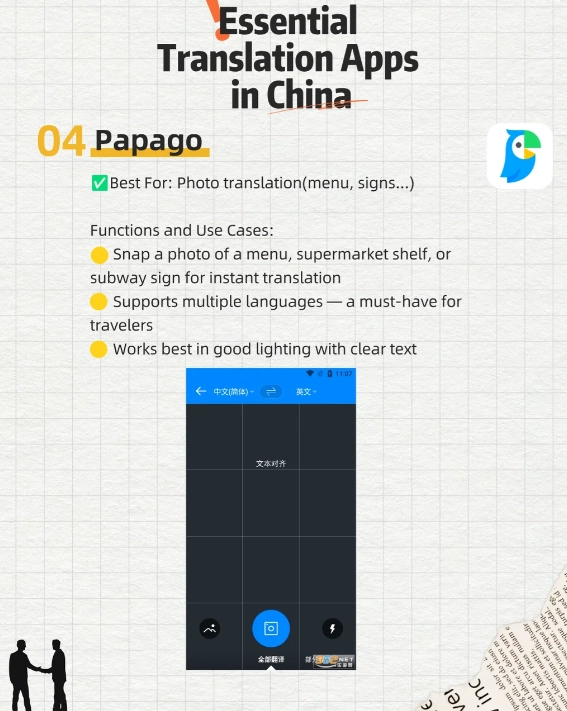
Common Mistakes When Using Translation Apps
Mistake 1: Not downloading offline packs. You're in a rural area or subway—no service. The app becomes useless. Download everything at the hotel.
Mistake 2: Relying on one app for everything. As I said, use Pleco for reading, Google for speaking, and maybe Apple Translate (built-in) as a backup. Apple Translate works offline between specific language pairs and is surprisingly accurate.
Mistake 3: Forgetting to adjust for dialect. In Shanghai, people speak Shanghainese. In Guangzhou, Cantonese. Standard Mandarin might not get the answer you expect. For these cases, I point to a phrase like "请说普通话" (qǐng shuō pǔtōnghuà) saved in Pleco. Show it to the local.
Mistake 4: Expecting perfect grammar. Chinese sentence structure is different. Apps often produce robotic translations that locals understand but find unnatural. Keep your sentences short: "Where toilet?" works better than "Could you please direct me to the nearest restroom?"
FAQ: Quick Answers to Common Headaches
 Can I use these apps to call a taxi and give directions to the driver?







No comments yet.