 Gang Zheng
What's Inside This Field Guide
- What Is Jilin Internet Access Actually Like for Foreigners?
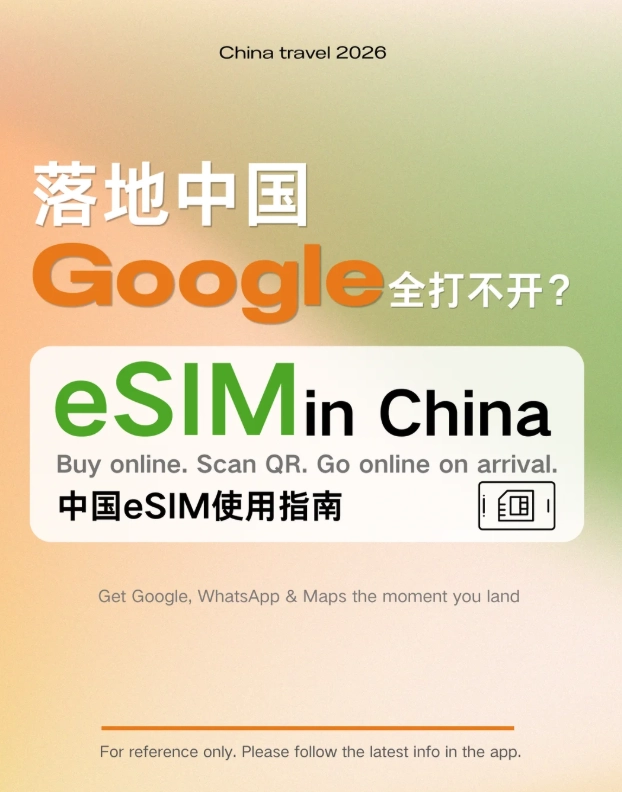
- How to Get Online in Jilin: SIM Cards, eSIMs, and Roaming
- The Great Firewall in Jilin: What Breaks and What Doesn't
- Changchun Internet Access: Airports, Hotels, and Cafes
- Yanji and Yanbian: Internet Access in China's Korean Corner
- Changbai Mountain Internet: What Signal Really Looks Like
- How Do You Pay and Navigate in Jilin When the Internet Drops?
- Questions I Get Asked Most About Getting Online in Jilin
Two bars. That's all my phone showed at the north gate of Changbai Mountain — and I had a full battery, a paid VPN, and nobody within shouting distance to complain to.
That single image sums up Jilin internet access. The province itself is not the problem. China's carriers blanket Changchun with fast 5G, and even Erdaobaihe — the small town at the foot of the mountain — streams video without a stutter. What actually cuts you off is the Great Firewall, plus a stack of small registration rules that almost no English-language guide bothers to explain properly.
So here is the ending first: buy a travel eSIM that routes your data outside mainland China before you board, keep your home SIM's roaming switched on as a backup line, and download Amap, Alipay, and offline maps while you still have unrestricted internet. Do that and Jilin feels like any other connected destination.
Everything else is detail. Useful detail, but detail. Let's walk through it the way I'd walk you through it at the arrivals hall.
What Is Jilin Internet Access Actually Like for Foreigners?
Jilin Province sits in China's far northeast, sharing borders with North Korea and Russia. Changchun is the capital, Jilin City is the second city, Yanji anchors the Korean Autonomous Prefecture, and Changbai Mountain pulls in the crowds. Coverage across all of it is genuinely solid — better than plenty of rural regions back home.
The Three Realistic Ways You'll Get Online
You have exactly three workable options in Jilin: a travel eSIM bought before you fly, your home carrier's roaming plan, or a physical Chinese SIM registered with your passport.
- Travel eSIM — a data-only profile you scan onto your phone. No store visit, no queue, no Chinese paperwork.
- Physical Chinese SIM — a real local number from China Unicom, China Mobile, or China Telecom. Requires your original passport at the counter.
- Home carrier roaming — the most underrated of the three. Your data routes through your home network, which means no firewall and no VPN.
Why Free Public WiFi in Jilin Rarely Works for Foreigners
Almost every public network in mainland China — including the one at Changchun Longjia International Airport and most shopping malls — sends a verification code by SMS to a Chinese mobile number. No Chinese number, no WiFi. Some airports have added passport-scan kiosks, but I've stood behind enough frustrated travelers to tell you not to build your whole plan around them.
Hotel WiFi is the exception, and I'll get to that.
How to Get Online in Jilin: SIM Cards, eSIMs, and Roaming
Here's the honest side-by-side. Prices shift with data volume and promotions, so treat the ranges as planning figures rather than quotes.
| Option | Where to Get It | Typical Cost | Setup Effort | Best For |
|---|---|---|---|---|
| Travel eSIM | Online, before departure | Roughly USD 5–30 depending on data | Low — scan a QR code | Short trips, travelers who want Google and WhatsApp without a VPN |
| Physical Chinese SIM | Carrier counters at Changchun Longjia Airport or city branches | Roughly CNY 100–300 for a tourist plan | Medium — passport registration and Chinese-language forms | Long stays, local calls, delivery apps, Didi driver callbacks |
| Home carrier roaming | Your own provider, activated before you fly | Varies widely, often charged per day | Very low — nothing to install | A guaranteed backup line that bypasses the firewall |
| Hotel WiFi | Your hotel front desk | Free with your room | Low, but indoors only | Evening video calls and uploading photos |
| Pocket WiFi rental | Online rental or pickup counters in major hubs | Roughly USD 5–10 per day | Medium — needs charging and returning | Families and small groups sharing one connection |
Buying a Physical SIM in Changchun with Your Passport
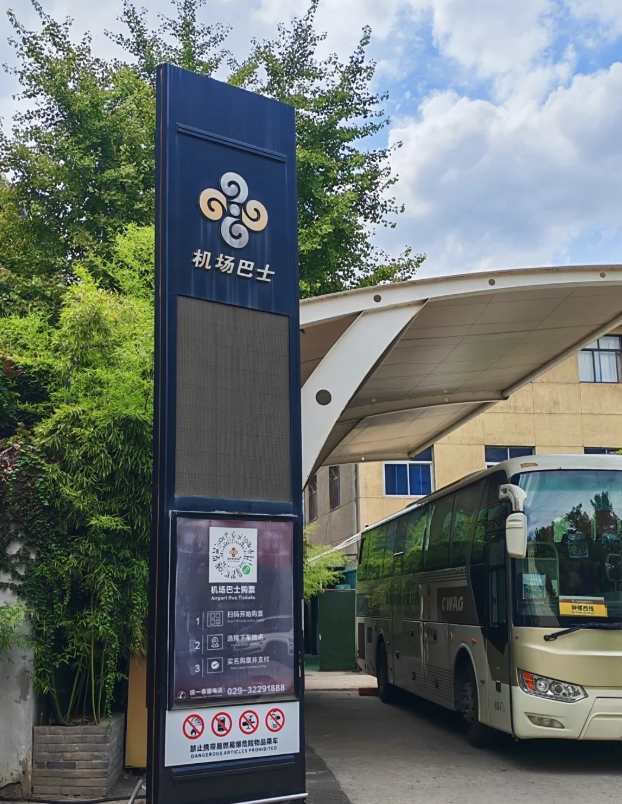
Real-name registration is mandatory in China, so bring your original passport — a photo or photocopy will not be accepted. The carrier desks sit in the arrivals hall of Longjia International Airport, but staffing thins out late at night, and a long-haul arrival at 11 pm often means a shuttered counter. City branches around Changchun's Chongqing Road commercial district are a safer daytime bet.
Expect the paperwork to be entirely in Chinese. Have a translation app open and ready before you reach the front of the queue. The payoff is real though: a Chinese number unlocks SMS verification for public WiFi, restaurant queue systems, and callback confirmations from ride-hailing drivers who can't reach you otherwise.
Pro Tip: Ask the clerk to run a speed test and confirm the data plan is actually attached before you walk away. I once watched two travelers leave a counter with a "working" SIM that had no data package on it — fixing that cost them half a day and a return trip across the city.
eSIM vs Roaming: Which One Keeps Google Working?
A mainland Chinese SIM puts you behind the Great Firewall. A foreign eSIM or a roaming home SIM does not — provided the data is routed outside the mainland.
This is where people get caught. Some eSIM products sold as "China" plans are actually local China Unicom profiles, and they behave exactly like a domestic SIM. Others route through Hong Kong, Macau, or Singapore, and Google Maps loads like you never left home. Confirm the routing with the provider before you pay, because you cannot test it after you land.
A Hong Kong or Macau SIM card roaming in the mainland typically routes data back through Hong Kong, which is why so many frequent visitors keep one in a drawer. The same logic applies to your home SIM when international roaming is switched on.
The Great Firewall in Jilin: What Breaks and What Doesn't
Google, Gmail, YouTube, Instagram, Facebook, WhatsApp, X, and most Western news sites are unreachable on a Chinese connection in Jilin — identical to the rest of mainland China.
What keeps working on a local connection is a longer list than most people assume: WeChat, Alipay, Apple Maps, Baidu Maps, Amap, Trip.com, Apple Music, iCloud, and generally Microsoft's services. Streaming giants like Netflix and Spotify are blocked or unusable. Zoom calls are a coin flip. Results vary by network and by week, so build redundancy rather than trusting one app.
As for VPNs — download and install them before you fly. Once you're inside mainland China, the download pages are blocked and the app stores in the China region don't carry them. Travelers use them widely, though it's fair to say the legal position is a gray area, and China's entry rules are best confirmed through the National Immigration Administration rather than forum rumors.
Insider Advice: I install two VPNs, not one, and I test both at home before flying. Around major holidays or political events one of them will drop — and the download page for a replacement is blocked at exactly the moment you need it most.
Changchun Internet Access: Airports, Hotels, and Cafes
Changchun has the most reliable connectivity in the province — dense 5G downtown, decent 4G on the metro, and hotel WiFi that usually holds up.
- Airport — Longjia International Airport's free network needs SMS verification. Carrier counters in arrivals are your alternative, subject to opening hours.
- Metro — Lines 1, 2, and 8 lose signal in underground sections. Screenshot your route and station exits before you descend.
- Hotels — Login is usually your room number plus your surname. In older domestic hotels, ask for a room near the middle of the corridor; the router is often at one end and the far rooms crawl.
- Cafes — Chain coffee shops hand out WiFi codes tied to phone numbers, which puts you back at square one without a Chinese SIM. Mobile data is simply easier.
One more thing worth knowing before you book: not every hotel in Jilin is licensed to host foreign guests, and small guesthouses near the mountain are the usual offenders. Filter for properties that accept foreign guests on Trip.com and keep your registration slip — hotels are required to register your stay with local police, and that process needs your passport.
Yanji and Yanbian: Internet Access in China's Korean Corner
Yanji runs on excellent 5G and, unusually for China, bilingual Chinese-Korean signage — which makes getting connected noticeably less stressful.
Yanji Chaoyangchuan International Airport is small, so carrier counters may sit unstaffed outside peak hours. Downtown Yanji, along the commercial streets near the Yanji River, is dense with cafes and restaurants where staff are more likely to manage a few words of Korean or English.
Here's the detail nobody warns you about. In the border towns of Tumen and Hunchun, your phone can latch onto a North Korean or Russian network and quietly start charging you international roaming rates. Turn off automatic network selection in your settings and pick your carrier manually before you head that far east.
Changbai Mountain Internet: What Signal Really Looks Like
Expect strong signal in the gateway towns, patchy coverage on the shuttle routes, and almost nothing at the Heavenly Lake rim.
| Location | Signal Strength | What It Means for You |
|---|---|---|
| Erdaobaihe town, North Slope base | Strong 4G and 5G | Your last comfortable place to download maps and confirm bookings |
| North Slope gate and visitor center | Strong 4G | Last reliable signal before boarding the shuttle |
| Shuttle bus route | Patchy, intermittent | Do not count on streaming or live navigation up here |
| Mid-mountain boardwalks | Weak and weather-dependent | Photos may sync hours later, not instantly |
| Heavenly Lake rim | Mostly none | Cold drains batteries fast — keep the phone in an inside pocket |
| West Slope and Songjianghe | Moderate to strong in town | Songjianghe has solid 4G for the following morning |
Tickets for the scenic area are booked in advance and capped daily, and the peak area can close without notice when wind or snow moves in — which is precisely the moment you want a working connection to check the official notice. The booking mini-program is Chinese-only, so ask your hotel receptionist to handle it or use Trip.com.
Yes, navigating that mini-program in pure Chinese is a nightmare even for me. Don't fight it. Hand your phone to the front desk with a smile and let them tap through it.
Pack a power bank, keep it in your carry-on, and check your airline's watt-hour limit before the airport. Cold air on the summit will eat 30 percent of a full charge before you notice.
How Do You Pay and Navigate in Jilin When the Internet Drops?
Alipay and WeChat Pay both accept international Visa and Mastercard in Jilin, but both need a live connection — so offline preparation is not optional.
- Set up Alipay before you arrive, verify your passport in the app, and link your card. Small transactions are often fee-free while larger ones may carry an international card fee, so check the current terms inside the app.
- Download offline maps in Amap or use Apple Maps, which is foreigner-friendly and draws on the same underlying data. Google Maps is unreliable in mainland China and will misplace you.
- Screenshot your hotel's name, address, and phone number in Chinese characters. Showing that screen to a taxi driver solves most language problems instantly.
- Carry CNY 200–300 in small notes. Cash remains legal tender, but small vendors sometimes struggle to make change for a large bill.
- Book train tickets through China Railway 12306 using your passport. At the station, automatic gates often fail to read foreign passports — walk to the staffed lane instead of holding up the queue.
Visa categories and entry rules are worth checking against the Ministry of Foreign Affairs before you book flights, especially if you're combining Jilin with a transit stop elsewhere in China.
Questions I Get Asked Most About Getting Online in Jilin
Can I buy a SIM card at Changchun Airport without a Chinese ID?
Your passport is enough for real-name registration, and that's the only document a carrier counter needs from a foreign visitor. The real risk is timing, not paperwork. Counters thin out after the last evening arrivals, so if your flight lands late, plan on an eSIM for the first night and buy a local SIM downtown the next morning.
Do I need a VPN in Jilin if my eSIM already works?
Not for the eSIM itself, but install one anyway as insurance. Hotel WiFi and any local SIM you buy later will sit behind the firewall, and you may want a familiar app on those networks. The critical rule is timing: install and log in before departure, because the download pages are blocked once you're inside the country.
Will my phone connect to North Korean networks near the Yanbian border?
It can, especially around Tumen and Hunchun, and the resulting roaming charges are unpleasant. Switch off automatic network selection and lock your phone to your own carrier manually. This is one of those small settings that saves people a genuinely irritating bill.
Is hotel WiFi in Jilin good enough for video calls?
In Changchun and Yanji, generally yes, though evenings get congested when everyone returns from dinner. Lodges near Changbai Mountain are a different story — bandwidth is shared and thin. If a call matters, run it on mobile data instead and treat hotel WiFi as a bonus.
What should I have ready if my internet dies mid-trip?
An offline kit: screenshots of your hotel address in Chinese, your booking confirmations, offline maps, a translation app with the Chinese language pack downloaded, and enough cash for a taxi and a meal. I've watched travelers with dead phones stand helpless at a train station while someone with a paper screenshot walked straight to the right platform.
Verified and fact-checked by the editorial team. Prices, opening hours, and network conditions in Jilin change with the season, so confirm current details with your carrier, your hotel, or official booking channels before you travel.






No comments yet.