 Bo Wu
Bo Wu
What You'll Learn Here
I've been guiding tourists in Beijing for over five years, and the very first question I get from anyone stepping off the plane is always the same: “How do I use Meituan?” it's the app everyone talks about — cheap food delivery, group deals, even movie tickets. But the catch? It's all in Chinese. No official English version. Doesn't mean you can't use it. Let me walk you through exactly how I help my clients get their bubble tea and dumplings delivered without needing a PhD in Mandarin.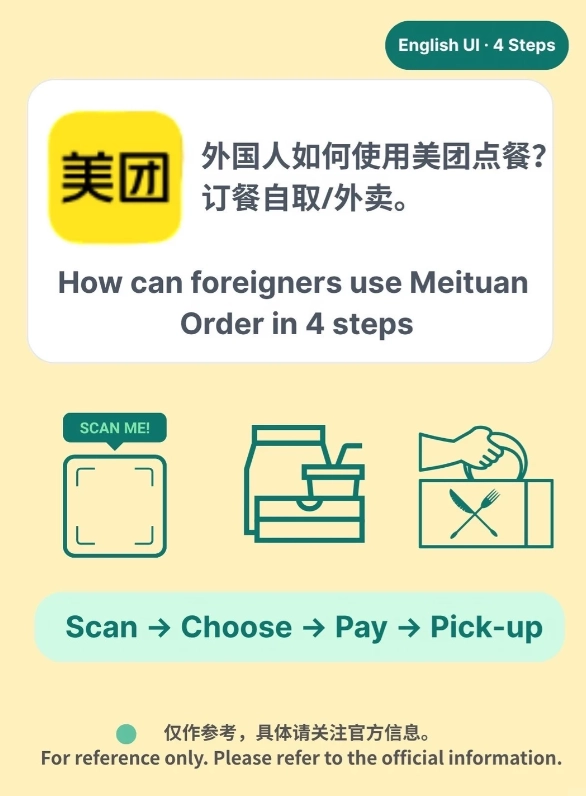
Why You Need a Meituan English Workaround
Meituan is China's go-to app for literally everything — food delivery, hotel booking, bike sharing, you name it. Over 600 million people use it. For foreigners, it's painful because the UI is 100% Chinese. No language toggle. No English support for most functions. But here's the truth: once you learn a few tricks, you can still order a hot pot feast to your hotel room in 30 minutes. Without speaking a word of Chinese.
I tried to find an “English version” for years. There isn't one — not officially. But there are ways around it. And I've tested all of them with my tour groups. Some work seamlessly, others need a bit of patience. Below are the five methods I personally recommend, ranked from easiest to most involved.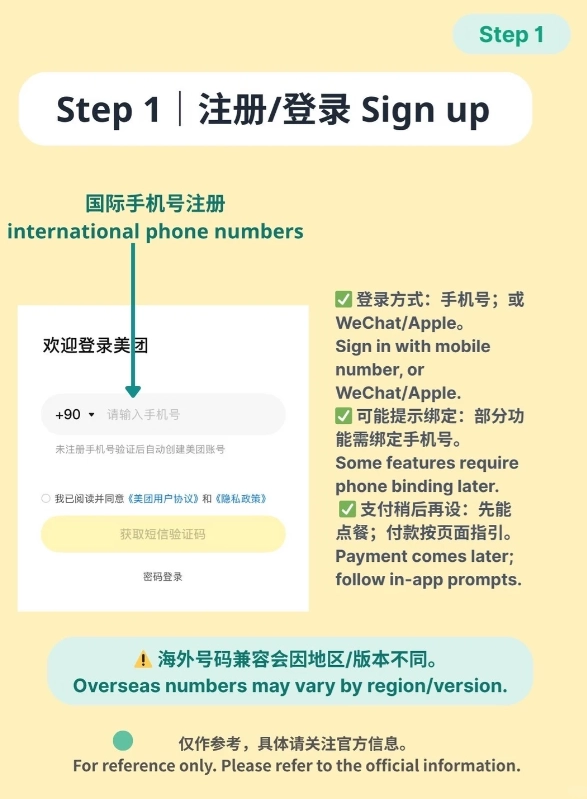
5 Ways to Use Meituan in English
1. Use the Web Version with Browser Translate
Open meituan.com in Chrome or Safari. When the site loads in Chinese, long-press the address bar and tap “Translate to English.” The whole page converts — not perfectly, but enough to find restaurants, see prices, and add items to your cart. Downside: you can't actually pay through the web version easily. You'll need the app for payment. Still, it's great for browsing menus and deciding what to order. Then switch to the app and order using the restaurant name in Chinese.
2. Screenshot and Translate with Your Phone
This is my go-to for clients who are impatient. Open the Meituan app on your phone (download from the App Store or Google Play — it's safe). Take a screenshot of the screen you need to read. Then use Google Translate's camera feature (or Apple's built-in Live Text on iPhone) to overlay English text over the screenshot. It's clunky but it works. I've ordered stinky tofu this way three times. No regrets.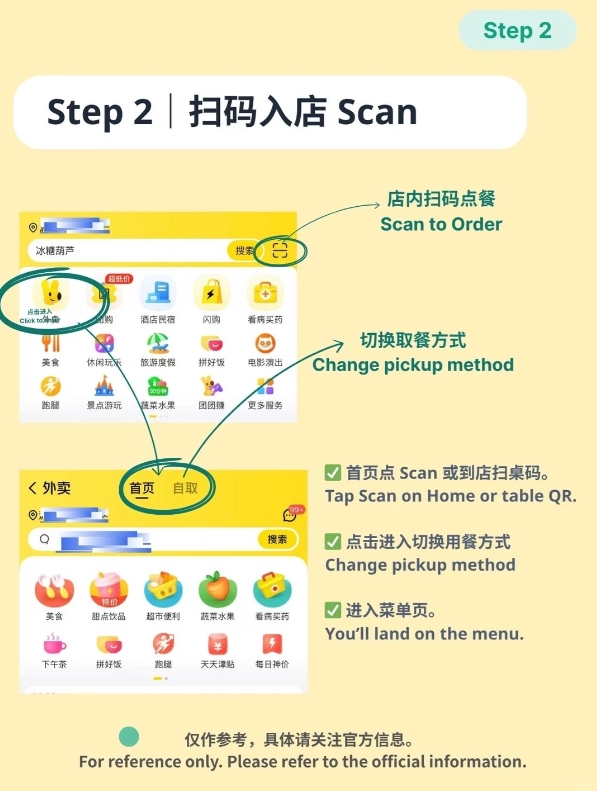
3. Ask a Chinese Friend to Help
Sounds obvious, but many travelers don't realize hotel front desks are happy to help. Hand your phone to the receptionist with the restaurant page open. They'll place the order for you, pay with their own account, and you reimburse them in cash or via WeChat. I always tell my groups: “Your hotel lobby is your Meituan English support line.” True story — I once ordered late-night skewers through a night watchman who didn't speak a word of English, but we managed with pointing and grins.
4. Enable English Menu on Select Restaurants
Some higher-end or tourist-friendly restaurants on Meituan have English menus. Look for a small “EN” icon next to the restaurant name, or try searching in English (e.g., “pizza” or “coffee”). The app might return results with translated names. Not every restaurant, but in areas like Sanlitun in Beijing or the Bund in Shanghai, you'll find plenty. Filter by cuisine type — Western restaurants often have bilingual menus.
5. Use Meituan’s English Customer Service (Limited)
Meituan does offer an English hotline for some services, but it's hidden. Dial 1010-9777 (this is the official customer service number for food delivery). When the robot speaks Chinese, press 0 repeatedly until you get a human. Say “English please.” Sometimes it works. I've gotten refunds for wrong orders this way. But be prepared to wait — hold music is terrible.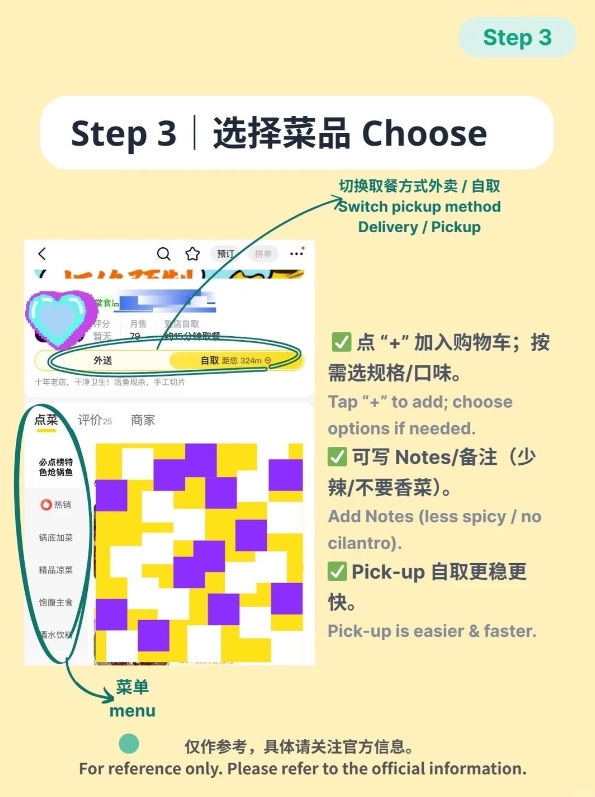
Step-by-Step: Ordering Food on Meituan Without Chinese
Here's the exact process I guide my clients through. Works every time.
- Download and register: Get the app, sign up with your Chinese number, and complete passport verification. You'll get a verification code via SMS. (If you don't have a number, buy a SIM at 7-Eleven for about 50 RMB.)
- Link payment: Go to “My” → “Wallet” → “Add Payment Method.” Add your Alipay or WeChat Pay. International Visa/Mastercard sometimes work, but don't rely on it. Using Alipay with a foreign card is smooth — I do it all the time.
- Enable a translator: Keep Google Translate open in split-screen (Android) or use Live Text (iPhone).
- Search for food: Type in English if you're looking for Western food (e.g., “McDonald's”). For Chinese restaurants, use the Chinese name — ask your hotel concierge to write it down for you. Or search by map: tap the location icon and browse nearby restaurants visually.
- Add items to cart: Tap the + icon next to each item. The item names will be in Chinese, but you can see photos and prices. If you're unsure, screenshot and translate.
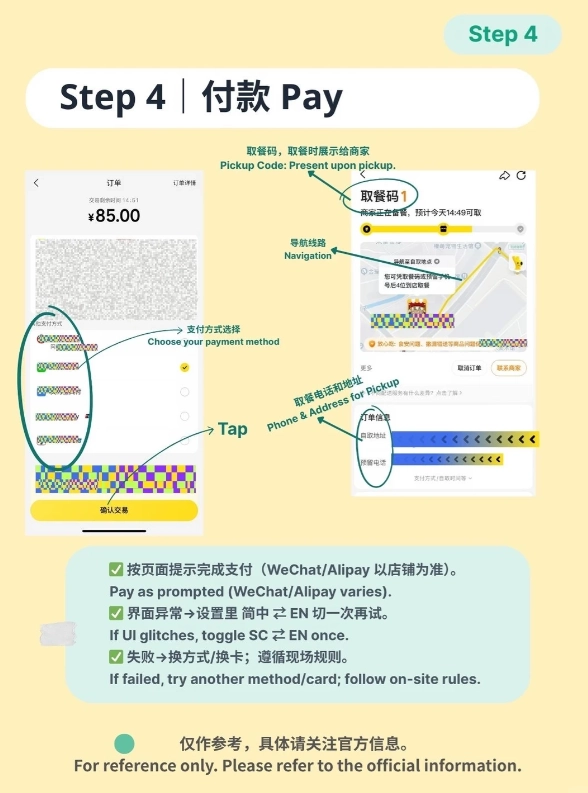
- Check out: Tap the cart icon (bottom right), then the big red button that says “提交订单” (submit order). Confirm the delivery address (use your hotel's Chinese address — get it from reception). Then tap “立即支付” (pay now). Choose Alipay or WeChat. Done.
- Track delivery: The app shows a map with the rider's location. Even if you can't read the text, you can see the estimated time (in numbers). Wait at your hotel lobby or your apartment gate. The rider will call you — if you don't answer, they'll probably leave it at the security desk.
Common Pitfalls for Foreigners (and How to Avoid)
| Pitfall | Why It Happens | How to Avoid |
|---|---|---|
| Payment failure | International cards often declined | Use Alipay with a linked foreign card. Works 95% of the time. |
| Delivery address wrong | Chinese addresses are complex | Copy the exact Chinese address from your hotel's business card or Baidu Maps. |
| Rider can't find you | They call and you don't answer | Use the in-app chat (tap the rider's icon) and send a Google Translate message like “I am at the south gate” in Chinese. Or ask a Chinese speaker to answer the call. |
| Food never arrives | Order cancelled due to restaurant closing | Only order during restaurant operating hours. Use the app's 24/7 options (e.g., convenience stores). |
| Can't switch back to English | App has no language setting | Uninstall and reinstall? Still Chinese. Accept it and use the tricks above. |
One more thing: Google Maps will not help you navigate inside the app. Use Apple Maps (which works well in China) or Baidu Maps (Chinese but shows accurate delivery locations). I always tell my guests to download Baidu Maps in English — it's not perfect but it's better than getting lost.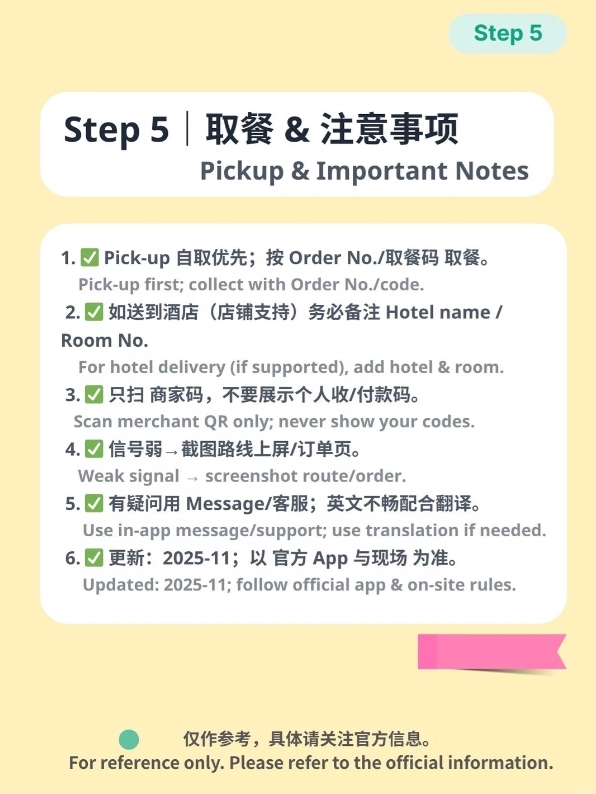
FAQ about Meituan English App
Verified and fact-checked by the editorial team. All tips are based on personal experience guiding foreign tourists in Beijing.








No comments yet.