 Ling Wu
What's Inside
Picture this: you've just landed at Hong Kong International Airport, hungry for your first bowl of wonton noodles. You switch on your phone to check directions — and boom, your carrier thinks you're in a very expensive foreign land. I've witnessed this panic too many times with my tour groups. Honestly, it's painful to watch.
That's why I insist every traveller I guide sets up an eSIM Hong Kong plan before takeoff. It's the digital shortcut that keeps you connected at local prices, without fumbling for a physical SIM.
Here's my golden rule: buy your eSIM before you fly, not after you land. Most providers offer instant email delivery, so you can activate the moment you step off the plane. Trust me, waiting until you're at the baggage claim is a rookie mistake.
Now, let's dive into the nitty-gritty.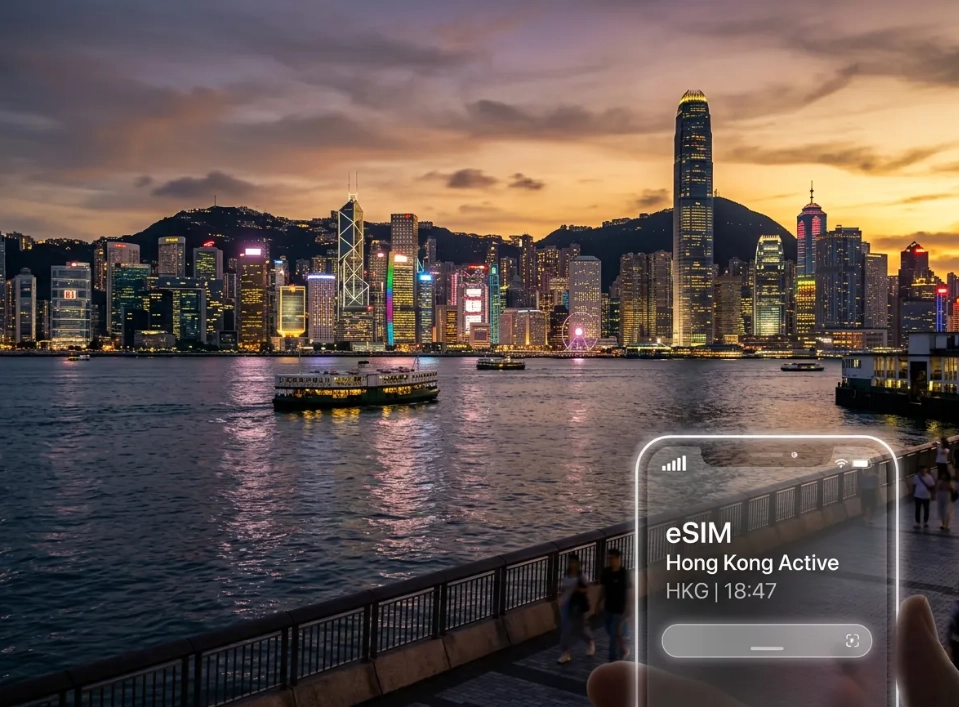
Why You Need an eSIM for Hong Kong (and Not Just a Local SIM)
Let me break it down. Yes, Hong Kong airport has plenty of SIM card shops, but they're often crowded, and you'll need to hand over your passport to get a tourist SIM. Plus, the queues at the arrivals hall can be brutal after a long flight. Here's why an eSIM is the smarter play:
- No physical hunting: You skip the line and stay dry if it's raining outside.
- Keep your home number active: Your bank and family can still reach you on your usual number.
- Instant setup: Most eSIMs activate with a simple QR scan. You're online in minutes, not in a queue.
- Flexibility: You can top up or switch plans without finding a store.
I always tell my clients: the only thing you need to bring is a phone that supports eSIM. The vast majority of modern phones (iPhone XS and newer, Google Pixel 3 and above) have it built-in. Just double-check your specific model isn't locked to a single carrier.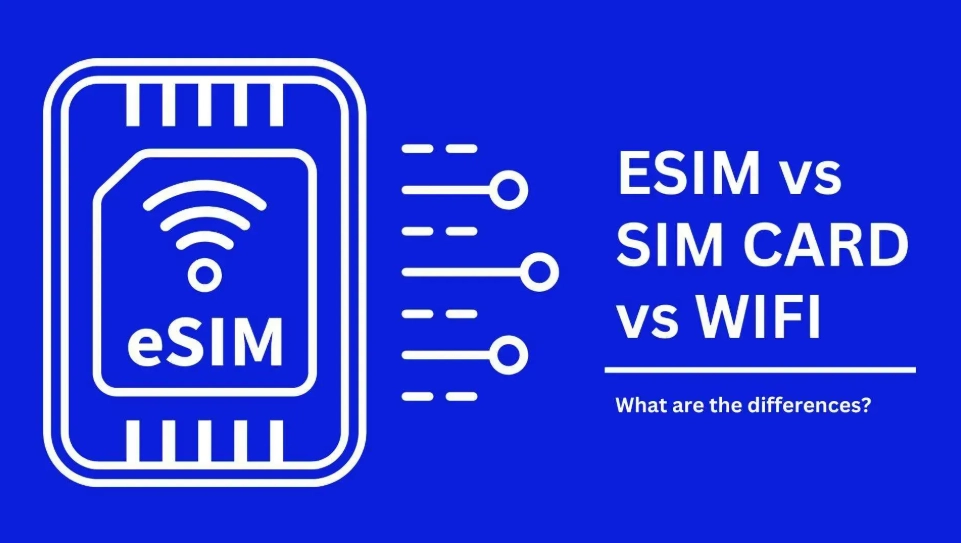
How to Choose the Best eSIM for Hong Kong: 5 Things I Always Check
Not all eSIMs are created equal. Here's my personal checklist, built from years of watching travellers struggle.
- Network coverage: Look for eSIMs that use Hong Kong's major networks — CSL, 3 Hong Kong, or China Mobile. These are the ones with solid MTR coverage and fast speeds.
- Data allowance vs. your usage: If you're just using maps and WhatsApp, 1-2GB per day is plenty. But if you're streaming videos or doing video calls, you'll need more. Check if the plan offers a fixed allowance or unlimited data.
- Validity period: Hong Kong trips can range from a quick layover to a month. Most eSIMs offer 5, 7, 10, 15, or 30 days. Pick one that matches your itinerary without unnecessary padding.
- Price and hidden fees: Some plans look cheap but charge extra for tethering or top-ups. Always read the fine print. I've seen travellers hit with unexpected charges for using their hotspot.
- Customer support: When things go wrong, you want a provider with a responsive support team. Check if they have 24/7 chat or email support. Trust me, you don't want to be stuck at 2 AM with no data and no help.
How to Buy and Activate an eSIM Hong Kong Plan
The process is simpler than you think, but timing matters. Follow these steps and you'll be online before you leave the airport.
- Choose your provider (we'll compare the best ones below) and pick a plan that fits your trip length and data needs.
- Purchase online using your international credit card or PayPal. You'll receive a confirmation email with a QR code or activation code.
- Scan the QR code with your phone's eSIM setup (Settings > Cellular > Add eSIM). Or manually enter the details if a code is provided.
- Configure the APN if required. Often it's already set, but some providers need a manual step. The email will guide you.
- Activate on arrival — or before, if the plan allows. I recommend waiting until you land so you don't burn a day of validity. When you touch down, disable your home SIM's roaming and switch on the eSIM.
- Set your data network to the eSIM's carrier. If you don't see a signal right away, restart your phone or toggle airplane mode.
One thing that trips up many people: your phone must be carrier-unlocked. If you bought it from a specific carrier, check with them first. Also, ensure your phone's iOS or Android is updated to support eSIM — older OS versions might not have the option.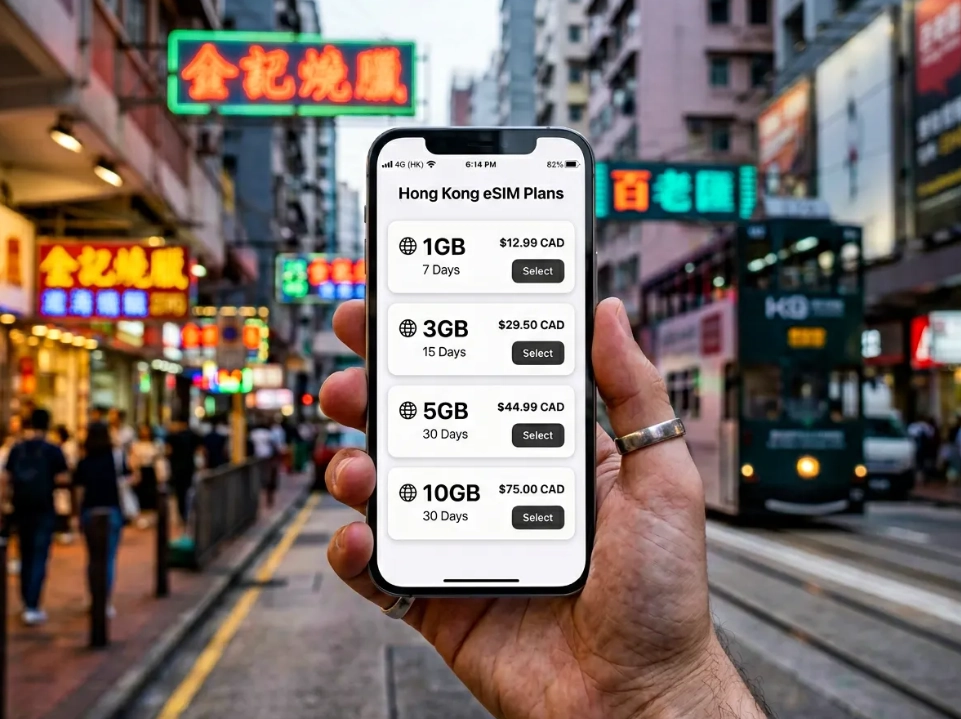
Best eSIM Providers for Hong Kong: A Deep Dive
You've got plenty of choices, but these are the ones I consistently recommend to my tour groups. Prices are approximate and change often, so always check the official sites before purchasing.
| Provider | Data Allowance | Validity | Approx Price (USD) | Best For |
|---|---|---|---|---|
| Airalo | 1GB - 20GB | 7 - 30 days | $6 - $50 | Budget travellers who want flexible data |
| Holafly | Unlimited | 5 - 30 days | $19 - $54 | Heavy data users and digital nomads |
| Nomad | 1GB - 10GB | 7 - 30 days | $5 - $30 | Short trips with light data needs |
| 3 Hong Kong | 1GB - 20GB | 1 - 30 days | $8 - $40 | Travellers who want local network coverage |
Airalo is my go-to recommendation for most visitors. They have a slick app, reasonable prices, and their data plans are easy to top up. I've used them personally on dozens of trips — the connection has never failed me in the MTR.
Holafly is for those who hate counting megabytes. Unlimited data means you can stream, hotspot, and use maps without worry. The catch? It's pricier, and the unlimited speed can be throttled after a certain threshold. Check their fair usage policy.
Nomad is a solid budget option. They often run promotions and their regional plans can be a steal. Just be aware that their customer support might not be as responsive as others.
3 Hong Kong is a local heavyweight. Their eSIM gives you first-class access to their network, which is excellent in rural areas and tunnels. You can buy it via their app or website, but the interface is Chinese-only. If you're up for the challenge, it's a great local option.
Remember, your choice depends on your needs. I always suggest comparing the final price after checkout — some platforms add sneaky fees.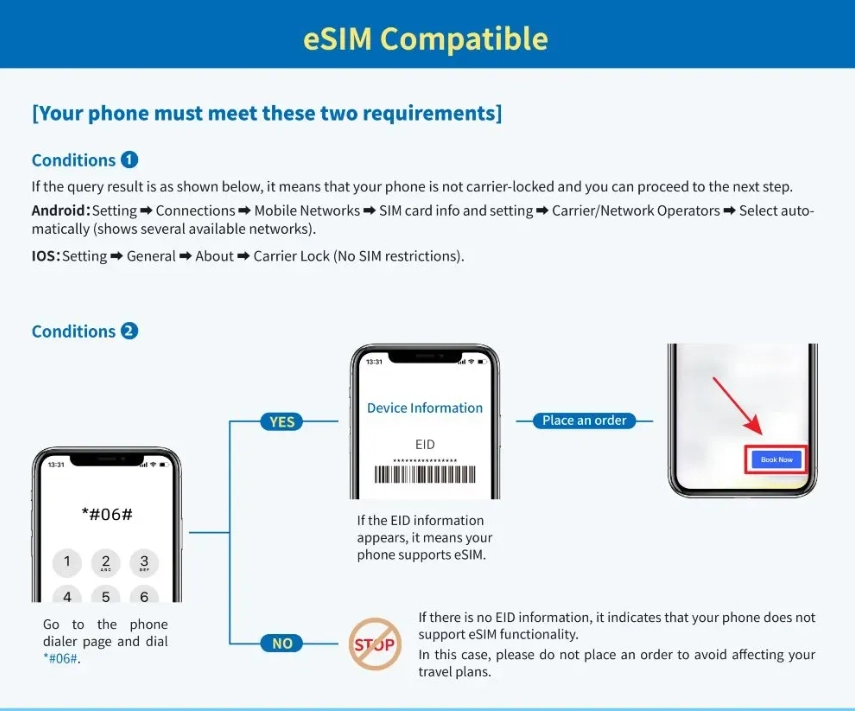
Hidden Costs and Pitfalls: What I Wish I Knew First
Let's talk about the ugly side. Even with eSIMs, there are traps that can catch you off guard.
- Tethering issues: Some plans allow hotspot sharing, others don't. If you plan to share data from your phone to a laptop or friend's device, check the fine print. I've seen travellers' plans throttled after they tether — it's a rare but annoying quirk.
- Activation timing: If you activate your eSIM while you're still at home, the clock starts ticking. I've made this mistake myself and lost two days of a three-day plan. Always read when the countdown begins — it's often at activation, not when you arrive.
- SIM card locked phones: If your phone is tied to a carrier, an eSIM won't work. You'll need to request an unlock first. Do this at least a week before your trip.
- MTR black spots: Hong Kong's subway has excellent coverage, but there are brief gaps in tunnels between stations. Don't panic — it's temporary. Just like everywhere else in the world.
- Domestic roaming fees: Sometimes your home carrier auto-switches to a partner network. If your physical SIM is active, you might get charged for incoming texts. Turn off your home SIM's roaming to be safe.
Now, let me save you some money — avoid buying an eSIM at the airport retail stores. They're often marked up 30-50%. Buy online before you fly, and you'll get a much better deal.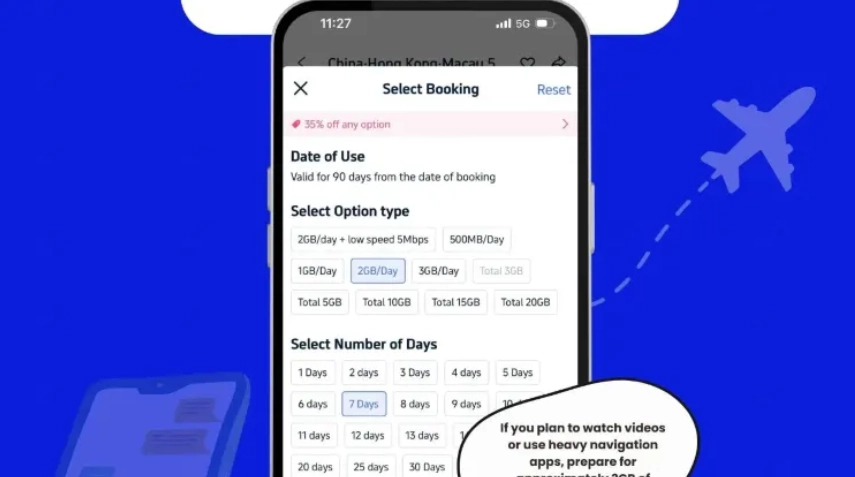
Where to Get Help in Hong Kong If Your eSIM Fails
Even the best tech glitches. If your eSIM stops working, here's your plan B.
First, try the obvious: restart your phone, toggle airplane mode, or re-check your APN settings. 80% of issues are fixed with a simple restart.
If not, find free Wi-Fi. Hong Kong is full of free hotspots — Starbucks, McDonald's, and even most shopping malls. You can also use the free Wi-Fi at the airport (60 minutes per session) to contact your eSIM provider's customer support.
Visit an official store. If you used a local provider like 3 Hong Kong, they have kiosks in every metro area. Their staff will help you set things up, but be prepared for some English difficulty. For eSIM from Airalo or Holafly, they don't have physical stores — you're limited to online support. That's why I recommend choosing a provider with reliable chat support.
Pro tip: screenshot your eSIM activation QR code and email before you travel. You'd be surprised how many travellers delete the email and then panic when they need to reinstall.
FAQ: Your eSIM Hong Kong Questions Answered
Can I share my eSIM data with my travel buddy using hotspot?
Depends on the plan. Most providers allow tethering, but some have restrictions. Airalo, for example, generally allows it, but the speed may be capped. Check your provider's policy before you rely on it. If tethering is critical, search for plans that explicitly mention it.
Which phone models support eSIM in Hong Kong?
Almost all modern smartphones support it: iPhone XS and later, Google Pixel 3 and later, Samsung Galaxy S20 series and beyond, plus recent Huawei, OnePlus, and Xiaomi models. But your phone must be carrier-unlocked. If you bought it through AT&T, Verizon, etc., ask your carrier to unlock it before you travel.
I'm landing in Hong Kong at 11 PM. When should I activate my eSIM?
Activate when you land, even if it's late. The validity of most eSIMs starts at activation, not at purchase. If you set it up on the plane, the clock might tick before you use it. I always tell my clients to wait until they've landed. If you're worried about being offline, some providers pause the validity until you first use data — but read the terms.
Is it legal to use a VPN with my eSIM in Hong Kong?
Yes, VPNs are legal in Hong Kong. Many travellers use them to access services that are geo-restricted. Just ensure you have a stable connection first. Some eSIM providers might have bandwidth restrictions, but using a VPN won't get you in trouble.
What happens if I run out of data mid-trip?
Most providers let you top up with one tap in their app. Usually, you can buy an additional data package within seconds. However, top-up prices are often lower if you buy a larger bundle. I recommend buying a slightly bigger plan upfront if you think you'll hit the limit — it's cheaper than topping up multiple times.
Verified and fact-checked by the editorial team.








This article is well-written and easy to follow, but I felt it was a bit too positive about every provider. I picked their “overall best” and had patchy service on some outlying islands, particularly Lamma and Cheung Chau. The prices also seemed outdated — I paid around 15% more than what was shown. It was fine for central Hong Kong and the setup instructions were clear, but the guide could use an update.
Really useful article overall. I chose the cheapest eSIM listed and it worked fine in Tsim Sha Tsui and most of Hong Kong Island. My only issue was activation: it took about 20 minutes after landing instead of the “instant” i was expecting, and WhatsApp support took a while to reply. Once it connected though, it was smooth. I’d still read this guide before any HK trip — just don’t panic if it isn’t immediate.
The tip about installing the eSIM before departure was the reason I didn’t have a meltdown at the airport. My friend landed without data and I was already online with our hotel info and Google Maps ready. I used the recommended 5GB plan and never even got close to the limit. Even in crowded Causeway Bay and Mong Kok, the connection stayed strong. Great guide — highly recommend.
I always overthink mobile data before a trip, but this article made it super easy. I went with one of the top picks for my 8-day stay and it worked seamlessly, including a day trip out to Macau. Speeds were solid and the setup steps were accurate for iPhone. Much cheaper than paying my home carrier’s roaming fee. Will bookmark this for future friends visiting HK.
Honestly this guide saved me. I was about to queue for a physical SIM at the airport, but after reading this I just downloaded the recommended eSIM before my flight. Activation was literally under five minutes. Data worked on the MTR, in Central, and up at Victoria Peak without any drops. If you’re visiting Hong Kong, read this before you land.