 Yan Zhou
What you'll find in this guide
You need a ticket. But 12306 in English? Good luck. I've been there, and it's painful. Let me show you the real shortcut.
After guiding hundreds of international travelers through China's rail system, I can tell you: booking China train tickets in English is totally possible — if you know the right tools. Skip the official 12306 website (its English version is clunky and often fails for foreigners) and head straight to platforms designed for tourists.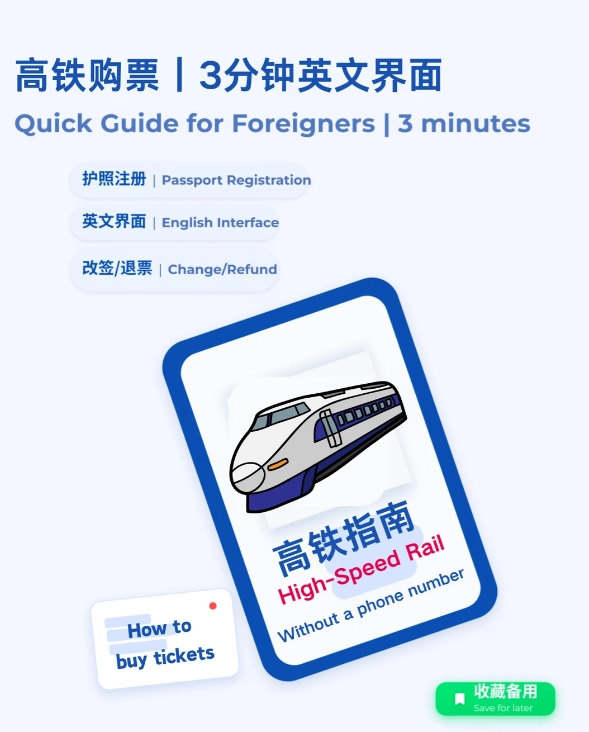
Why you need an English booking site
China's high-speed trains are incredible — punctual, fast, and comfortable. But without a decent English interface, you'll waste hours fighting the system. The official 12306 website requires a Chinese ID for full functionality, and its English version has limited features. Plus, Google Translate doesn't work well on dynamic railway pages.
Enter Trip.com and Klook. These platforms let you search, compare, and book trains entirely in English, accept foreign payment methods, and provide e-tickets that work at the station. I've personally tested both dozens of times.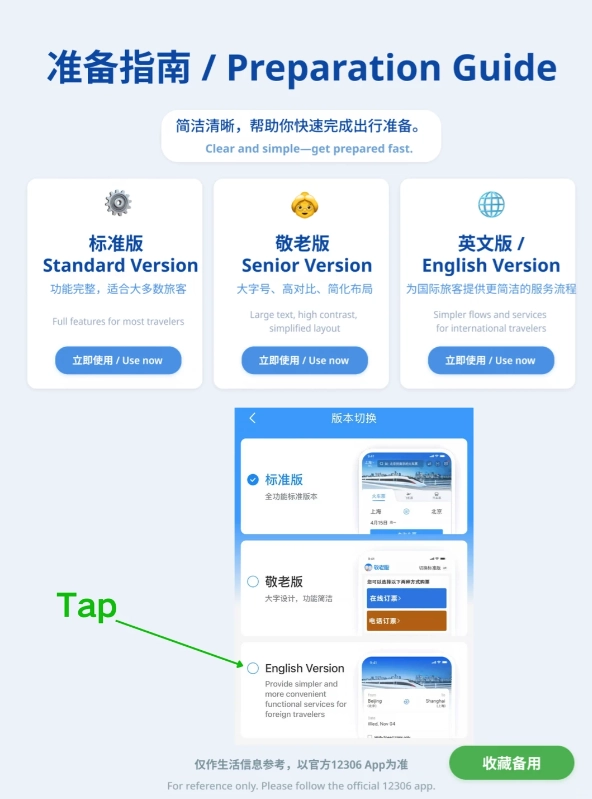
Top 2 English websites for China train tickets
1. Trip.com
Trip.com (formerly Ctrip) is my top recommendation. It's a legitimate Chinese OTA with an excellent English interface. You can book up to 60 days in advance, choose seats, and even cancel or modify tickets online. The customer service has an English hotline — a lifesaver when things go wrong.
- Website: trip.com/trains
- App: Available on iOS/Android (set language to English)
- Payment: Visa, Mastercard, Amex, PayPal, Alipay, WeChat Pay
2. Klook
Klook is another solid choice, especially if you're already using it for attractions and tours. Their train booking engine is simple, and they occasionally run promotions. However, I find their inventory slightly less comprehensive than Trip.com — some routes or dates might not show up.
- Website: klook.com
- App: User-friendly, with 24/7 customer chat
- Payment: Visa, Mastercard, Amex, Apple Pay, Google Pay
Step-by-step: How to book with Trip.com
Let me walk you through an actual booking — I did this last week for a client going from Beijing to Shanghai. Follow along:
- Go to trip.com/trains and set the language to English. Don't forget to select “China” as the region.
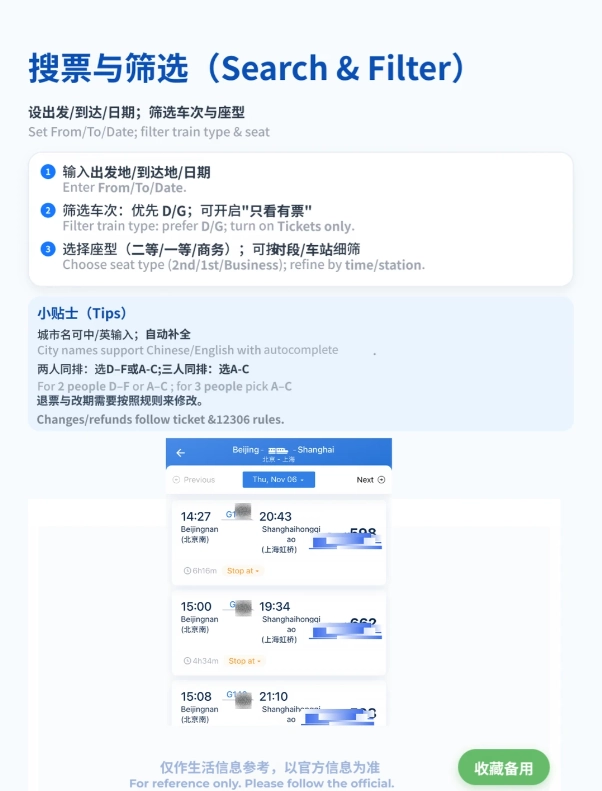
- Enter stations using English names (e.g., Beijing South to Shanghai Hongqiao). The autocomplete works well.
- Choose your date and time. Note: G-trains (high-speed) are fastest; D-trains are slower but cheaper. I always recommend G-trains for long distances.
- Pick your seat class: Second class (2等座) is fine for most journeys, but for 4+ hours, spring for First class (1等座) — wider seats, more legroom. Business class is overpriced.
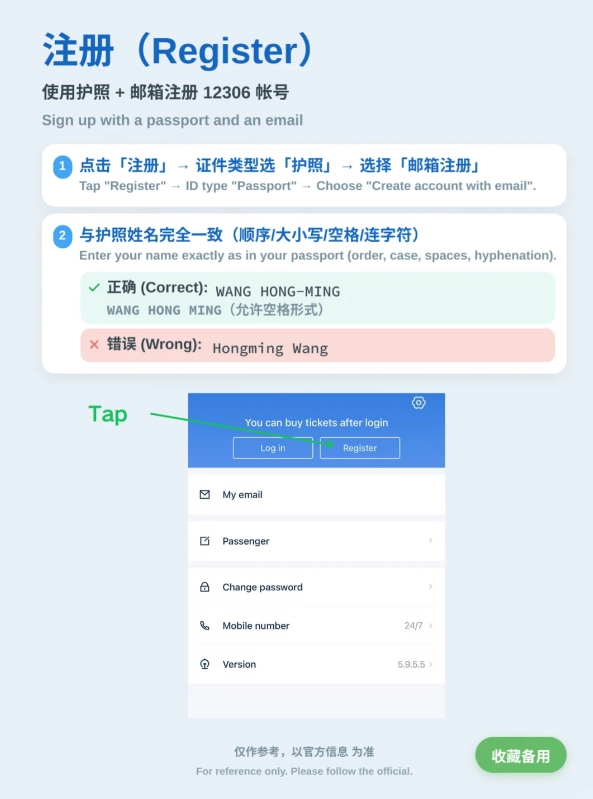
- Enter passenger details exactly as on your passport. First name, last name, passport number, nationality. Triple-check! A single typo will block your boarding.
- Select payment and pay. If your card is declined, try using PayPal or Alipay (you can link your foreign card to Alipay).
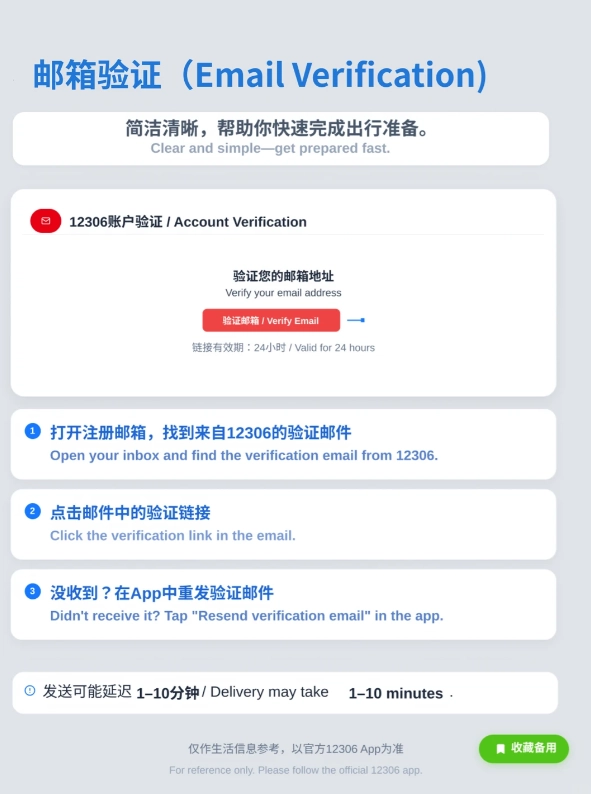
- Receive e-ticket: Trip.com sends a QR code and booking number. Save it on your phone — no need to print.
At the station: Proceed to the ticket gate with your passport. Scan the QR code or insert your passport at the automatic gate. If it fails (rare but possible), go to the manual counter — they can look up your booking by passport number.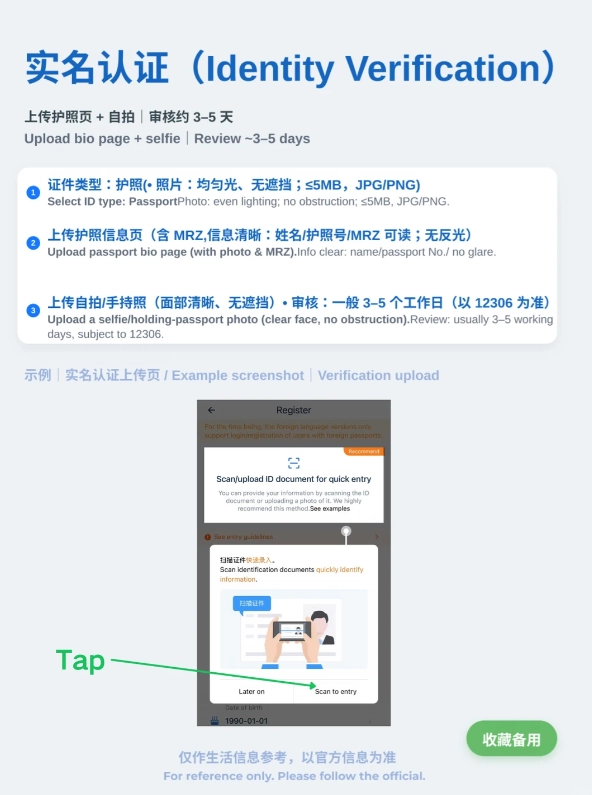
Payment & ticket collection tips
Payment is the #1 headache for foreigners. Here's what I've learned: Many international cards work on Trip.com, but some banks block the transaction. If your card fails, try these workarounds:
- Use PayPal — it rarely fails and adds no extra fee.
- Link your card to Alipay (with verification) and pay via Alipay.
- Ask your hotel to book for you (they can use local payment methods).
Ticket collection: In 2025, most stations accept e-tickets. You don't need to collect a paper ticket. If you want a souvenir, head to the ticket office (with your passport and booking number).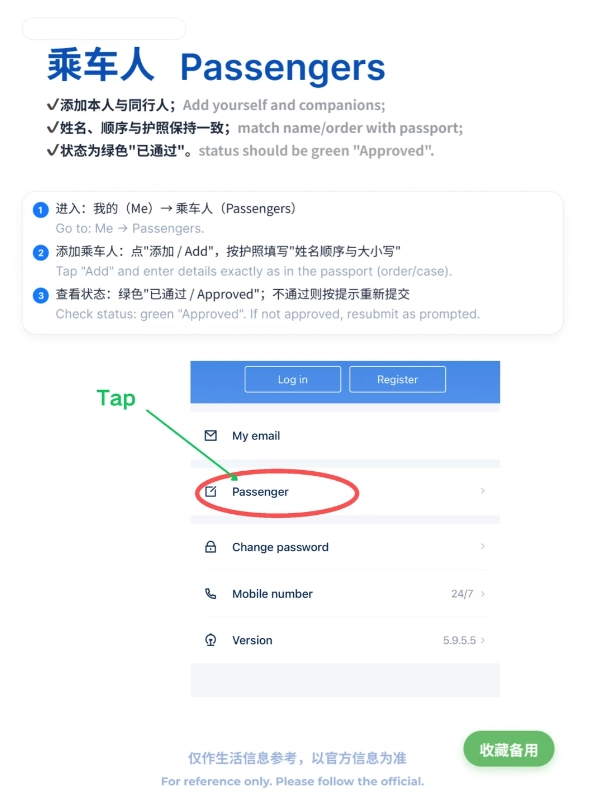
Comparison: Official vs third-party
| Feature | 12306 (Official) | Trip.com | Klook |
|---|---|---|---|
| English interface | Limited, buggy | Full English | Full English |
| Foreign card acceptance | Rarely works | Yes (Visa, MC, Amex) | Yes |
| Customer service in English | No | Phone + chat | Chat only |
| Service fee | No | $2-5 per ticket | $3-6 |
| E-ticket accepted | Yes | Yes | Yes |
| Advance booking window | 15 days | 60 days | 30 days |
| Modification/cancellation | Possible but complex | Simple via app | Simple via app |
5 pitfalls to avoid (I learned the hard way)
- Mistyping your name: It must match your passport exactly, including middle names. My client “John Smith” wrote “Smith John” once — denied boarding. Fix: always use the format on your passport.
- Ignoring the 15-minute rule: China's trains stop boarding 3-5 minutes before departure, but the real cutoff is earlier. Arrive at the platform at least 15 minutes early.
- Thinking you can buy same-day tickets easily: Popular routes sell out days ahead. Book at least 3-5 days in advance during holidays. I've seen travelers stranded at Shanghai Hongqiao because they relied on last-minute tickets.
- Using Google Maps for station navigation: Google Maps is blocked in China and often gives wrong coordinates. Use Apple Maps or Amap (highly accurate for train stations). I always tell my groups to download Amap with English mode.
- Not having a VPN before arrival: Many booking sites and payment apps need VPN access to load. Set up a reliable VPN (like ExpressVPN or NordVPN) before you leave home.
Insider Advice: If you're traveling during Chinese New Year or National Day, book train tickets as soon as they go on sale (Trip.com allows 60-day advance). I've seen tickets vanish within 15 minutes during peak season.
Frequently Asked Questions
Verified and fact-checked by the editorial team.

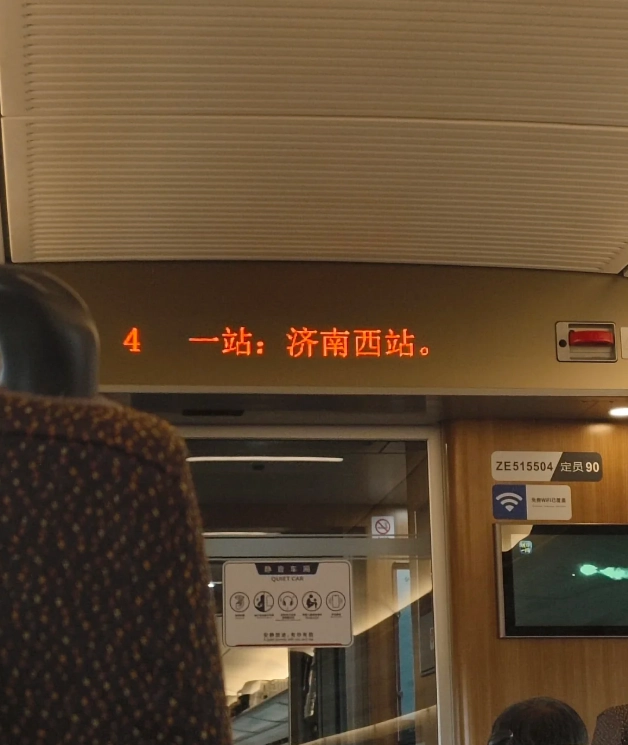






This is the way to get train tickets in China without losing your mind. I booked last-minute from Chengdu to Chongqing the night before, and the English site had seats available even though 12306 showed nothing on the Chinese app. At Chengdu East, all the signage was buzzing and crowded, but the PDF instructions with highlighted train number made it impossible to miss. The train was spotless and the whole experience felt effortless. I've already recommended it to three friends going to China next month.
We booked three tickets for a family trip from Guangzhou to Shenzhen and I was a bit nervous after reading mixed reviews. Honestly, it was fantastic. The seat selection was easy, and we got a co-worker arranged exactly as requested — two windows and one aisle. Payment went through with PayPal, which was a huge plus for us. The only thing I'd say is to download the confirmation PDF before you leave your hotel, because the internet at the station can be spotty. But everything else was perfect. Highly recommend!
Absolutely brilliant! I booked a sleeper train from Shanghai to Beijing and the whole process was painless. The email confirmation had clear instructions in English, and the QR code worked perfectly at the gates — no paper ticket needed. The station was chaotic and the announcements were only in Chinese, but I just followed the train number on the screens. They even sent a WhatsApp reminder the day before. Totally worth the small booking fee to skip the 12306 nightmare.
Honestly, this site saved my China trip. I speak zero Mandarin and 12306 genuinely gave me a headache, so booking my Shanghai–Hangzhou ticket here was a relief. The interface was clean, prices were clearly shown, and the QR ticket went straight to my phone. The only reason I'm not giving 5 stars is that I made a date mistake and the refund policy was a bit harsh — I got back only 80% even though I cancelled more than 48 hours ahead. Other than that, super smooth and I'd use it again.
It got the job done, but I wasn't blown away. I booked a G train from Beijing South to Xi'an and the English website was easy enough to read. However, the add-on for 'VIP fast track check-in' was a waste — there was no real fast track, just a staff member pointing at the same long security queue. Also, my seat ended up being a middle seat even though I paid a small extra fee during booking thinking I selected an aisle. Train itself was fine, but I felt a bit misled by the extras. If you're desperate to avoid 12306, it's okay, but don't buy the extras.