 Hui Lin
Quick Navigation
- Why Alipay Matters for Foreigners in China
- How to Set Up Alipay with an International Card
- Step-by-Step: Adding Your Card and Verifying Your Identity
- Where to Use Alipay: From Street Food to High-Speed Rail
- Alipay vs WeChat Pay: Which One Should You Choose?
- Common Problems and How to Fix Them
- Frequently Asked Questions
Lost my first tourist group at a noodle stall in Shanghai. They had cash—the stall owner only pointed at a faded QR code. That's when the nightmare started. No cash accepted. No card reader. Just that stubborn QR. I scrambled, borrowed a local friend's phone, transferred money to the stall owner via Alipay, and finally fed my hungry group. Since then, I've made it my mission: every foreign traveler setting foot in China must have Alipay ready before arrival.
Alipay for foreigners in China isn't just a convenience—it's survival. Without it, you're stuck at convenience stores, unable to buy a metro ticket, or even pay for a bottle of water. Cash works for small bills, but good luck getting change. Hotels and fancy restaurants might take international cards, but the rest of China runs on QR. So let me walk you through exactly what you need to do, what mistakes to avoid, and how to never be that stranded tourist again.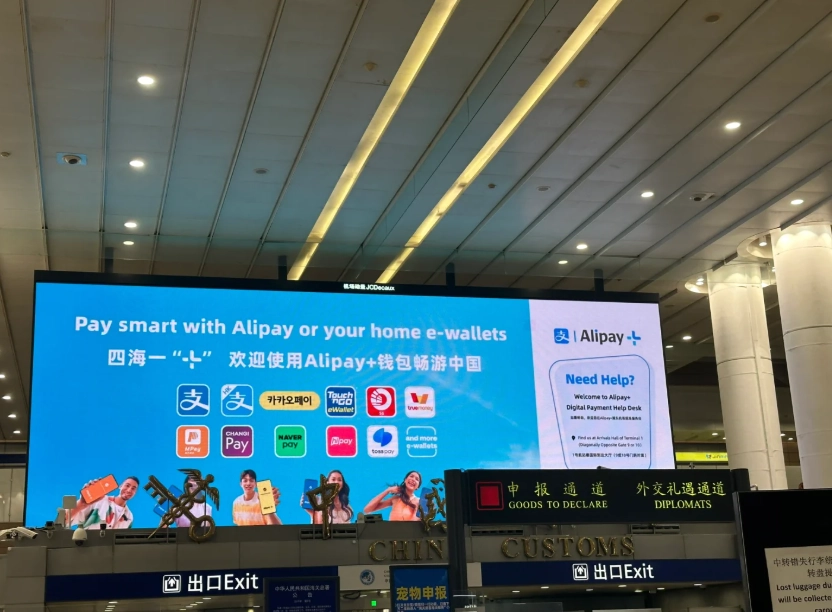
Here's the bottom line: Set up Alipay before you land. Install the app, add your international Visa or Mastercard, and verify your identity with your passport. That's it. Then you can scan and pay everywhere—from street vendors to high-speed rail tickets. Don't wait until you're at a shop with a queue behind you.
Why Alipay Matters for Foreigners in China
China is nearly cashless. I'm not exaggerating. In 2023, over 90% of payments in major cities were digital. Street stalls, taxis, even some temples accept only WeChat Pay or Alipay. Foreign credit cards? Rare. Most merchants don't have card terminals. ATMs often reject overseas cards or charge high fees. Cash is accepted, but if you hand over a 100 RMB note for a 6 RMB water, you'll get a frown and a pile of small coins—if they even have change.
I once had a tourist from the UK who tried to pay for a museum ticket with a 50 RMB note. The ticket booth lady sighed, dug through a drawer, and handed back a heap of 1 RMB coins. The poor guy had jangling pockets for the rest of the day. Avoid that embarrassment. Alipay is accepted almost everywhere, and it's instant.
Plus, Alipay gives you access to mini-apps for ride-hailing (Didi), bike-sharing, food delivery, and even hotel bookings. It's an ecosystem. Once you're set up, you don't need to fumble with cash or worry about card acceptance.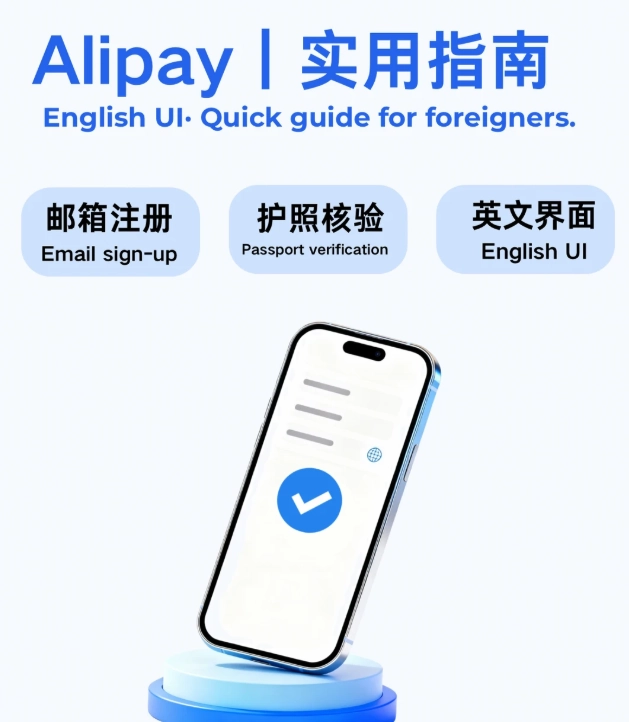
How to Set Up Alipay with an International Card
Good news: Alipay now officially supports international Visa, Mastercard, and JCB cards. You don't need a Chinese bank account or phone number. But the process has a few traps. Let me show you.
Step 1: Download the right app. Go to your app store (Apple App Store or Google Play) and search for Alipay. Make sure the developer is Alipay.com. There are many fake or region-locked clones. Download the international version—it's the same app but will show an English option.
Step 2: Create an account with your email or phone. Use your home country phone number if possible (for verification). If you use a Chinese number, you'll need to keep it active. Use your email as a backup. I always recommend using your home number because you won't lose access after leaving China.
Step 3: Add your international card. Click on "Me" → "Bank Cards" → "Add" and enter your card details. Alipay will make a small temporary charge (around 1 USD) to verify the card. That charge is refunded within a few days.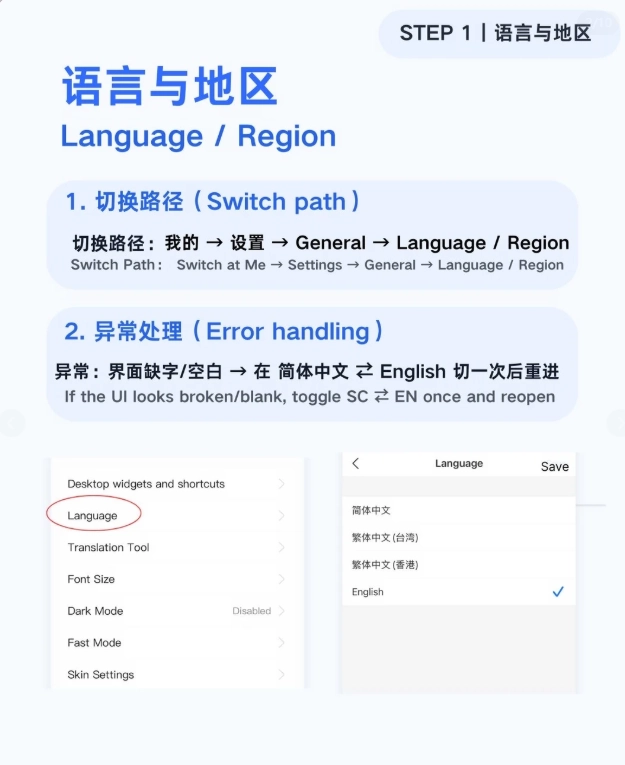
Step 4: Verify your identity (KYC). For foreign users, you must complete a one-time identity verification to lift the transaction limit. Click on "Profile" → "Identity Verification" → "Passport" and take a photo of your passport's data page and a selfie. It usually takes 1-3 business days to approve. Without verification, you're limited to small amounts (roughly 500 USD total).
Step 5: Set a payment password. This is separate from your login password. Use a 6-digit PIN you'll remember. You'll need it every time you pay.
Done. Now you can start scanning QR codes.
Step-by-Step: Adding Your Card and Verifying Your Identity
Since this part trips up many foreigners, let me detail it with screenshots in mind (even though I can't show actual screenshots here).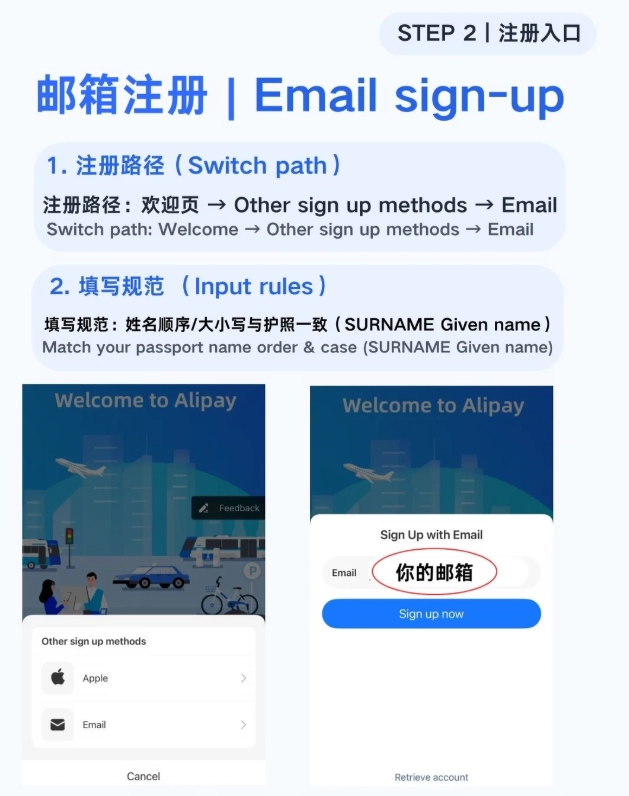
Adding an International Card to Alipay
- Open Alipay and log in.
- Tap the "Me" icon at the bottom right.
- Select "Bank Cards" (under the "My Assets" section).
- Tap "Add Bank Card" at the top.
- Enter your card number manually or scan it with the camera. Then fill in the cardholder name exactly as on the card, expiration date, and CVV.
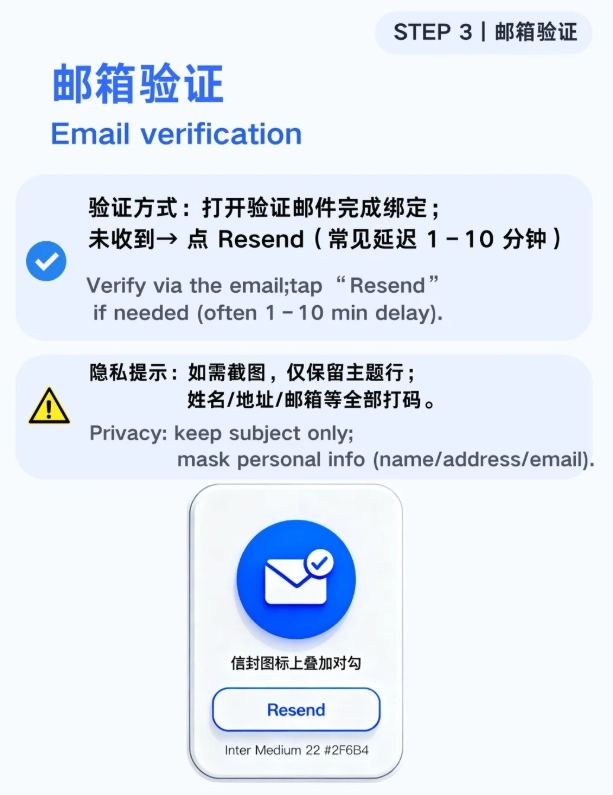
- Tap "Next". Alipay will send a small verification charge to your card. Enter the exact amount shown on the Alipay screen (e.g., 0.01 USD). If you don't see it within 10 minutes, check your bank's transaction history online.
- Once verified, the card appears in your wallet.
Identity Verification with Passport
- Go to "Me" → "Settings" (gear icon at top right) → "Account Security" → "Identity Verification".
- Select "Passport" as your document type.
- Take a clear photo of the passport's bio page (the page with your photo). Make sure no glare or fingers.
- Take a selfie holding your passport next to your face (some users skip this but it's required).
- Submit. Wait 1-3 days for approval. You'll get a notification.
Pro tip: Complete verification before you leave your home country, while you still have reliable internet and VPN access. In China, uploading can be slow.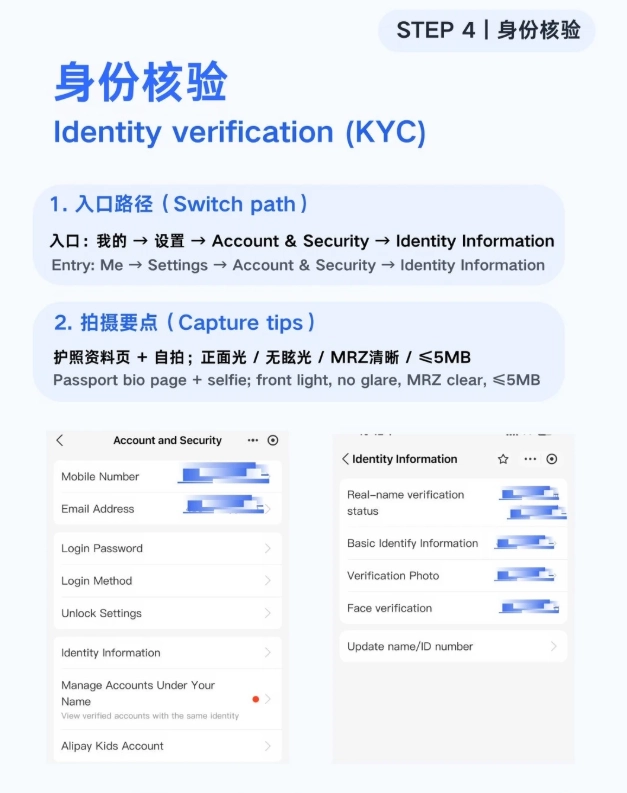
Where to Use Alipay: From Street Food to High-Speed Rail
Alipay is accepted at millions of locations. Here are the most common scenarios:
| Category | Examples | Notes |
|---|---|---|
| Street food & small shops | Noodle stalls, fruit vendors, convenience stores (7-Eleven, FamilyMart) | Most only accept QR payment |
| Restaurants & cafes | Haidilao, Starbucks, local eateries | Scan the QR at the counter or a hand-held terminal |
| Transportation | Didi (ride-hailing), metro (in some cities via Alipay's transport card), bike-sharing (Hellobike) | For metro, activate the transport card in Alipay's mini-program; requires a separate top-up |
| Attractions & museums | Forbidden City, Great Wall (online tickets via Trip.com often use Alipay) | Some take walk-in credit card, but online booking is safer |
| Supermarkets & malls | Walmart, Carrefour, local malls | All major chains accept Alipay |
| Online services | Hotel booking on trip.com, flight tickets, food delivery (Ele.me, Meituan) | Those apps support Alipay at checkout |
In short, if you see a green or blue QR code, you can pay with Alipay. If only a WeChat QR (green and white), you'd better have WeChat Pay as a backup. So install both if possible.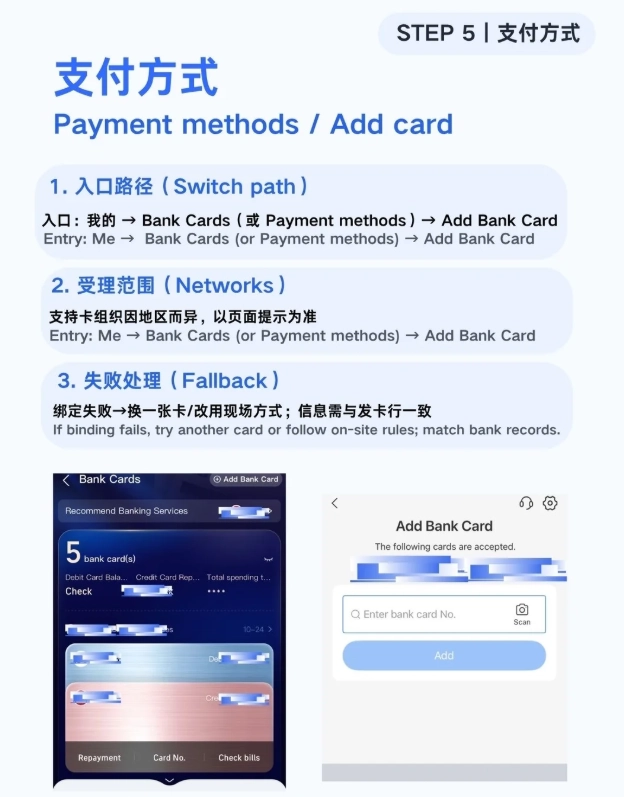
Alipay vs WeChat Pay: Which One Should You Choose?
As a guide, I strongly recommend having both. But if you must pick one because of phone storage or time, here's my take:
| Feature | Alipay | WeChat Pay |
|---|---|---|
| Ease of setup for foreigners | Excellent – dedicated international card support, English UI, passport KYC | Good – supports international cards but more steps; some Chinese UI only |
| Merchant acceptance | Nearly universal (slightly more at online stores) | Universal (especially in small towns, WeChat is often the only option) |
| Mini-apps | Huge ecosystem: Didi, Ele.me, hotel booking, bike-sharing, wealth management | More social: messaging, official accounts, but also ride-hailing and food delivery |
| International usage | Accepted at some overseas merchants (e.g., duty-free shops in Southeast Asia) | Mostly China-only |
| Customer support in English | Yes, in-app English support | Limited; mostly Chinese |
I usually tell my clients: start with Alipay because the verification is smoother. Add WeChat Pay later if you have time. Both work with the same international card. For daily life, you can use Alipay for almost everything. For small street vendors that only have WeChat, I always carry a small amount of cash (100-200 RMB) as backup.
Common Problems and How to Fix Them
Over the years, I've seen the same issues crop up again and again. Here's how to solve them.
1. Payment Not Going Through
You scan the QR, enter your password, and get an error. Usually one of these:
- Card limit reached. Without KYC, you have a 500 USD total limit. Go verify your passport.
- Bank declined. Call your bank; they may have blocked the transaction. Ask them to allow CNP (card not present) transactions and international usage.
- Merchant doesn't accept international cards. Some very small vendors have only local Alipay accounts that don't support foreign cards. In that case, try to pay with WeChat or use cash. Or ask the vendor if they have another account.
2. Can't Top Up Alipay Balance
Many guides tell you to "top up" your Alipay balance. As a foreigner with an international card, you cannot top up the balance. Your card is linked directly. Each payment is charged to your card in real-time. Don't send money to your Alipay account—it will be stuck because you can't withdraw without a Chinese bank account. So only use the card-linked payment.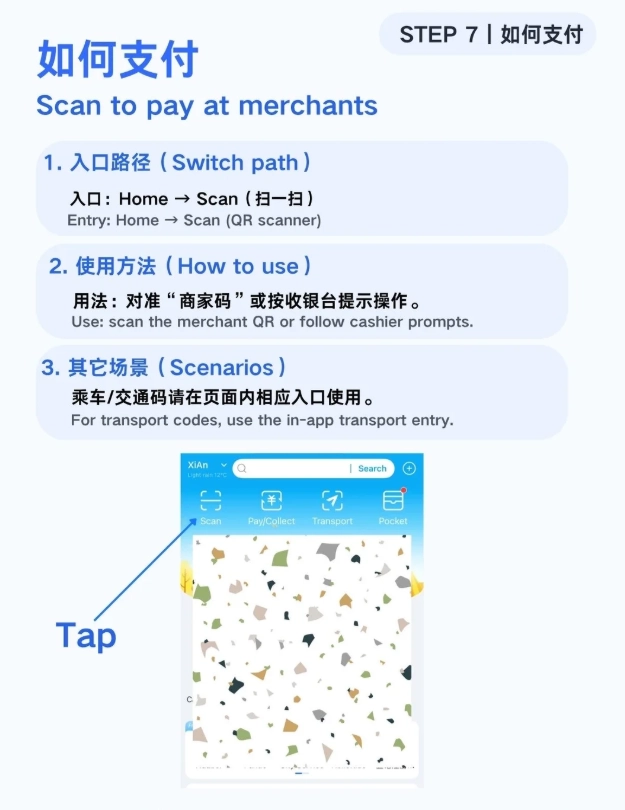
3. Lost Phone or Phone Stolen
If your phone with Alipay is lost, immediately log in to Alipay on another device using your email/phone and card details. Alipay allows you to remotely log out all devices. Or call Alipay's English support at +86 571 95188 (available during business hours). Also notify your bank to block the card used.
4. No English Interface?
Some versions of Alipay auto-detect language based on phone locale. If you see Chinese, go to "Me" → "Settings" → "General" → "Language" and switch to English. If that doesn't exist, reinstall the app from an English app store (change your Apple ID region to a non-China country).








Wish I could give a higher rating but my experience was frustrating. I tried to set up Alipay with my foreign credit card, but it kept rejecting the transaction. Ended up having to find a local friend to transfer money into my wallet. Even then, a few small shops refused foreign-linked accounts. It’s not the magical solution everyone claims — bring backup cash just in case.
Pretty good overall, but not flawless. I managed to use Alipay at most restaurants and malls. However, the registration required a Chinese phone number and passport photo upload, which felt a bit invasive. Also, a couple of times the payment failed at a night market because the merchant’s QR code wasn’t loading properly. Still worth it, just expect occasional glitches.
As someone from Japan where cash is still king, I was skeptical. But Alipay in China is a game changer. Paid for everything from ¥2 bus rides to a ¥500 dinner without touching a single banknote. Only minor hiccup: some smaller fruit vendors near my hotel didn’t accept it, but 90% of places did. Still, absolute must-have.
I’m a bit of a tech dummy, but the Alipay app for foreigners was surprisingly smooth. The English interface is clear, and I loved that I could top up my account at convenience stores if my card didn’t work. Used it at a tiny dumpling shop in Chengdu — the grandma owner was so happy to scan my QR code instead of handling notes. Life-changing for travel.
Honestly, Alipay saved my trip. I was so worried about carrying cash everywhere in China, but after linking my Visa card (took maybe 10 minutes), I was paying for street food, subway tickets, and even my hotel deposit with just my phone. The scan-and-go is incredibly fast. Never had a single issue. Highly recommend setting it up before you land!