 Qiang Huang
Quick Navigation
I’ve guided hundreds of visitors through China, and the first panic I see is always the same: “My phone doesn’t work!” or “How do I pay for this?”. Let me save you that headache. China’s digital ecosystem is a different beast—and not every app from back home will function here. But the good news? There are excellent English-friendly alternatives. Here’s the toolkit I give every traveler before they step off the plane.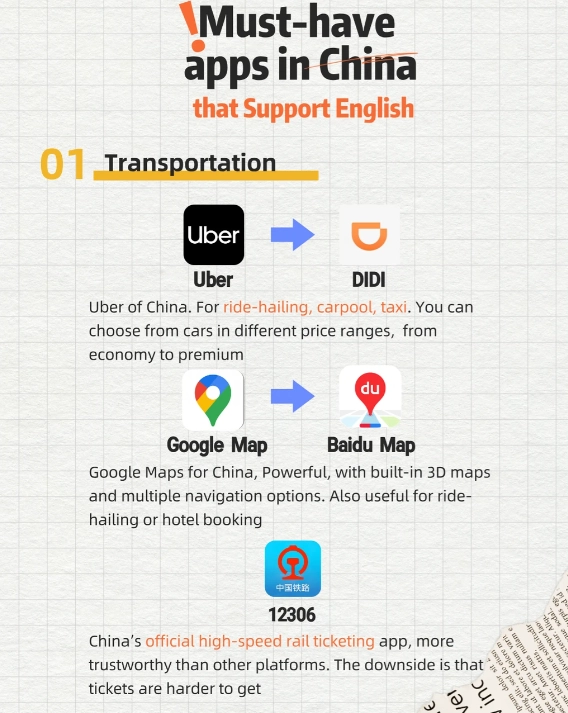
Why You Need Special Apps for China
Google, Facebook, WhatsApp—all blocked. Google Maps gives wrong directions. Your Visa card might get rejected at a noodle shop. And booking a train ticket? The official site is in Chinese only. That’s why having the right apps pre-installed is non-negotiable. I’ve seen travelers waste hours trying to buy a metro ticket because they couldn’t use the machine without WeChat Pay. Don’t be that person.
Essential Payment Apps: Alipay & WeChat Pay
Cash is still accepted, but small vendors, street food stalls, and even taxi drivers prefer scanning a QR code. You need at least one of these two giants.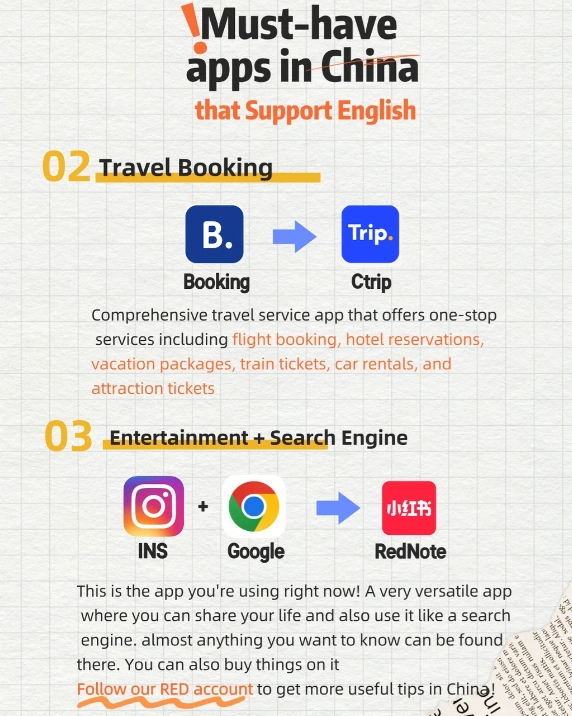
Alipay (International Version)
Download Alipay from your App Store before arriving. The app now has an English interface. Link your international Visa or Mastercard (American Express sometimes fails). Here’s the catch: you can’t top up a balance without a Chinese bank account, but you can pay directly via credit card through the app. I always test it with a small purchase at a convenience store first. Pro tip: turn on the “Scan” feature before you’re in line—the app takes a few seconds to load.
WeChat Pay
WeChat’s payment function is inside the messaging app. The setup is similar, but the English version is less intuitive. Many of my clients prefer Alipay for simplicity. However, WeChat is more widely used for person-to-person transfers (like splitting a dinner bill). If you only install one, make it Alipay.
Navigation Apps: Surviving Without Google Maps
Google Maps is blocked in China. Even with a VPN, the data is outdated and often sends you to the wrong gate. Here’s what works: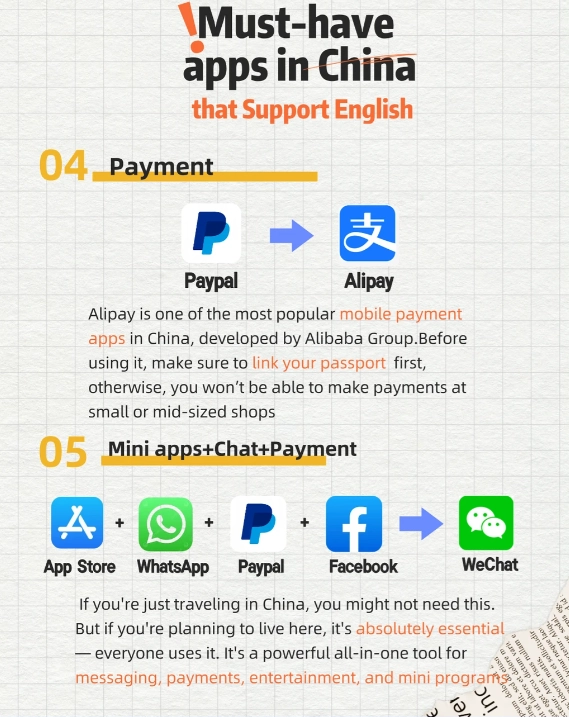
Apple Maps
Surprisingly, Apple Maps works very well because it uses local mapping data (AutoNavi). Turn-by-turn directions are accurate. I use it daily. Just make sure you have the Chinese name of your destination ready—Apple Maps can search in Chinese but not all English names are recognized.
Maps.me (Offline)
Before you leave home, download the China map in Maps.me. It’s a lifesaver in areas with weak signal or for hiking trails. I once had a client who got lost in a Beijing hutong, and Maps.me got him back to his hotel without mobile data.
Didi (China’s Uber)
Didi has an English version! It’s essential for calling taxis when you can’t find one on the street. The app shows the fare upfront and you can link Alipay for payment. Always type your destination in Chinese—the English search often fails. Copy the Chinese address from your hotel booking confirmation.
Translation Apps
Even with English signs in major cities, menus and bus announcements are in Chinese. Don’t rely on Google Translate—it’s blocked and offline packs are limited.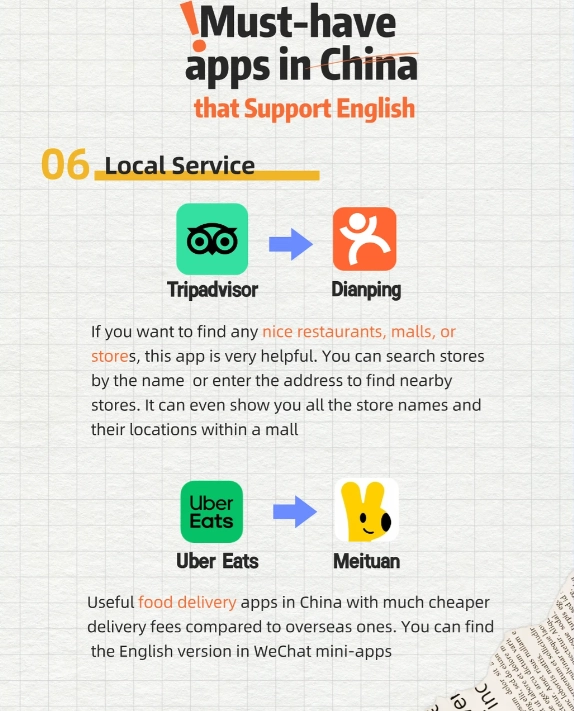
Apple Translate
Pre-installed on iPhones. Download the Chinese offline pack. Works for camera translation (point at a menu) and voice. It’s free and private. I’ve used it to order stinky tofu—no regrets.
Baidu Translate
More accurate for Chinese, especially for formal documents. The app has an English interface. The camera translation is excellent, even for handwritten characters. Downside: you need a VPN for the full features. Don’t use Google Translate app—it’s unreliable and often blocked.
Booking Apps: Trains, Flights & Attractions
Booking in China is digital-only. Most popular sites require a Chinese ID or WeChat mini-program. Here are English alternatives: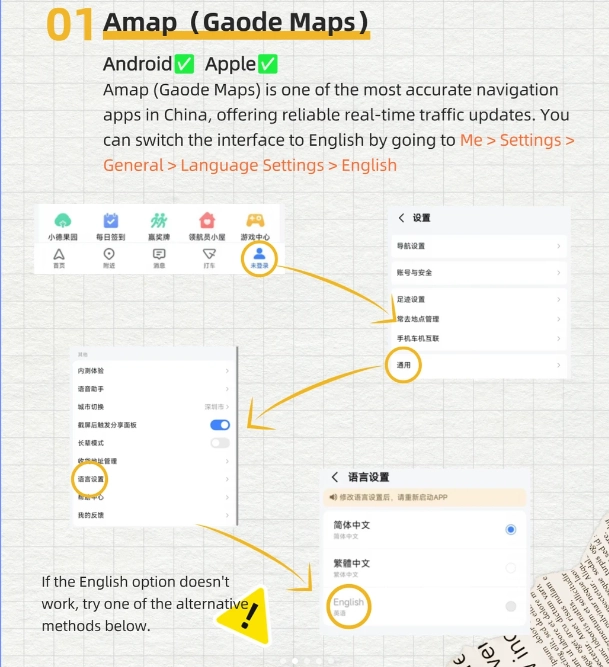
| App | For | English Support | Payment |
|---|---|---|---|
| Trip.com | Trains, flights, hotels, attraction tickets | Full English | International cards, Alipay |
| Klook | Attraction tickets, day tours, sim cards | Full English | International cards, PayPal |
| 12306 (Official Rail) | High-speed train tickets | Chinese only | Chinese payment only |
For trains, I strongly recommend Trip.com. Yes, it charges a small fee, but it saves you from the nightmare of the Chinese-only 12306 website. You’ll need your passport number and a phone number (use your home number—they can send confirmation via email). Book high-speed trains at least 3 days in advance for popular routes like Beijing-Shanghai.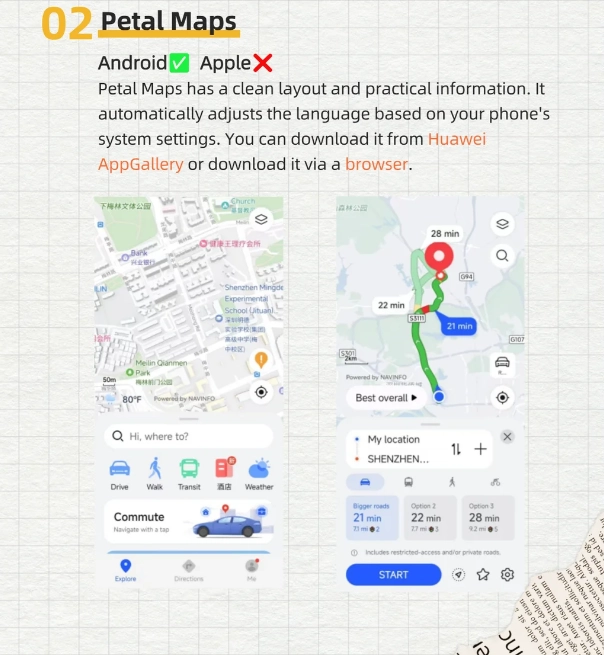
Communication & VPN
The Great Firewall blocks Google, Facebook, Instagram, WhatsApp, and many other western sites. You must have a VPN installed before you leave home. Free VPNs often don’t work in China. I’ve used ExpressVPN and NordVPN—both have dedicated China servers. Test the connection before your trip. Once in China, you may need to download the latest server configuration from their website (which you can’t access without a VPN, so do it beforehand).
For messaging, WeChat is universal. Get your friends to add you before you go. Alternative: Telegram works with VPN.
Bonus: Food & Lifestyle Apps
Finding a restaurant? Don’t use TripAdvisor—it’s sparse and outdated. Instead:
- 大众点评 (Dianping): The Chinese Yelp. It has an English interface now. Shows ratings, photos, and whether they accept cards. I always filter by “Credit Card Accepted”.
- 美团 (Meituan): For food delivery, groceries, and even movie tickets. The app is mostly Chinese, but you can order using Dianping and pay via Alipay.
- 携程 (Ctrip): Older sister of Trip.com; but Trip.com is better for English.









This guide is a must-download before you even land! I read it on the flight to Beijing and had my Alipay and DiDi apps ready before customs. The real MVP was the 'Pay Like a Local' section—I used mobile payments at a tiny hole-in-the-wall noodle shop and the owner smiled when I scanned his QR code. The map tips also kept me from getting lost in the hutongs. Only reason it's not 5 stars is that the guide didn't cover swapping SIM cards for data, but that's a minor quibble. Still awesome!
I really wanted to like this guide because the concept is great, but the execution fell a bit short for me. The payment section was solid, but some of the navigation tips seemed outdated—the recommended metro app didn't work in Xi'an, and I ended up using Google Maps anyway. Also, the English translations in the screenshots had a few typos, which made it confusing at times. It's okay for beginners, but if you're a seasoned traveler like me, you might find yourself figuring things out on your own. Three stars because it did help with WeChat Pay setup.
Honestly, I was terrified of getting lost or scammed in a foreign country, but this guide turned my China trip into a seamless adventure. The payment tips alone saved me from carrying a wad of cash—just linked my credit card to Alipay and paid for everything from bubble tea to train tickets. The navigation hacks for Gaode Maps even helped me find a random night market in Guangzhou that had the best dumplings I've ever eaten. Five stars, no question!
Finally, an app guide that actually gets it! I used it in Beijing and Chengdu, and the combination of DiDi (their Uber) and Alipay made hopping around temples and spice markets a breeze. My favorite part was the section on scanning QR codes for museum tickets—no more waiting in long queues. Only minor glitch: the audio translation tips for taxi drivers could be a bit clearer, but overall, this is gold. Would give 4.5 stars if I could!
This guide was an absolute lifesaver during my trip to Shanghai! I had no idea how to use WeChat Pay before, but the step-by-step instructions made it so easy. I went from fumbling with cash to paying for street food and metro tickets like a local in just two days. The navigation tips for Baidu Maps also helped me find hidden alleyway cafes that weren't on Google Maps. Highly recommend to anyone who wants to skip the tourist traps and blend in!
As someone who travels with just a phone, this article was a game-changer. The detailed walkthrough on how to set up a foreign mobile number with Alipay and the QR code payment process made my entire trip in Guangzhou seamless. I even managed to order street food using machine translation integrated in the apps after reading the tips. Absolutely essential reading for any foreign tourist heading to China.
This article is pure gold! I'm a budget traveler and the sections on using Alipay's mini-programs for train tickets and shared bikes were exactly what I needed. I biked around Xi'an's city wall using the HelloBike app with the English instructions—never got lost. Plus the tips on virtual credit cards for topping up WeChat Pay saved me from carrying cash. Two thumbs way up!
Honestly, I was pretty disappointed. I followed the article's advice to install Ctrip and use its English version, but half the features were still in Chinese and the payment verification process took forever. The article made it sound so easy, but in reality I ended up stuck at a hotel counter because my booking didn't show up. Maybe it worked for others, but for me it felt like a dated guide—needs a major update.
I read this before my solo trip to Shanghai and it honestly saved me hours of frustration. The tips on using Dianping to find English-friendly restaurants were spot on, and the subway navigation guide helped me avoid getting lost in the metro. Only reason I'm not giving 5 stars is that some of the app screenshots looked a bit outdated (e.g., the Meituan interface changed), but overall still a fantastic resource for first-timers.
This article was a lifesaver during my trip to Chengdu! I was so nervous about not being able to use WeChat Pay or navigate without Chinese, but the step-by-step guide on setting up Alipay and linking a foreign card worked perfectly. I even used the Didi instructions to get a ride to the Giant Panda Base—super smooth. Highly recommend printing this out before you go!