 Bo Wu
Bo Wu
Quick Navigation
I've been guiding tours in China for years. And every single time a new traveler steps off the plane, they ask me the same thing: "Is Apple Maps any good here?" Or worse, they assume Google Maps works (it doesn't). Last month, a couple from London spent two hours stuck near the Pearl Market because their phone kept pointing them to a closed road. That's when I realized I need to settle this once and for all.
So here's the raw truth: Apple Maps and Baidu Maps are both available in China, but they don't behave the same way. After personally testing both on a recent trip from Shanghai to Xi'an, I'm breaking down which one you should trust—and which one might lead you into a dead-end alley.
The Unspoken Problem with Digital Maps in China
Let's get the elephant out of the room: Google Maps is blocked in China. Period. Even with a VPN, the data layers are so outdated that it's practically useless. I once had a guest follow Google Maps to a "restaurant" that had been demolished for three years. So your only real choices are Apple Maps (pre-installed on iPhones) or Baidu Maps (the local giant).
But here's the kicker—Apple Maps in China uses a different data provider than the rest of the world. Instead of TomTom or OpenStreetMap, it partners with AutoNavi (Gaode), a Chinese mapping company. That means Apple Maps actually has decent local data. Baidu Maps, on the other hand, is the most comprehensive Chinese app, but it's designed for Chinese users—meaning the interface is almost entirely in Chinese, and it integrates deeply with local services like ride-hailing and food delivery.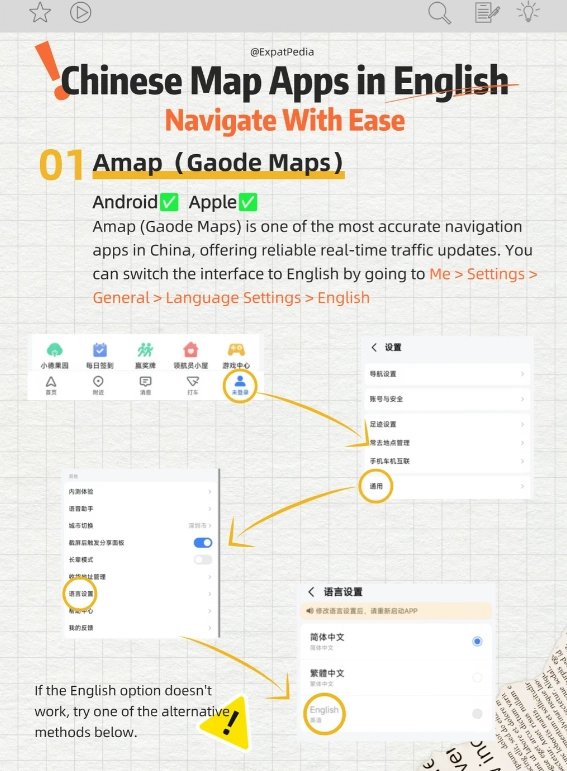
Head-to-Head: Three Real-World Tests
I put both apps through the same three scenarios on a recent trip. Here's what happened.
Test 1: Finding a Popular Restaurant in Shanghai
I searched for "Jesse Restaurant" (a famous Shanghainese place). Both apps found it within seconds. Apple Maps showed the English name and address clearly; Baidu Maps showed only Chinese characters but had 4,000+ reviews from local users. Tapping the address in Apple Maps gave me a clean route with turn-by-turn directions in English. Baidu Maps? The navigation voice was in Chinese only, and the turn prompts were all in Chinese—confusing if you don't read the language.
Winner: Apple Maps for English interface, but Baidu Maps for real user feedback on wait times.
Test 2: Navigating a Subway Station Exit
In Xi'an, I needed Exit C at Zhonglou Station. Apple Maps showed the correct exit letter and even a small map of the station interior. Baidu Maps showed the same exit but also told me which part of the train carriage to board for the quickest exit. That's a level of detail Apple Maps lacks.
Winner: Baidu Maps for subway granularity, but Apple Maps still got me there without issues.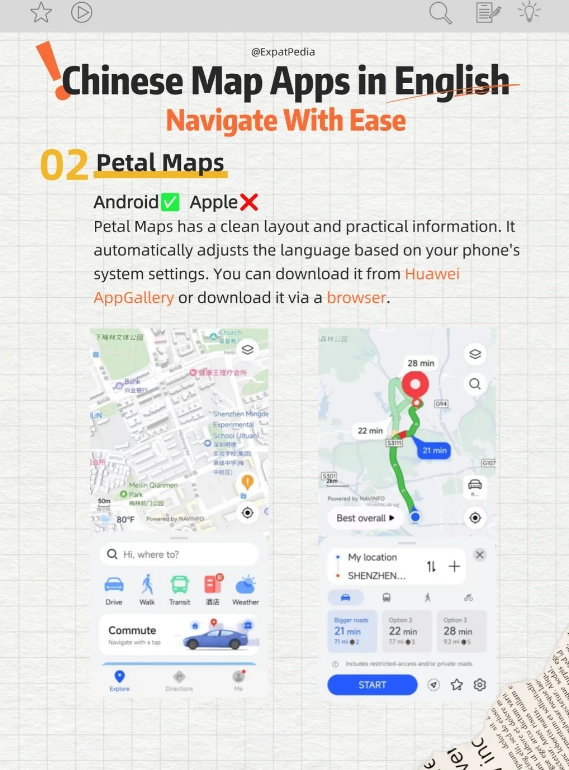
Test 3: Driving Directions in a Suburb
I rented a car to visit the Terracotta Warriors. Apple Maps routed me via the main highway—no problem. Baidu Maps suggested a shortcut through a village that saved 15 minutes but required navigating narrow lanes. The catch? Baidu Maps gave voice prompts only in Chinese. If you miss a turn because you didn't understand the instruction, you're stuck.
Winner: Apple Maps for reliability and English voice guidance.
When Apple Maps Wins: The English-Friendly Choice
If you don't speak or read Chinese, Apple Maps is the safer bet. Here's why:
- English interface – All menus, search results, and directions are in English. Baidu Maps requires you to guess icons.
- Voice navigation in English – You'll hear "In 200 meters, turn left" instead of a Chinese voice.
- Integration with Apple CarPlay – If you rent a car, Apple Maps works seamlessly on the car screen.
- Decent POI database – Major tourist spots, hotels, and restaurants are all there.
But it's not perfect. Apple Maps often misses smaller local shops, street food stalls, and alleyway entrances. And it completely lacks any social features like real-time busyness or photos from diners.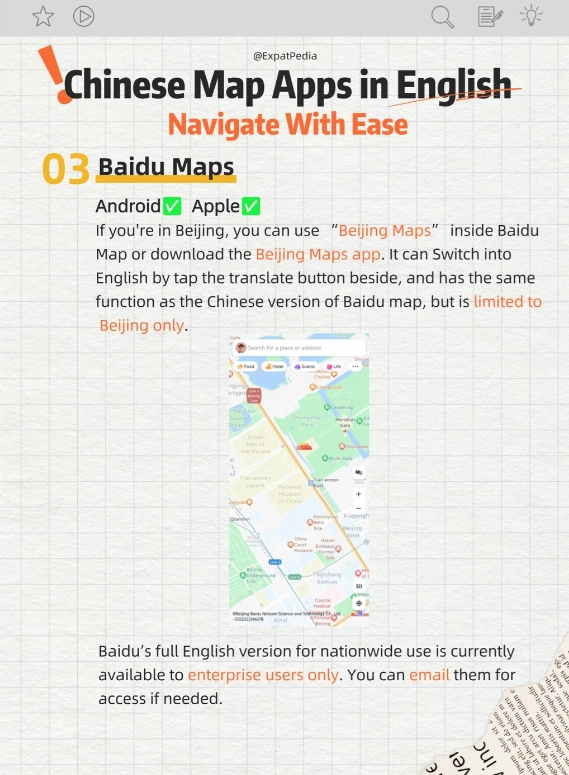
When Baidu Maps Shines: The Local's Super App
Baidu Maps is more than a map—it's a platform. Here's what you get:
- Ridiculous detail – Every small footpath, every curb cut, every single building number. Apple Maps might show a road; Baidu Maps shows the crack in the pavement.
- Integrated ride-hailing – You can order a Didi directly inside Baidu Maps without switching apps.
- Live traffic and crowdedness – It tells you if a restaurant or attraction is currently packed.
- Subway crowd prediction – It suggests which car door to stand by for a quick exit.
The downside? The interface is Chinese-only, and setting up an account requires a Chinese phone number (or you can use the web version). Many foreign travelers find it overwhelming.
The Hybrid Strategy: How I Use Both
After testing both, here's what I recommend to my clients:
- Use Apple Maps for initial planning and while driving. The English voice guidance is priceless when you're behind the wheel.
- Open Baidu Maps once you arrive at a destination to check which floor the restaurant is on, what time it closes, and whether there's a queue. Just screenshot the info before you lose signal.
- For public transit, trust Apple Maps first. It gives you the right subway exits in English. If you want to know which carriage to board, quickly glance at Baidu Maps.
And always carry a backup: screenshot your route or write down the Chinese address to show a taxi driver. No app is 100% reliable when your battery dies.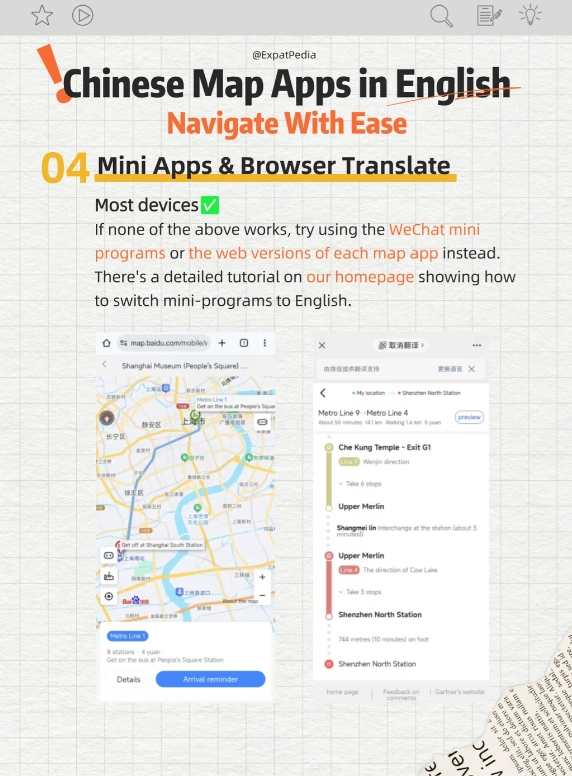








No comments yet.