 Bo Wu
Bo Wu
I still remember the panic on my first group's faces when they landed and realized their WhatsApp was dead. That's the moment you either have a plan or you're lost. Navigating the internet in China is a different beast. Your Google Maps won't work, your Visa card may be declined at the taxi stand, and you need a VPN before you step off the plane. The single most important thing: download a reliable VPN and set up Alipay before you leave your home country. That's it. Now let me show you exactly how.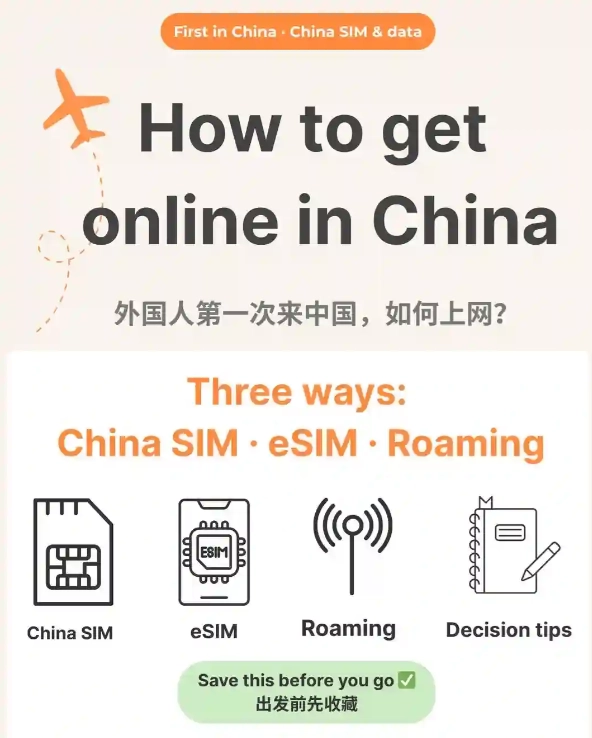
What Exactly Is the Great Firewall?
China's internet has its own rules. The Great Firewall blocks major Western services: Google (including Gmail, YouTube, Maps), Facebook, Instagram, Twitter/X, WhatsApp, and many news sites. Even some VPN protocols get blocked. It's not about spying on you—it's about controlling what's accessible. But here's the reality: as a foreign traveler, you can still get online smoothly if you prepare right. Forget about relying on your home carrier's roaming data—it usually goes through the same firewall and still blocks those services. Local WiFi or a Chinese SIM card with a VPN is your golden ticket.
VPN: Set It Up Before You Land
You need a VPN that works in China. Not all VPNs do—many are blocked. Here's what I've tested over dozens of trips: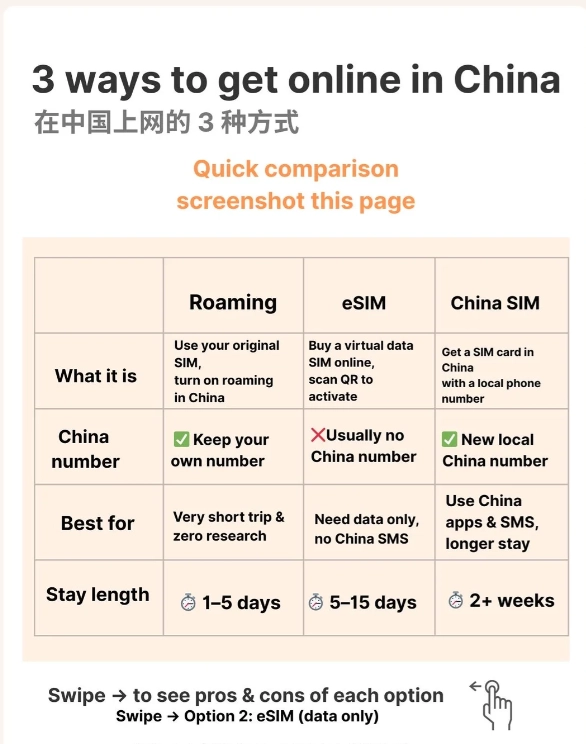
Top VPNs That Still Work (as of My Last Trip)
| VPN Provider | Key Features | Considerations |
|---|---|---|
| ExpressVPN | Fast, obfuscation servers, easy app | More expensive, sometimes needs manual config |
| NordVPN | Large server network, specialized obfuscated servers | Can be slower during peak times |
| AstrillVPN | Specifically built for China, very reliable | Clunky interface, but tech support is responsive |
| VyprVPN | Owns its servers, Chameleon protocol | Limited server locations |
Installation must-do: Download the VPN app on all your devices (phone, laptop, tablet) before you arrive. The Chinese app stores don't have them. Also, take a screenshot of your VPN subscription credentials—you never know when you'll need to reinstall. Test the connection in your hotel room as soon as you arrive; sometimes the firewall updates and you might need to switch protocols (e.g., from OpenVPN to IKEv2).
What If My VPN Stops Working Mid-Trip?
It happens. The Great Firewall often targets VPNs during major events. Have a backup VPN pre-installed. Also, try switching to a different server location (e.g., from US to Japan) or to a different protocol. Worst case? Use your hotel's international business center or a Starbucks WiFi (yes, they often have decent international access without blocking).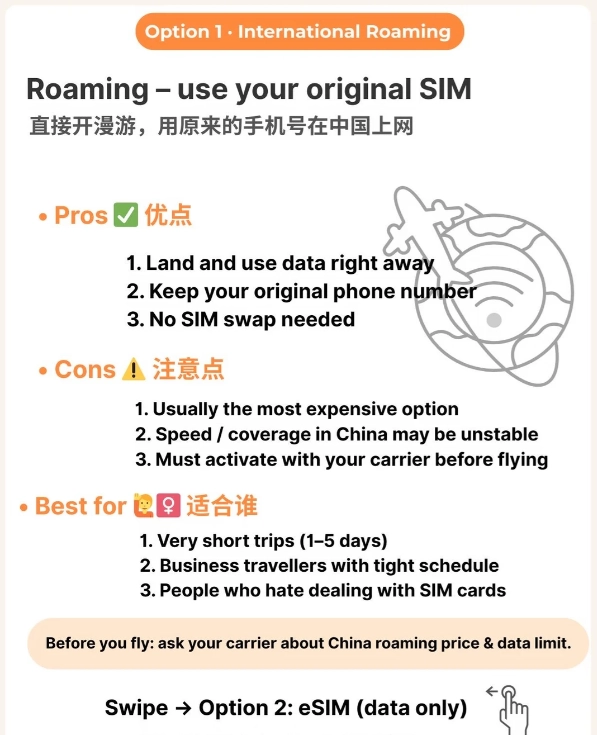
Mobile Data: SIM Card vs. Portable WiFi
You have three main options to stay connected on the go:
| Option | Pros | Cons | Price Range (per day) |
|---|---|---|---|
| Local SIM Card | Cheapest, reliable, can share hotspot | Need to buy with passport; limited English at shops | ~30-50 RMB (¥) |
| Portable WiFi Hotspot | Pick up at airport, unlimited data for multiple devices | Need to charge and carry; rental fees add up | ~40-70 RMB |
| International Roaming | No setup, keep your home number | Expensive, still behind firewall | ~$10-25 USD |
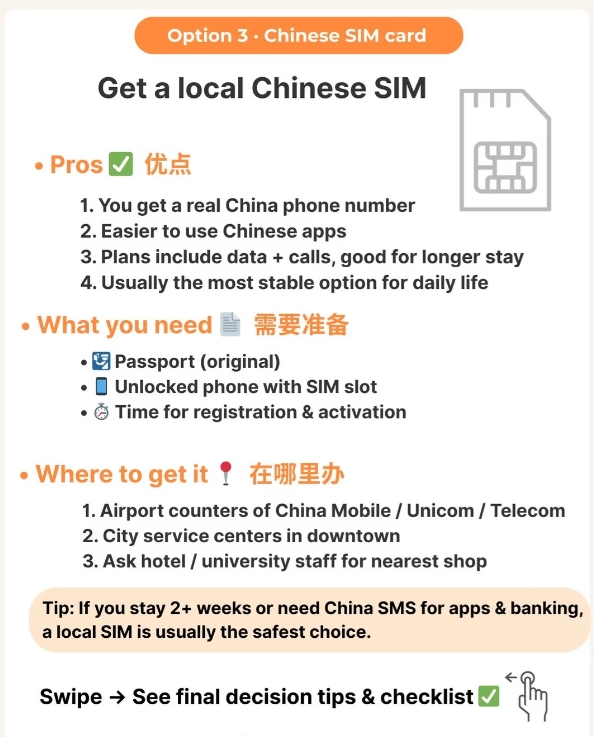
My recommendation: Get a local SIM card from China Unicom or China Mobile at the airport. Look for signs like “International Visitor SIM.” Provide your passport, and they'll activate it within 10 minutes. Ask for a data-only plan (no voice needed). Then install your VPN and you're golden. If you're a group, a portable WiFi hotspot from a provider like Trip.com or Klook is convenient—reserve online and collect at arrival hall.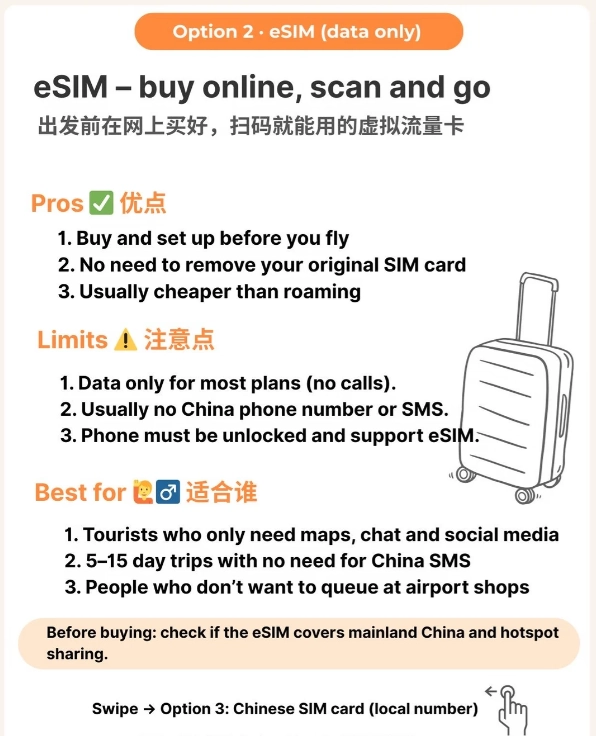
Must-Have Apps to Download First
Payment & Messaging
- Alipay (支付宝) – Link your international credit card. Works in 99% of shops, taxis, restaurants. You can even use it to book Didi rides.
- WeChat (微信) – More than messaging; it's a platform for payments, mini-programs for train tickets, and restaurant reservations.
Navigation & Transport
- Apple Maps – Surprisingly reliable in China (it uses local data). Works with English place names.
- Didi (滴滴出行) – The Uber of China. Download the English version. Link Alipay for payment.
Translation
- Apple Translate (offline mode) or Google Translate (download offline Chinese pack before departure). Baidu Translate also works.
Travel Booking
- Trip.com (formerly Ctrip) – English interface for trains, flights, hotels, attraction tickets. Avoids the pain of Chinese-only mini-programs.
- Klook – Good for tours and attraction tickets.
Troubleshooting Common Internet Problems
My VPN Connects But Still Can't Access Gmail
Try clearing your DNS cache or switching to a different DNS (1.1.1.1 or 8.8.8.8). Some hotels have their own firewall that blocks foreign traffic even when VPN is on. In that case, use your mobile data instead.
Alipay Won't Let Me Register with a Foreign Card
It's a known headache. Use the Tour Pass feature within Alipay (it's designed for short-term visitors). Or load money via a friend. I once spent an hour at a convenience store trying to top up—better to solve it before you go.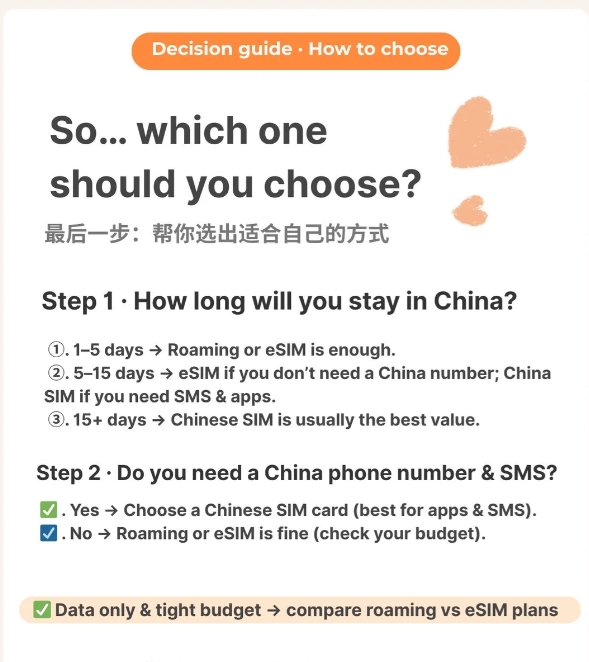
WiFi in Hotels Is Slow
Many hotels throttle international bandwidth. Use your own SIM card data as a hotspot. If you're in a business hotel, ask for the “international” WiFi band (sometimes separate from the domestic one).








No comments yet.