 Fang Wang
I'll never forget handing my phone to a lost tourist near Tiananmen. The map was in Chinese. She couldn't read a single character. That's when I started forcing every client to set up Baidu Maps in English before we even left the hotel. Because Google Maps? It's basically useless here. Blocks, inaccurate routing, no real transit data. Baidu Maps is the only reliable option—but only if you know how to tame it.
Why You Need Baidu Maps (and Why English Matters)
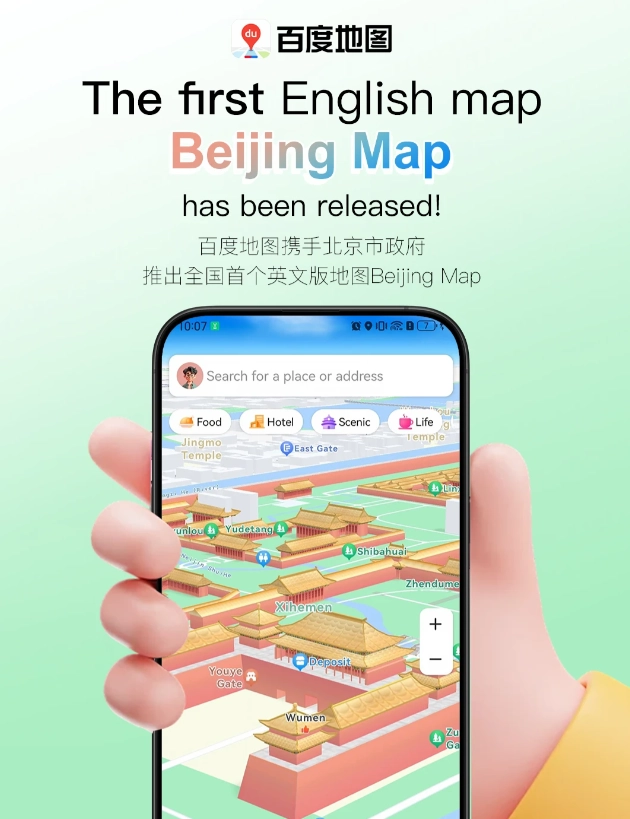
China's digital ecosystem runs on its own apps. Baidu Maps (百度地图) covers every alley, bus route, and third-floor restaurant that Google Maps simply ignores. More than 70% of Chinese drivers use it for real-time traffic. For a foreigner, it's your lifeline to:
- Public transit directions – subway exits, bus numbers, even shared bike pickup spots.
- Accurate walking paths – especially inside massive complexes like The Bund or the Forbidden City.
- Real-time taxi fares – so you know if the driver is taking a longer route.
- Local business info – opening hours, phone numbers, user reviews (in Chinese, but still useful).
But the default interface is entirely in Chinese. If you can't read the characters, you're flying blind. Switching to English turns a confusing mess into a clean navigation tool.
How to Switch Baidu Maps to English (Step by Step)
Here's the kicker: the app doesn't have a simple toggle in settings. You have to change your phone's system language to English. Baidu Maps automatically mirrors that. Let me walk you through it.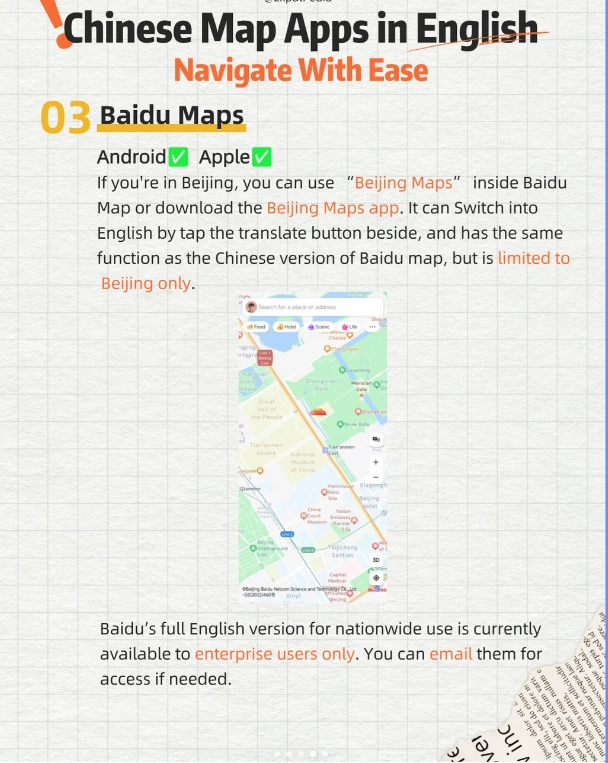
For iPhone Users
- Go to Settings > General > Language & Region > iPhone Language.
- Select English. Your phone will restart.
- Open Baidu Maps. The interface should now be in English.
For Android Users
- Go to Settings > System > Languages & Input > Languages.
- Add English and drag it to the top of the list.
- Open Baidu Maps. It should switch. If not, clear the app cache or reinstall.
Real-World Navigation Tips: What the App Doesn't Tell You
Once you have English, you still need to navigate smartly. Here's what I've learned from years of guiding.
Use the "Voice Navigation" Feature
Even if the screen is English, the default voice might be Chinese. Go to Settings > Voice Settings and download the English voice pack. This is a lifesaver when you're driving or cycling and can't stare at the phone.
Always Type the Chinese Name as Backup
Baidu's English place names can be inconsistent. For example, "Forbidden City" might be listed as "Gu Gong" or "Palace Museum." Before heading out, ask your hotel receptionist to write the Chinese characters for your destination. Save it in your phone. If the English search fails, paste the Chinese.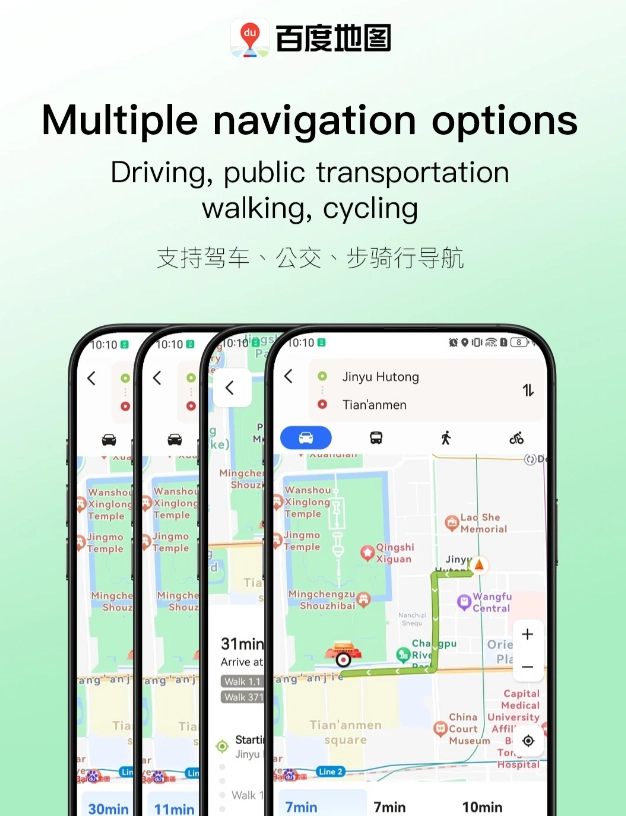
Use the "Nearby" Filter for Food and ATMs
Baidu Maps has a powerful nearby search. Tap the search bar (now in English) and select categories like "Food" or "Bank." But remember: reviews are in Chinese. Look for places with high ratings (4.5+) and many reviews. I always check the photos posted by users—they often show the menu or the actual queue.
Public Transit: The Secret Shortcuts
Baidu Maps is excellent for subways. It tells you the exact exit number (e.g., Exit C2) and how long the walk is to the platform. But one thing: it often underestimates walking time. If it says 5 minutes, budget 8—especially in stations like People's Square in Shanghai, which has 20 exits.
Avoid Common Mistakes That Waste Time and Money
I see these errors every week. Here's how to dodge them.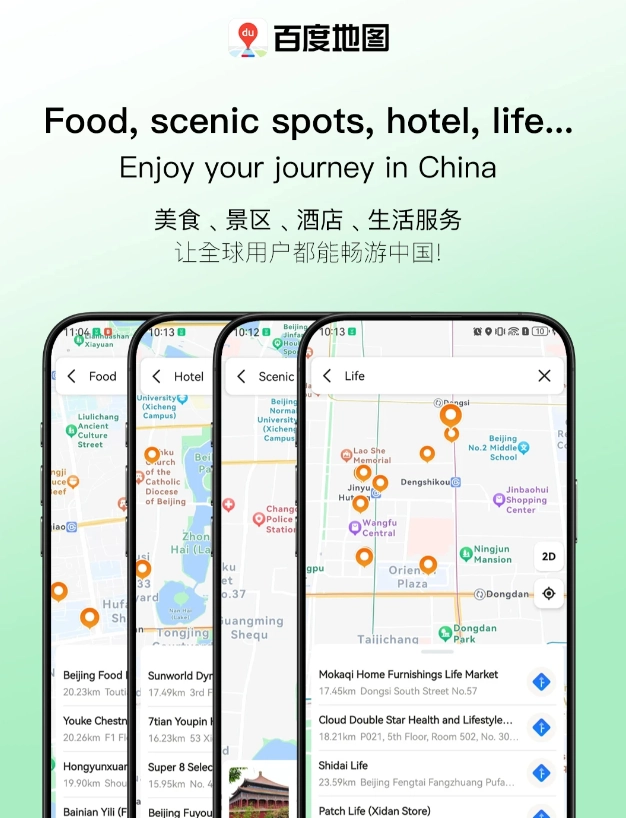
Mistake 1: Relying on Google Maps in China
Google Maps is blocked and outdated. It shows wrong locations for many businesses. I once had a client who walked 30 minutes to find a "restaurant" that didn't exist. Use Baidu Maps from the start.
Mistake 2: Not Pre-Downloading Offline Maps
Data networks in China are fast, but you might lose signal in subway tunnels or remote areas. Before your trip, open Baidu Maps, search for the city you're visiting, and tap "Download" to save offline maps. This also helps if your VPN drops.
Mistake 3: Ignoring the "Avoid Toll Roads" Option
If you're taking a taxi or renting a car, tolls can add 30–50 RMB per trip. In route settings, check "Avoid Tolls" to save money. Most cabbies won't do this unless you ask—they prefer the faster route.
| Feature | Why It Matters | How to Access |
|---|---|---|
| Offline Maps | No data needed for basic directions | Tap profile icon > Offline Maps > Download city |
| Voice Navigation | Hands-free guidance in English | Settings > Voice > Download English pack |
| Real-Time Traffic | Avoid jams (visible as colored lines on map) | Auto-enabled; red = heavy traffic |
| Share Real-Time Location | Let friends see your position | Tap the blue dot > Share location |








I've used Google Maps all over the world, but in China it's useless. Baidu Maps English is the real deal. It not only navigates but also shows popular photo spots for tourists near the Forbidden City – I found an amazing quiet corner thanks to user-uploaded pictures. The rating system for restaurants is surprisingly reliable too. Five stars because it genuinely understands how foreigners move in China. Just make sure to set it to English in the settings first!
As a solo female traveler, I was nervous about getting lost in Chengdu. Baidu Maps English made it feel like a breeze. The public transit integration is fantastic – it tells you exactly which exit to take and even shows the bus arrival times. I used it every single day and never once got lost. The only tiny thing is that some scenic spots have outdated photos, but the directions are spot-on. Highly recommend downloading it before you arrive.
Absolute lifesaver! I've been traveling across China for a month and Baidu Maps English has saved me countless times. The real-time traffic data is incredibly accurate – it rerouted me around a huge jam in Guangzhou. Plus the voice directions in clear English mean I can keep my eyes on the chaotic streets. Huge thumbs up for the offline map feature too. Couldn't navigate China without it!
Not perfect, but definitely helpful if you're new to China. The English mode covers most major cities and subway routes clearly. I liked that it shows bus numbers in both Chinese and English. However, some smaller POIs (like local noodle shops) only show up in Chinese characters, so you'll need to copy-paste or ask a local. Overall a solid 4 for getting me from A to B without too much hassle.
Honestly, I was pretty disappointed with the English version of Baidu Maps. The navigation itself works fine in Chinese, but the English interface has some awkward translations and missing labels. I tried using it to find a restaurant in Beijing and ended up walking in circles because the street names were garbled. For a traveler who doesn't read Chinese, this is really frustrating. I'd stick with Google Maps for now, unless they fix the localization.