 Yan Zhou
Quick Navigation: What You'll Learn
- Why the Shanghai Disney App is Your Best Friend
- Downloading and Setting Up the App Without a Chinese Number
- How to Book Tickets and Make Reservations Step-by-Step
- Navigating Key Features: Virtual Queues, Maps, and More
- Common Pitfalls and How to Avoid Them
- Insider Tips from a Decade of Guiding Foreigners
- Frequently Asked Questions (FAQ)
Hey there! I've been a tour guide in Shanghai for over 10 years, specializing in helping foreign families and solo travelers navigate the city's hotspots. Let's talk about the Shanghai Disney app. I've seen too many visitors fumble with it, wasting precious park time. This guide is based on my hands-on experience—I've literally stood next to guests tapping through the app, figuring out the quirks. By the end, you'll know exactly how to use it like a pro, even without a Chinese phone number.
The app isn't just a nice-to-have; it's essential for booking tickets, grabbing virtual queue slots, and checking wait times. But here's the kicker: most English guides gloss over the tiny details that trip foreigners up. Like, did you know the app sometimes rejects international credit cards during peak hours? Or that you can use it offline for maps? I'll cover all that and more.
Why the Shanghai Disney App is Your Best Friend
Think of the app as your digital key to Shanghai Disneyland. Without it, you're stuck in long lines for tickets, missing out on popular rides, and guessing show times. The park operates on a reservation system, especially post-pandemic, and the app is the only way to secure your spot efficiently.
I remember a family from Australia last spring. They showed up without the app, thinking they could buy tickets at the gate. Big mistake. It was a sold-out day, and they waited two hours just to be told no entry. With the app, you can check availability in real-time and book weeks in advance.
Downloading and Setting Up the App Without a Chinese Number
First things first: download the app. It's called "Shanghai Disney Resort" on the App Store (for iOS) and Google Play Store (for Android). If you're in China, Google Play might be blocked, so use alternative app stores like Huawei AppGallery or download the APK from the official website. Here's the link: Shanghai Disney Resort Official Site.
Now, the tricky part: registration. The app asks for a phone number, but you don't need a Chinese one. Select your country code (e.g., +1 for US, +44 for UK) and enter your international number. It'll send a verification code via SMS. Ensure your phone has roaming enabled to receive it. Sometimes, the code takes a minute—don't panic. I've had clients from Europe where it arrived after three tries. If SMS fails, use email registration. Click the "Sign up with email" option, usually hidden in small text at the bottom.
Set up your profile with a simple password. Avoid special characters; the app can be finicky. Use something like "Disney2024" (but don't use that exactly—make it unique!). Once logged in, go to settings and switch the language to English. It's not perfect, but it's readable.
How to Book Tickets and Make Reservations Step-by-Step
Booking tickets is straightforward if you know the steps. Open the app, tap "Tickets & Annual Passes," then "Purchase Tickets." You'll see options for 1-day or 2-day tickets, with prices varying by season. As of my last check, a standard 1-day ticket costs around ¥599 (about $85) for adults, ¥449 for children (3-11 years old), and seniors (65+) get a discount—confirm on the official site for current rates.
Select your date. The calendar shows green for available days, red for sold-out. Avoid weekends and Chinese holidays—they're packed. I always tell my groups: aim for Tuesday or Wednesday for lighter crowds. After choosing, fill in visitor details: name, passport number (yes, use your passport, not an ID card), and contact info. This is crucial for entry.
Payment is where many stumble. The app accepts international credit cards like Visa and Mastercard, but during high traffic, it might decline. If that happens, try Alipay TourPass or WeChat Pay, which allow foreign cards for limited transactions. Alternatively, use a third-party platform like Klook or Trip.com, but book through the app for direct park linkage. After payment, you'll get an e-ticket with a QR code. Save it to your phone's wallet—screenshot it too, as a backup.
Reservations for the park entry are separate. Even with a ticket, you need to reserve your visit date via the app's "Park Reservation System" tab. Do this immediately after buying tickets. Slots fill fast, especially for peak seasons like summer. I've seen families miss out because they waited a day.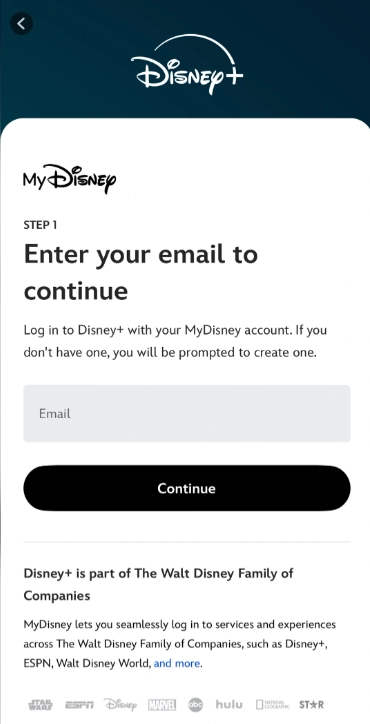
Understanding the Reservation System for Peak Days
On busy days, the park limits entries. The app shows a reservation calendar—if it's greyed out, you can't book. My advice: reserve as soon as you have tickets, even if your travel plans are flexible. You can modify reservations up to a day before, but changes are limited. Last-minute cancellations might incur fees.
Here's a table summarizing key ticket info:
| Ticket Type | Price Range (Approx.) | Best For | Booking Tip |
|---|---|---|---|
| 1-Day Standard | ¥599 - ¥799 | Short visits, first-timers | Book 2-4 weeks ahead for weekends |
| 2-Day Ticket | ¥1078 - ¥1428 | Families, thorough exploration | Often includes a dining discount—check app |
| Child Ticket (3-11) | ¥449 - ¥599 | Kids under 12 | Bring passport for age verification at gate |
| Senior Ticket (65+) | ¥539 - ¥719 | Older visitors | Discount varies by season; verify online |
Navigating Key Features: Virtual Queues, Maps, and More
Once inside the park, the app becomes your navigation hub. The home screen shows wait times for rides, updated every few minutes. Trust these—they're accurate. For popular rides like TRON Lightcycle Power Run or Soaring Over the Horizon, wait times can hit 120 minutes. Use the app to plan your route.
Virtual Queues and Disney Premier Access
Virtual queues are a game-changer. For certain attractions, you can join a virtual line via the app instead of physically waiting. Tap "Virtual Queue" on the main menu, select your ride, and choose a time slot. It's free, but slots go quickly—often within minutes of park opening. I tell my groups: be on the app at 9:00 AM sharp when the park opens. Have everyone in your party logged in to increase chances.
Disney Premier Access is the paid skip-the-line option. It costs extra (around ¥120-300 per ride) and lets you book a return time. Buy it through the app under "Disney Premier Access." Use it for must-do rides if you're short on time. But here's my take: it's overpriced for families. Instead, focus on virtual queues and hit less popular rides early.
Interactive Map and Show Schedules
The map is interactive—zoom in to see restrooms, dining spots, and character meet-and-greet locations. It works offline once loaded, so download it on Wi-Fi before entering. Show schedules for parades like "Mickey's Storybook Express" are listed under "Entertainment." Set reminders so you don't miss them.
Dining reservations can also be made through the app. For table-service restaurants like Royal Banquet Hall, book a day ahead. The app shows menus with prices; most have English descriptions. Payment at restaurants often requires Alipay or WeChat Pay, but cash and international cards are accepted at some spots—check before sitting down.
Common Pitfalls and How to Avoid Them
Let's talk mistakes. I've seen them all, and most are preventable.
Payment Issues with International Cards
The app's payment gateway sometimes rejects foreign cards due to security checks. If your card fails, don't retry immediately—wait 10 minutes. Or switch to a different card. Use a credit card with no foreign transaction fees. As a backup, load money onto Alipay TourPass before your trip; it works like a prepaid card for foreigners.
Language Barriers and How to Overcome Them
The English translation in the app can be clunky. For example, "Park Reservation" might appear as "Park Booking." Use the screenshot and translate feature on your phone if confused. Google Lens or Apple's Live Text can help. Also, the app's customer service chat is in Chinese, but you can call the English helpline at +86-21-3158-0000. Write it down.
Another pitfall: not linking tickets to your app profile. After buying tickets, go to "My Tickets" and link them using the QR code. This allows you to manage reservations and access virtual queues. I had a German couple who missed this step and couldn't join any virtual lines—they had to go to guest services, wasting an hour.
Insider Tips from a Decade of Guiding Foreigners
Based on my experience, here are nuggets most tourists don't know.
Best Times to Use the App for Less Crowds: Check wait times at 11:00 AM and 4:00 PM—rides like Seven Dwarfs Mine Train often have shorter lines then because people are at lunch or shows. Use the app to monitor and dash over.
Hidden Features Most Tourists Miss: The app has a "Lost and Found" section. If you lose something, report it there with photos. Also, under "Services," you can rent strollers or lockers—book in advance to save time. The "PhotoPass" lets you download ride photos; scan your ticket QR code at photo points.
Weather Contingencies: On rainy days, the app updates ride closures instantly. Have a plan B: indoor attractions like Mickey's Film Festival or shopping at M大街. The app shows indoor options under "Attractions" filtered by type.
For a 24-hour visit scenario: Use the app to book tickets and reservations weeks ahead. Arrive at park opening, join virtual queues immediately, and use the map to hit nearby rides. Schedule meals via app reservations to avoid lines. I did this with a solo traveler from Japan, and she covered all major rides in one day.
Frequently Asked Questions (FAQ)
 To wrap up, the Shanghai Disney app is a powerful tool if you know how to wield it. Download it early, set it up patiently, and use it to book everything in advance. From my years on the ground, the biggest time-saver is mastering virtual queues and avoiding payment glitches. Have a backup plan, and don't stress—the park is meant to be fun. If you get stuck, look for cast members; many speak basic English.
This guide is based on my personal experiences and recent visits. Facts have been cross-checked with official sources. Now go enjoy the magic!








No comments yet.