 Lei Li
Let's be honest. The moment your plane touches down in Beijing or Shanghai, a little panic sets in. Your WhatsApp goes quiet, Google Maps turns into a blank screen, and that familiar scroll through Instagram? Gone. I've seen it a hundred times with my tour groups. Getting online in China isn't just convenient; it's your lifeline for maps, translation, ride-hailing, and sharing those incredible photos. Forget what you've heard about it being complicated. After a decade of guiding travelers here, I'll walk you through exactly how to get connected, avoid the common pitfalls, and maybe even save some money.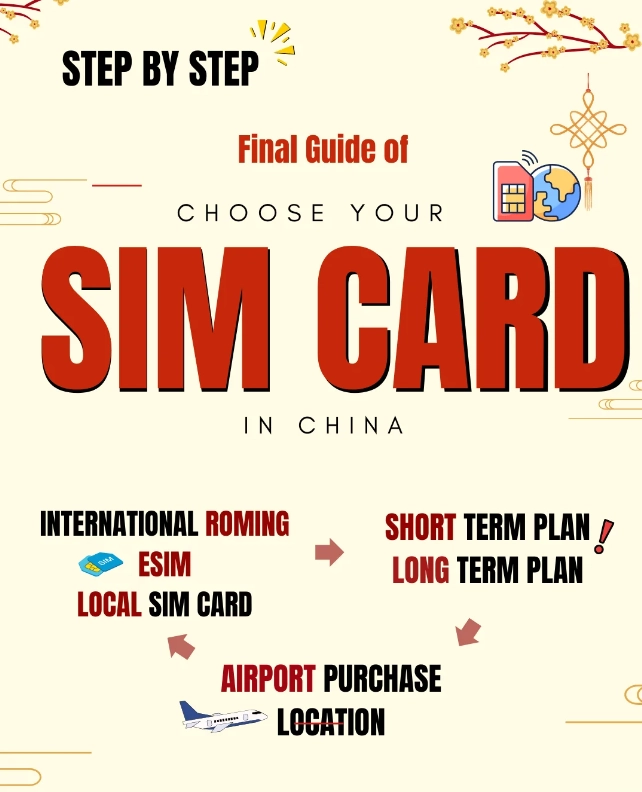
Your Quick Navigation Guide
- Why Getting Online is Your First Priority
- Your Two Main Choices: Physical SIM vs. eSIM
- Where & How to Buy a SIM Card in China
- The Airport SIM Guide: A Step-by-Step Walkthrough
- Beyond SIMs: Navigating Public & Hotel Wi-Fi
- The VPN Question: Accessing Google, WhatsApp & More
- Budget & Practical Tips from a Guide's Notebook
- Your Burning Questions Answered (FAQ)
Why Getting Online is Your First Priority
Think of your Chinese internet connection as important as your passport. Without it, you're functionally blind and mute in a country where English signage is sporadic. You need it to hail a DiDi (the local Uber), translate menus with Pleco or Google Translate (if you have a VPN), book train tickets on Trip.com, and navigate the labyrinthine subway systems. I once had a couple try to "wing it" without data for two days. They spent over $50 on taxi rides they could have avoided and missed a dinner reservation because they couldn't find the alleyway. Don't be that person. Solve this within your first hour.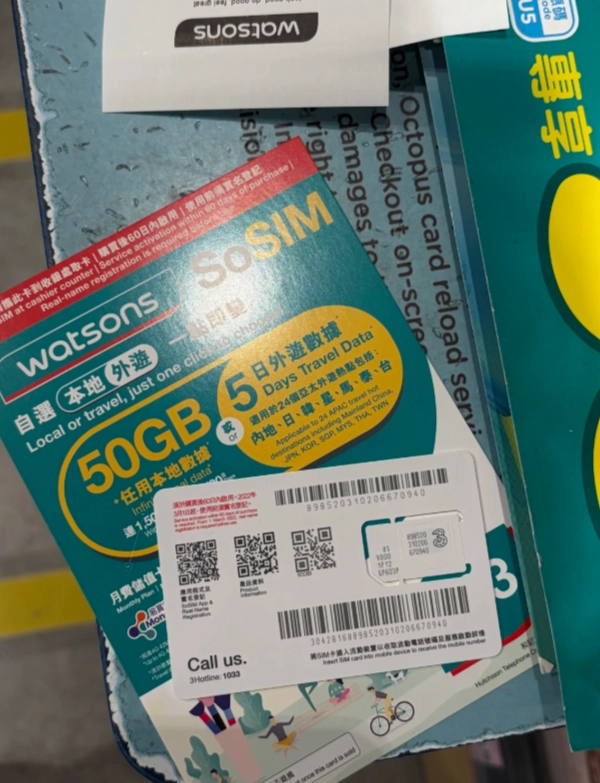
Your Two Main Choices: Physical SIM vs. eSIM
You have two solid paths. The classic physical SIM card or the modern eSIM. Here’s the breakdown from my experience.
| Feature | Physical SIM Card | eSIM (Digital SIM) |
|---|---|---|
| Best For | Travelers who want local rates immediately, those with phones without eSIM, groups buying together. | Solo travelers, tech-savvy users, anyone wanting setup before arrival, avoiding airport queues. |
| Where to Get | Airport counters, official carrier stores (China Mobile, China Unicom), some hotels. | Online providers like Airalo, Holafly, or Nomad before you travel. Installed digitally. |
| Pros | Often cheaper data plans. Can be bought with cash. Staff can help with setup. | No physical shop visit. Activated before landing. Easy to top up online. |
| Cons | Requires passport registration. Potential for airport queues. You need a SIM tool. | Generally more expensive per GB. Requires a compatible phone (most newer iPhones/Androids). |
| My Typical Advice | For families or anyone staying 2+ weeks, this is the cost-winner. Get it at the airport. | Perfect for the 7-10 day business traveler or solo explorer who values convenience. |
Phone Compatibility Check: This is crucial. Your phone must be unlocked from your home carrier. Also, ensure it supports China's main 4G/LTE bands (Bands 1, 3, 5, 8, 34, 38, 39, 40, 41). Most modern global phones do, but double-check. eSIM users, verify your specific model is supported by the eSIM provider.
Where & How to Buy a SIM Card in China
If you're going the physical SIM route, you have three main avenues.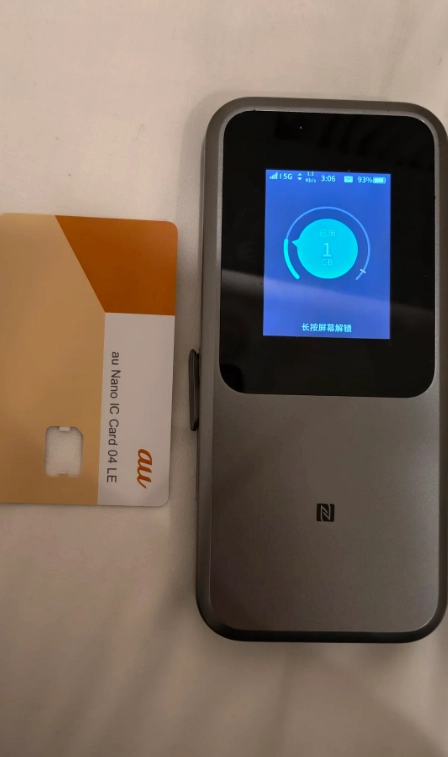
1. The Airport Counter (My Top Recommendation for Most)
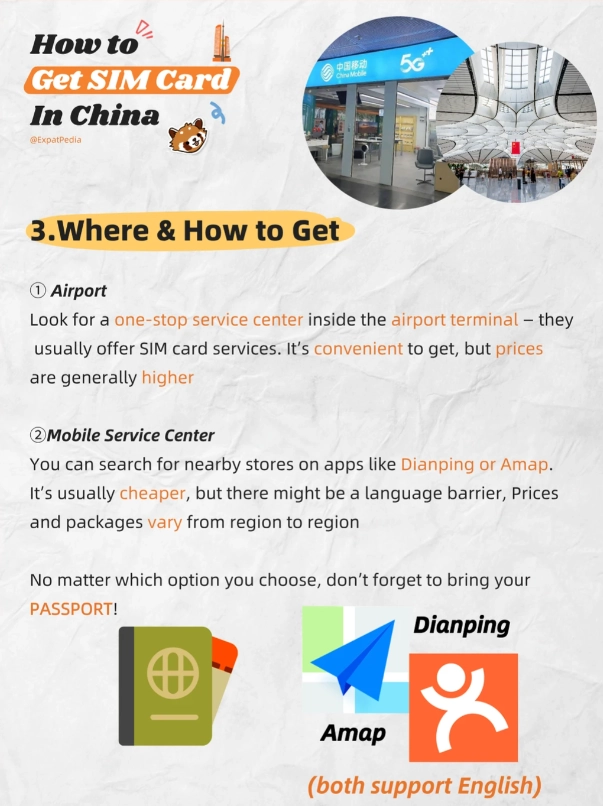
This is the easiest point of failure. In major international airports like Beijing Capital (PEK), Shanghai Pudong (PVG), or Guangzhou Baiyun (CAN), look for the official counters of China Mobile or China Unicom after you collect your bags but before you exit the arrivals hall. They are used to tourists. I always steer my groups towards China Unicom—their plans are slightly more tourist-friendly and they have better English support, in my experience.
2. Official Carrier Stores in the City
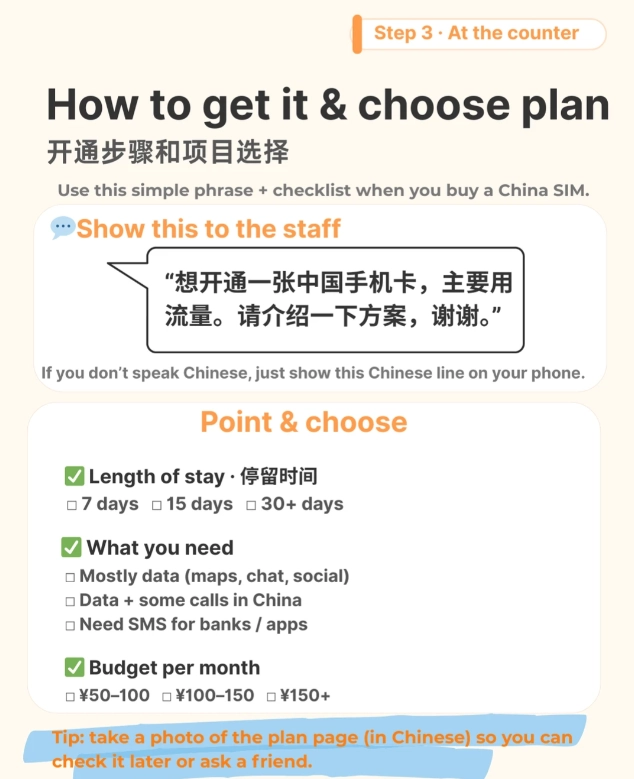
You'll find these stores on every other major street. Look for the logos: China Mobile, China Unicom, China Telecom. Bring your passport. The process is the same, but the English level of staff can be a lottery. Have your phrase ready: "Wǒ yào mǎi yī zhāng lǚyóu yòng de SIM kǎ, yǒu shùjù liúliàng." (I want to buy a SIM card for travel, with data).
3. Your Hotel Concierge
A decent four-star or above hotel can often arrange a SIM card for you. It will be more expensive—sometimes double the airport price—but it's zero hassle. I only recommend this if you arrive late at night and the airport counters are closed.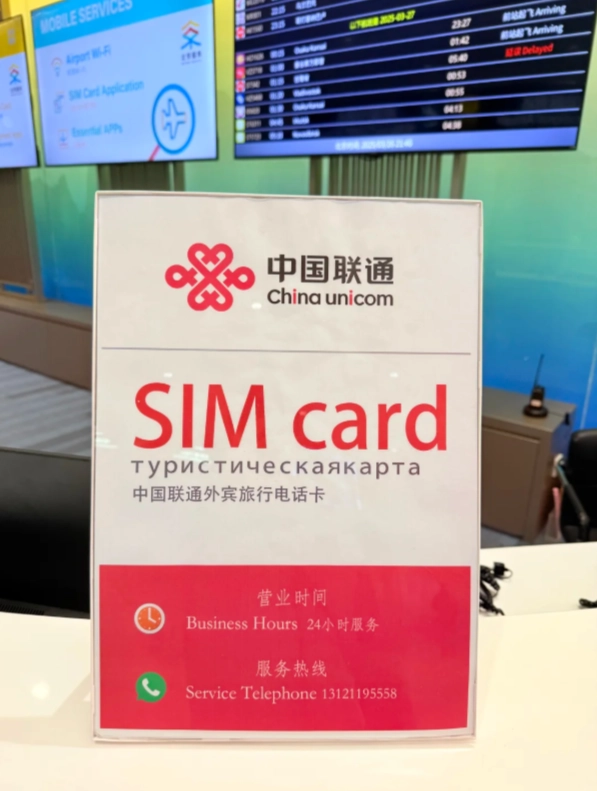
The Airport SIM Guide: A Step-by-Step Walkthrough
Let's simulate arriving at Beijing Capital Airport Terminal 3, as I did with the Johnson family last month.
- After Customs & Baggage Claim: Walk into the main arrivals hall. Don't exit the doors to the taxis yet! Look for the brightly lit counters along the walls. The China Unicom counter is usually near Exit B.
- At the Counter: Say "Tourist SIM card with data." They'll show you 2-3 plans. A standard, good-value plan is the 30-day package with 20-30GB of data and some local call minutes. In April 2024, this cost around 150 RMB (about $21 USD).
- Passport Registration: Hand over your passport. They will photocopy it and register the SIM to your name. This is a legal requirement for all SIMs in China. It takes 5-10 minutes.
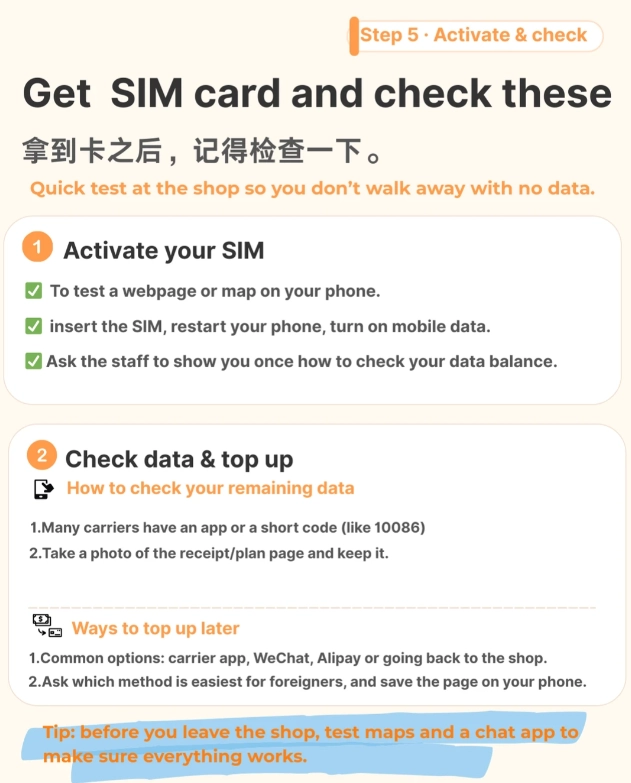
- Payment & Activation: Pay in cash (RMB) or by card (UnionPay is best, Visa/Mastercard sometimes works). They will insert the SIM, activate it, and configure your phone's APN settings. Test it before you walk away! Ask them to help you load a map or send a WeChat message.
- Get Their WeChat: A pro tip: Ask the staff if you can add their WeChat. If you have issues later (like running out of data), you can message them for help topping up. They usually agree.
Airport Pitfall: Avoid the small, independent kiosks that sell "global" SIMs. They are overpriced and the data packages are terrible. Stick to the big three carrier's official counters.
Beyond SIMs: Navigating Public & Hotel Wi-Fi
A SIM card is your primary solution, but Wi-Fi is your backup. It's everywhere, but with caveats.
Hotel Wi-Fi: It's generally reliable but often requires a room number and surname to log in. The speed varies wildly. In boutique hotels in ancient towns, it can be painfully slow after 8 PM when everyone is online.
Public Wi-Fi ("ChinaNet", "CMCC"): You'll see these networks in airports, malls, and Starbucks. To use them, you typically need a Chinese phone number to receive a SMS verification code. This is why having that local SIM is so powerful—it unlocks free public Wi-Fi. Without a local number, these networks are usually inaccessible.
Restaurant/Cafe Wi-Fi: Just ask: "Yǒu Wi-Fi ma?" (Do you have Wi-Fi?). The password is often the phone number or a simple string like 88888888. Write it down.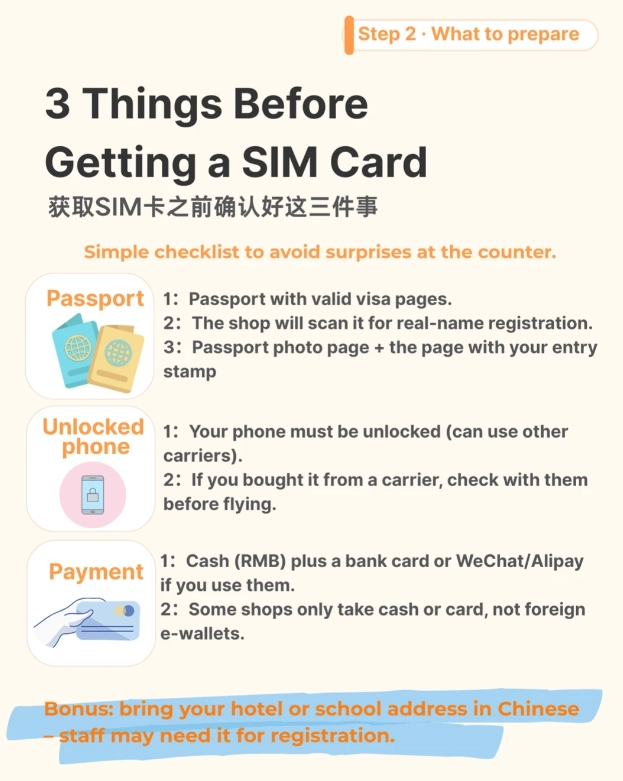
The VPN Question: Accessing Google, WhatsApp & More
This is the big one. China's internet environment restricts access to many Western sites and apps like Google (Search, Maps, Gmail), Facebook, Instagram, Twitter, WhatsApp, and sometimes even Wikipedia. Your local SIM or Wi-Fi won't change this.
To access these, you need a Virtual Private Network (VPN). Here's my non-negotiable advice: Install and test a reputable, paid VPN on your devices BEFORE you board your flight to China. Free VPNs rarely work and can be security risks.
I've had consistent success with services like ExpressVPN, Astrill, and VyprVPN. Once you land, you may need to try different servers (often Singapore, Japan, or USA) to find a stable connection. A word of caution: VPN reliability can change daily. Have a backup communication plan with your travel companions, like switching to WeChat (which works perfectly in China) if your VPN drops.
Budget & Practical Tips from a Guide's Notebook
- Cash is King (at SIM counters): While cards are sometimes accepted, having 200-300 RMB in cash smoothes the purchase process.
- Data is Cheap: Don't skimp. For 150-200 RMB, you can get enough data for a month of heavy mapping and social media use (on your VPN). It's not worth the stress of running out.
- Portable Wi-Fi (MiFi): For families or groups of 4-5, renting a portable Wi-Fi hotspot from the airport can be economical. You connect all your phones to one device. The downside is you have to keep it charged and carry it everywhere.
- The "Most Tourists Don't Know" Tip: If your phone supports Dual SIM, keep your home SIM in one slot (on roaming for emergency calls/SMS) and your Chinese data SIM in the other. Set the Chinese SIM for cellular data only. This way, you're never completely unreachable.
Your Burning Questions Answered (FAQ)
Can I use Google Maps in China?
Not without a working VPN. Even with a VPN, Google Maps can be slow and details like business hours are often inaccurate for China. I strongly recommend downloading Maps.me for offline maps or, even better, using Amap or Baidu Maps. They are in Chinese, but you can search in pinyin (e.g., "Tiananmen Guangchang") and they are flawless for walking directions, subway routes, and live traffic.
Do I really need a VPN for a short trip?
It depends on your digital habits. If you can live without checking Instagram, using WhatsApp to message folks back home, or accessing your Gmail for a week, you might manage. But for most people, the disconnect is jarring. For anything over 3 days, I'd say yes, get a VPN. Setting up a professional email auto-reply before you go helps.
What's the best way to communicate locally with drivers or hotels?
WeChat. It's the absolute backbone of life here. Download it before you come. You can use it for text, voice messages, photo sharing, and payments. For translation, the built-in "Translate" feature in WeChat is decent, or use Microsoft Translator (which works without a VPN). For talking to taxi drivers, have your destination written in Chinese characters on your phone or a hotel card.
My eSIM isn't working after I landed. What now?
First, double-check your APN settings—the eSIM provider should have sent them. Ensure mobile data is turned on for the eSIM line in your phone settings. If it still fails, you still have a great fallback: airport Wi-Fi. Connect to it (you might get a limited session without a local number), use your VPN, and contact your eSIM provider's support via chat or email. They can often push a reset. As a last resort, head to the China Unicom counter and buy a cheap physical SIM for backup data.
Is the internet speed good in China?
In major cities, it's often fantastic—faster than what I'm used to in parts of Europe. 4G/LTE coverage is extensive and quick. You'll stream video without issue. In remote rural areas or on high-speed trains going through tunnels, expect drops and slower speeds, just like anywhere else.
 Getting connected in China is a straightforward process once you know the rules of the game. Prioritize it, be prepared with your passport and some cash, and you'll transform your trip from a potentially frustrating experience into a smooth, immersive adventure. Trust me, the first photo you post from the Great Wall using your new Chinese data will feel like a victory.
This article is based on my extensive, on-the-ground experience helping hundreds of travelers navigate China's digital landscape. Information is subject to change, but the core principles remain constant.








No comments yet.