.jpeg) Jack Zhou
Jack Zhou
What You'll Find in This Guide
Let me paint you a picture. You've just landed at Beijing Capital International Airport after a 14-hour flight. You're tired, you're excited, and you desperately need to message your hotel, call a Didi (China's Uber), and maybe check a map. You see the counters for China Mobile and China Unicom, but the line is 50 people deep. You fumble with your passport, try to explain your needs in broken English or charades, and finally get a physical SIM card. Then you realize your phone's SIM tray needs a pin you don't have. Sound familiar? I've seen this scene play out a hundred times with my tour groups.
That's why, for the last three years, I've been telling every single traveler who asks me about staying connected: get an eSIM. It's the single biggest travel hack for China. It saves you that airport queue, the language barrier, and the panic of being offline. This isn't just tech advice; it's a survival tip from someone who's spent a decade shepherding tourists through the wonders and occasional headaches of this country.
Why an eSIM Beats a Physical SIM for China Travel
Think of an eSIM as a digital SIM card. No plastic chip, no tray. It's a profile installed directly on your phone. For travel, this is a game-changer.
Here’s the breakdown of why it's superior for a China trip:
- Instant Activation: Buy it online from your home country, install the profile, and it often activates the moment you connect to a Chinese network. No registration hassle at the airport.
- Dual SIM Magic: This is the killer feature. Keep your home number active for receiving SMS codes (for bank logins, etc.) on your physical SIM, and use the eSIM for all your data in China. No more swapping cards and missing important messages.
- No Hardware Issues: Lost SIM ejector tool? SIM tray stuck? Phone uses a nano-SIM and they only have micro? These problems vanish.
- Easy Top-Ups & Changes: Need more data? You can buy a new package from the provider's app instantly, without visiting a store.
I remember a family from Australia who bought a physical SIM. Their daughter's phone had a slightly defective SIM tray, and the card kept disconnecting. They wasted half a day in Shanghai looking for a repair shop. An eSIM would have bypassed the hardware entirely.
Top eSIM Providers Reviewed: My Go-To Picks
Not all eSIM providers are created equal, especially for China. Coverage, speed, and reliability with Chinese networks matter most. Based on my clients' feedback and my own testing, here are the two I consistently recommend.
| Provider | Best For | My Experience & Notes | Typical Price (1GB, 7 days) |
|---|---|---|---|
| Airalo | First-time users, ease of use, wide regional/global plans. | Their app is slick and foolproof. I've found their connectivity in major cities (Beijing, Shanghai, Xi'an, Guangzhou) to be rock solid, usually on China Unicom's network. Support is responsive. This is my default recommendation for 90% of travelers. | ~$5 - $9 USD |
| Nomad | Data-heavy users, longer trips, competitive pricing. | Often has slightly better rates for larger data packages (e.g., 10GB for 30 days). Coverage is similar to Airalo. I've used them personally on a month-long trip across Yunnan and had consistent 4G in cities and towns. Their coverage map is detailed, which I appreciate. | ~$4.50 - $8 USD |
What About Other Providers?
You'll see names like Holafly (offers unlimited data plans, which can be tempting but are often speed-throttled) and Ubigi. They can work, but I stick with Airalo and Nomad because I've had zero major complaints from clients using them. In this game, reliability trumps a saving of one or two dollars.
A crucial warning: Avoid "local" Chinese eSIMs sold on some travel sites unless you can read Chinese and have a Chinese payment method. The set-up is often not foreigner-friendly. The international providers above are built for us.
How to Set Up Your Travel eSIM: A Foolproof Guide
Let's walk through this step-by-step, as if I'm sitting next to you. The process is almost identical for Airalo and Nomad.
Step 1: Check Your Phone Compatibility
Before you buy anything, do this: Go to your phone's settings. For iPhone, it's Settings > Cellular. For newer Android, Settings > Connections > SIM manager. Look for an option to "Add Cellular Plan" or "Add eSIM." If you see it, you're good. Most iPhones from XS/XR onward and flagship Androids from the last 3-4 years have it. When in doubt, check the provider's website—they have clear lists.
Step 2: Purchase Before You Fly
Do this at home on your WiFi. Go to the Airalo or Nomad website or download their app. Search for a plan for "China" or "Asia Regional." For most trips under two weeks, a 3-5GB plan is plenty if you're using maps, messaging, and light social media. If you plan to stream video or make video calls daily, go for 10GB.
Step 3: Install & Activate
After purchase, you'll get a QR code via email and in the app. Here's the sequence:
1. Connect to airport WiFi (or any WiFi).
2. Open your phone's camera and scan the QR code. A prompt to "Add Cellular Plan" will appear.
3. Follow the prompts. You'll label it (I call mine "China Data").
4. For "Cellular Plan Label," just leave it as the default.
5. Once installed, go to Settings > Cellular. Tap your new eSIM plan and ensure "Turn On This Line" is enabled and "Data Mode" is selected (for iPhones). For Android, set it as the data SIM.
The moment of truth: Turn off WiFi. You should see "China Unicom" or "China Mobile" next to the signal bars. Open a browser. If you're redirected to a registration portal, sometimes a quick toggle of Airplane mode fixes it. If not, the provider's app usually has an activation button.
Critical Info for Using an eSIM in China
Having data is one thing. Using the internet in China is another. Here's what most travel blogs don't tell you.
The Great Firewall is Real: Your eSIM gives you data, but it's data routed through Chinese networks. That means Google, Facebook, Instagram, WhatsApp, YouTube, and most Western news sites are blocked. Your eSIM does not come with a built-in VPN.
Non-Negotiable Advice: You must install a reliable VPN on your phone before you enter China. Do not wait. Once you're in, you often cannot download the VPN app because the app stores (Google Play, Apple App Store) might be slow or blocked. I've seen too many travelers stuck. My long-standing recommendation is ExpressVPN or Astrill. Set it up at home, test it, and make sure it's working. Connect to it after your eSIM data is active.
Network Switching: Your eSIM might lock onto China Unicom. In some remote rural areas, China Mobile has better coverage. You can sometimes manually select a network in your cellular settings. It's worth a try if your signal drops.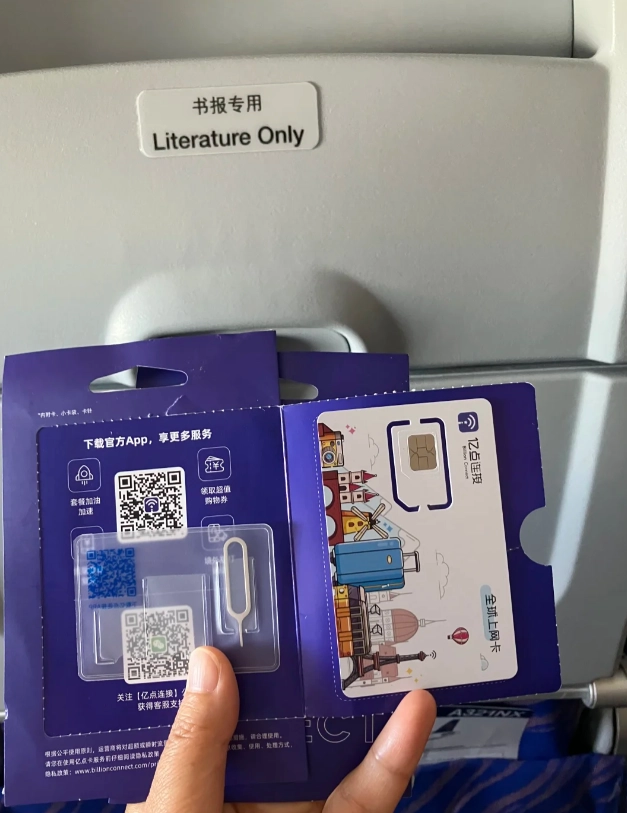
Your Top eSIM Questions, Answered
 Look, after guiding hundreds of tourists, I know the small things make or break a trip. Being connected is no longer a small thing; it's your map, your translator, your guidebook, and your link home. An eSIM removes one of the biggest initial friction points of arriving in China. It lets you focus on the important stuff—like deciding whether to have Peking duck or hotpot for dinner.
This guide is based on my firsthand experience and the collective feedback of my clients. The information is current and practical. Now go get connected, and enjoy your adventure.








No comments yet.