 Lei Li
Let's be honest. The first time you see a market vendor in Beijing hold up a QR code instead of opening a cash drawer, it's confusing. I've lost count of how many times I've helped a tourist frantically search for an ATM while a line forms behind them. Cash is king? Not here anymore. In China, Alipay (and WeChat Pay) are the undisputed emperors of everyday spending.
I've been guiding foreign travelers through China for over a decade. I've seen the transition from cash to mobile payments firsthand. This guide isn't just theory—it's the exact, step-by-step process I walk my tour groups through on their first day. Forget the complex financial jargon. I'll show you how to set up Alipay with your foreign card, how to actually use it, and the little tricks that make the difference between a smooth transaction and a frustrating standoff.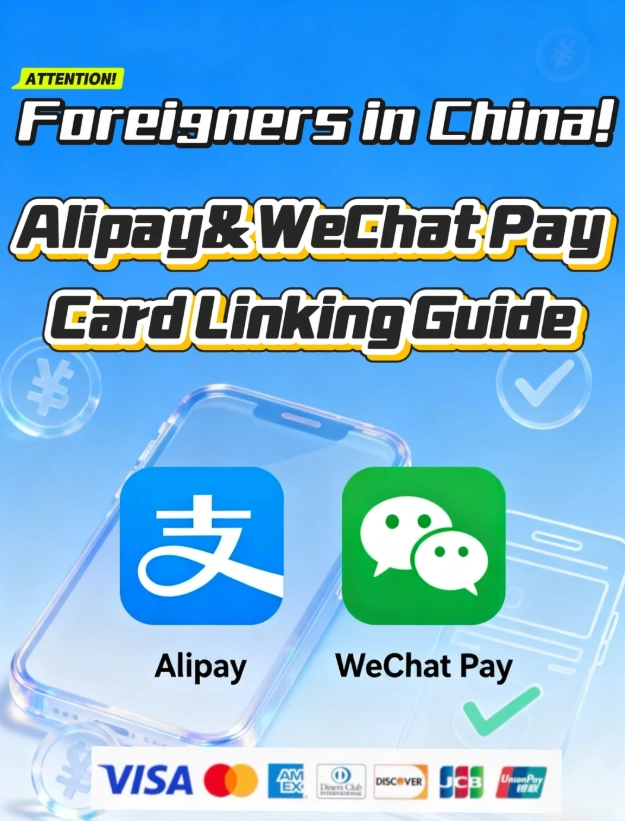
What You'll Find Inside
Why Alipay is Your Best Friend in China
Think of Alipay as your digital wallet. It links to your credit/debit card (yes, international ones work now!) and lets you pay by scanning a code with your phone. Here’s the reality on the ground:
Cash is awkward. Many small businesses, especially in big cities, simply don't carry much change. I've seen a baozi (steamed bun) seller wave away a 100 RMB note because she couldn't break it. Street food stalls, trendy cafes, even some taxis—they all prefer QR codes.
It's faster. A transaction takes 3 seconds. Scan, confirm, done. No fumbling with bills, no waiting for change.
It works in places you wouldn't expect. We're not just talking about fancy malls. I've used Alipay to buy a single stick of candied hawthorn from a granny on the Great Wall access path, to pay for my entry at a tiny Buddhist temple in Hangzhou, and to split the bill at a hotpot restaurant with friends. The penetration is insane.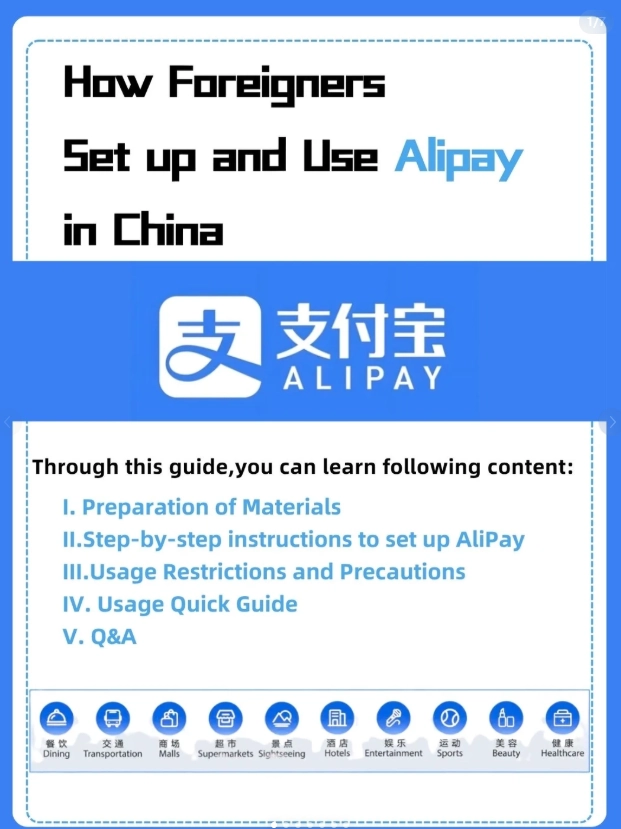
Step-by-Step: Setting Up Alipay for Tourists
Do this before you board your flight. Getting your international card verified can sometimes take a few hours. Here’s the foolproof method I give my clients.
1. Download & Register
Get the “Alipay” app from your phone's official app store (Google Play or Apple App Store). Open it and sign up using your international mobile number. You'll get an SMS verification code.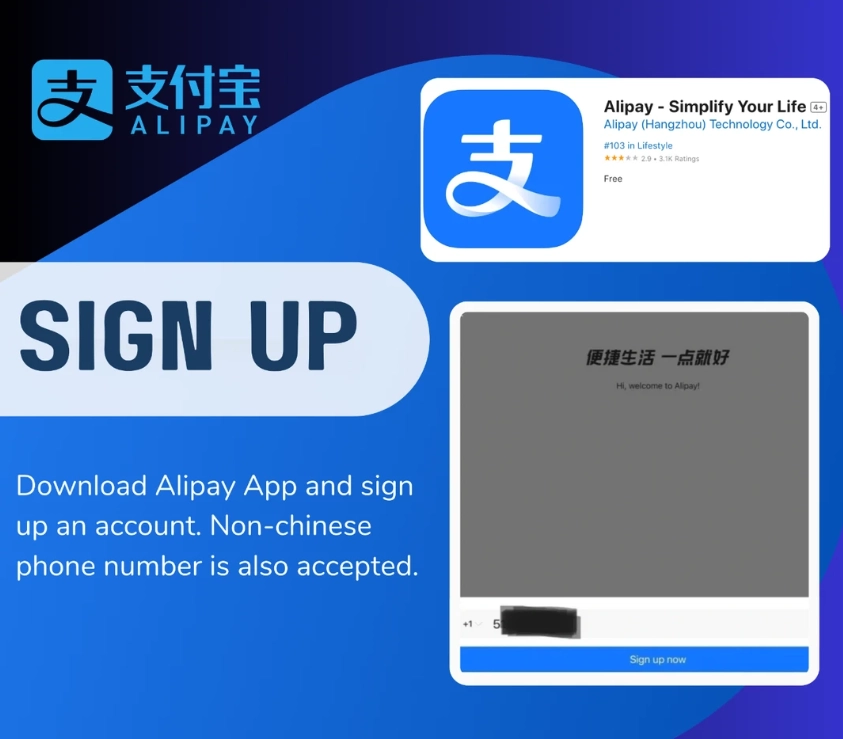
2. The Crucial Step: Verifying Your Identity
Tap “Me” in the bottom right, then the avatar/icon at the top. You need to complete “Real-Name Verification.” This is mandatory for payments. For tourists, the easiest way is to use your passport. Follow the prompts to take photos of your passport's data page. The system is pretty good at reading the MRZ code.
3. Adding Your International Card
Go to “Me” > “Bank Cards” > “Add Card.” Here’s where most people stumble.
- Card Details: Enter your Visa, Mastercard, JCB, or Discover card information. UnionPay cards also work seamlessly.
- Name Field Trap: Enter your name exactly as it appears on your card. If your card says “JOHN A SMITH,” put “JOHN A SMITH.” Do not use “John A. Smith” or “Smith John.” The system checks this against your bank, and a mismatch will cause the verification to fail silently.
- Phone Number: Use the number associated with your bank account (often the one you used to register for Alipay).
Once added, Alipay will make a small temporary charge (and then refund it) to verify the card. This can take a few minutes to a couple of hours.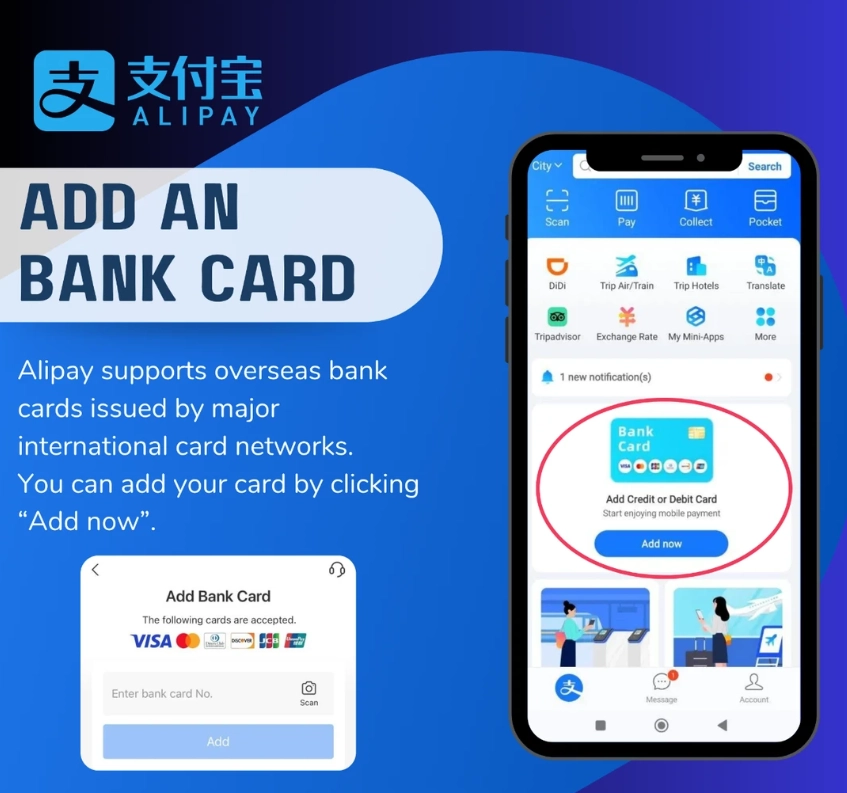
4. Topping Up Your “Balance” (Optional but Recommended)
You can pay directly from your linked card for each transaction. However, I strongly recommend transferring some money into your Alipay “Balance.” Why? Some smaller merchants or certain functions (like paying a friend) work more smoothly with funds already in your Balance. It also gives you a clearer view of your daily spending.
To top up: Go to “Me” > “Balance” > “Top Up.” Select your linked international card and choose an amount. Think of it like loading a travel money card. Start with 500-1000 RMB and see how you go.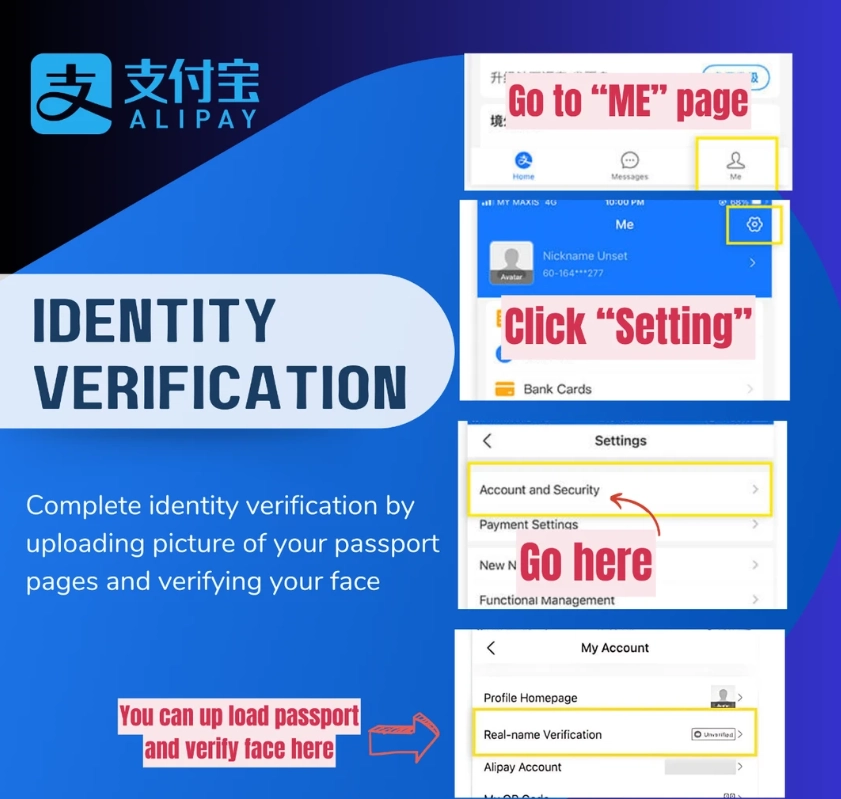
How to Pay with Alipay: The Two Scenarios
This is the part that confuses people most. There are two ways, and you need to know which one to use.
| Scenario | What You See | What You Do | Where You'll See It |
|---|---|---|---|
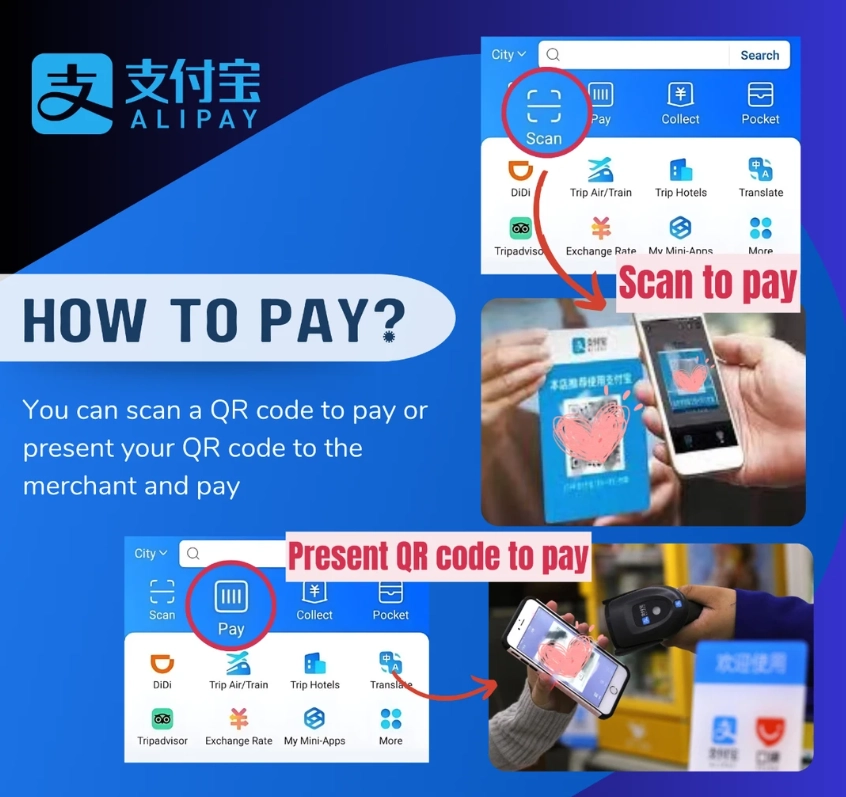
| 1. YOU Scan the Merchant (Pay Code) | A static QR code, often on a sticker at the counter. | Open Alipay, tap “Scan” on the home screen, point your camera at the code. A payment page pops up. Enter the amount (if not auto-filled), confirm, and pay. | Small shops, street vendors, market stalls, some taxis (driver shows you a code). |
| 2. Merchant Scans YOU (Payment Code) | A cashier with a handheld scanner or a fixed scanner at the register. | Open Alipay, tap “Pay/Collect” on the home screen. Your personal payment code (a dynamic QR code) appears. Hold it up for the cashier to scan. You'll hear a beep and get a notification. | Supermarkets, chain restaurants (KFC, Starbucks), department stores, most modern retail. |
How to remember? If the code is stuck to the counter, you scan it. If the cashier has a gun in their hand, they scan you. When in doubt, just open the “Scan” function and look at the vendor. They'll usually point to their code or gesture for yours.
Where You Can Use Alipay (Almost Everywhere)
Let's get specific, because “everywhere” isn't helpful.
- Public Transport: In most major cities (Beijing, Shanghai, Guangzhou, Shenzhen, etc.), you can use Alipay to ride the subway and buses. Don't buy a physical ticket! In the Alipay app, search for “Metro” or “Transportation” in the mini-programs section (“Life” tab). Activate the city's transit code. You just scan this code at the subway gate. It deducts the fare directly. This alone is worth setting up Alipay for.
- Didi (Chinese Uber): Link your Alipay as the payment method in the Didi app. Seamless rides.
- Food Delivery (Ele.me/Meituan): You can pay for your delivery orders through these apps using Alipay.
- Attraction Tickets: Many scenic spots and museums sell tickets through their official Alipay mini-programs. Search for the attraction's name within Alipay. You can often skip the ticket line.
- Hotels & Hostels: Most accept Alipay for payment at check-out.
Troubleshooting: When the Payment Fails
It happens. Don't panic. Here’s my field-tested triage list:
- Check your internet. You need mobile data or Wi-Fi. (Pro-tip: The “Pay/Collect” code can sometimes be generated and used offline, but the transaction completes once you're back online).
- Check your card. Go to “Me” > “Bank Cards.” Is your card still listed and verified? Sometimes banks block international transactions as fraud. You might need to call your bank before you travel to authorize payments from China.
- Insufficient funds/limit? Your bank or Alipay may have a single transaction or daily limit for international cards.
- The merchant's code is for WeChat Pay. Look closely. Alipay's logo is blue. WeChat Pay's is green. They are different systems. You can't scan a WeChat code with Alipay.
- Last resort: Smile, say “Alipay bu xing” (Alipay not work), and pull out your backup cash.
Frequently Asked Questions (From Real Tourists)
 Look, I know it feels like a leap. But trust me, once you've bought your first bottle of water from a 7-Eleven with a quick scan, you'll never want to go back to counting coins. It opens up the real, modern China to you. You'll move through markets, transport, and restaurants not as a confused outsider, but as someone who gets it. Download the app, follow these steps, and enjoy the simplest part of your China adventure.
This guide is based on my firsthand experience helping hundreds of tourists navigate mobile payments in China. Information is current and has been fact-checked against the latest Alipay app functionality.








No comments yet.